From SOP to First Draft: Guided Workflow Setup in LeadSimple
Turn the SOPs, checklists, and notes your team already uses into a reviewable workflow draft—without giving up control of roles, logic, or automation.
By LeadSimple Team
Automation & Workflows
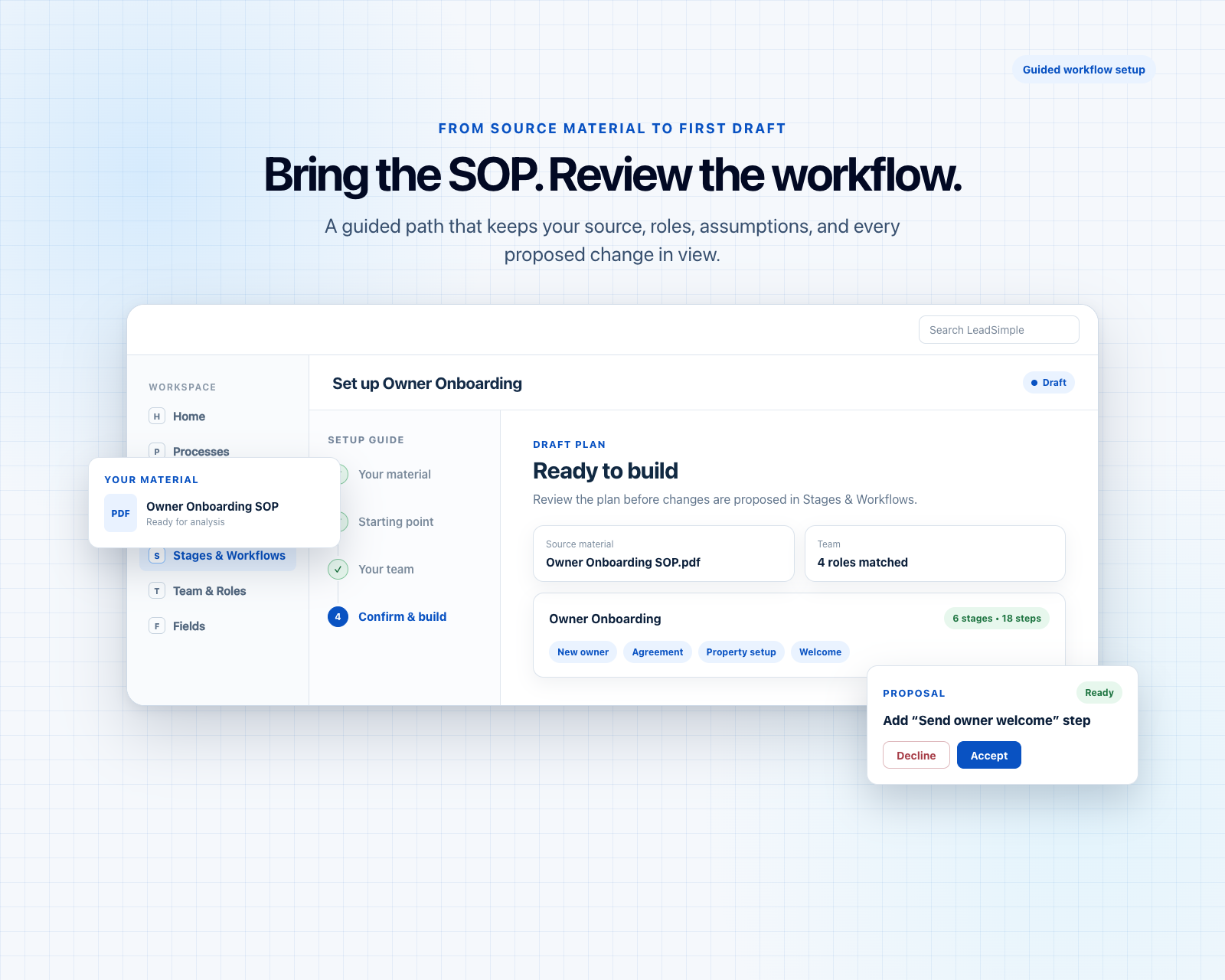
Most property management teams are not starting from zero. The process already exists somewhere: in an SOP document, a spreadsheet checklist, a team member’s notes, or a collection of all three.
The hard part is translation. Someone still has to turn that source material into stages, responsibilities, fields, handoffs, and automation that the whole team can understand—and then decide what is safe to put into practice.
Guided setup in LeadSimple gives that work a better starting point. You bring the material your team already trusts, add the missing context, map responsibility, and review a proposed structure before changes reach your workflow.
Why blank-page workflow design slows good teams down
An empty workflow asks for dozens of decisions at once. Where does the process begin? What counts as done? Which handoffs deserve their own stage? What information needs to be structured? Who should own each step?
Those decisions still matter when AI is involved. The opportunity is not to skip them; it is to make them easier to see, discuss, and approve. That is why guided setup starts with a choice instead of silently generating an entire workflow.
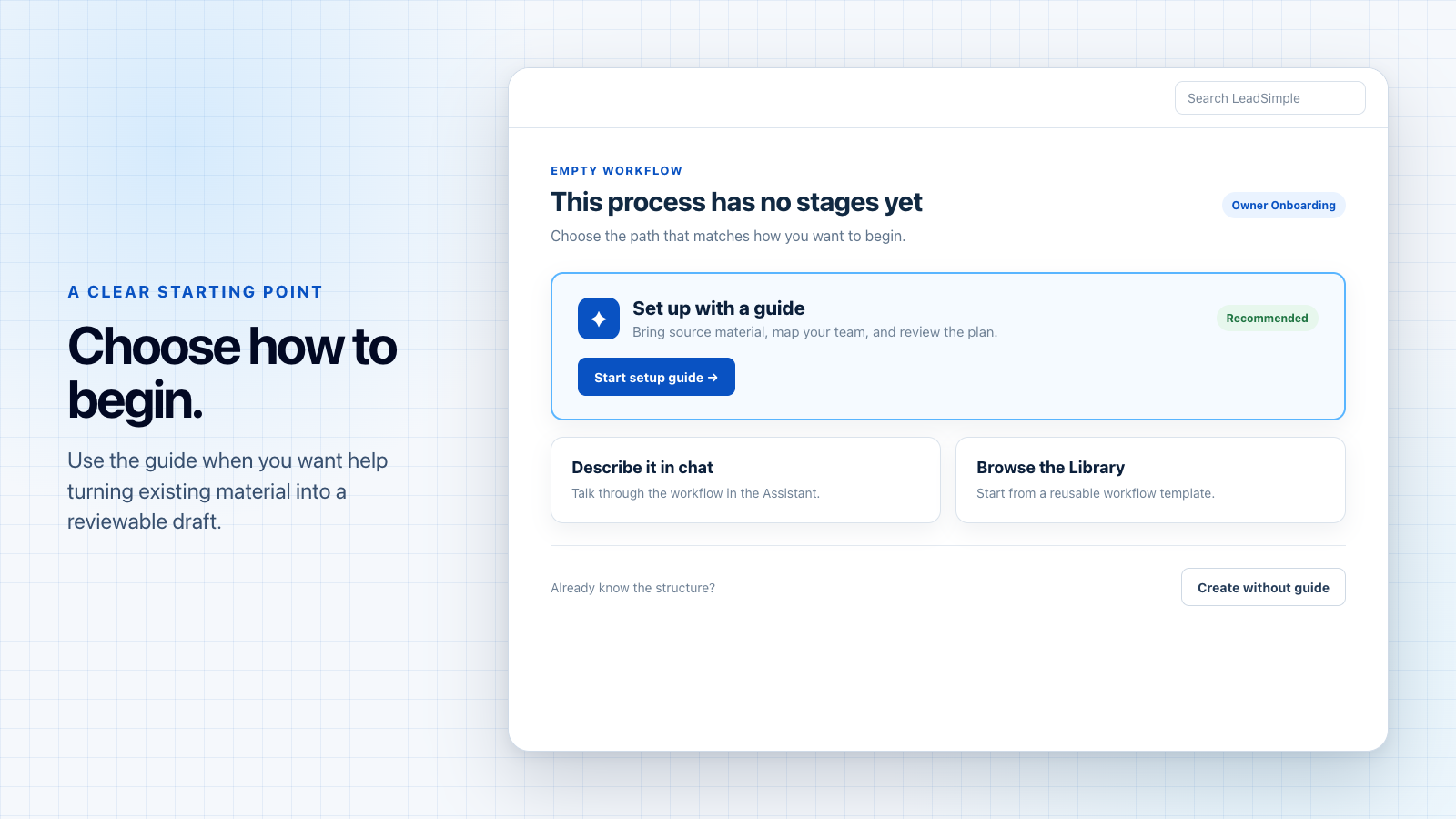
Start with the material your team already trusts
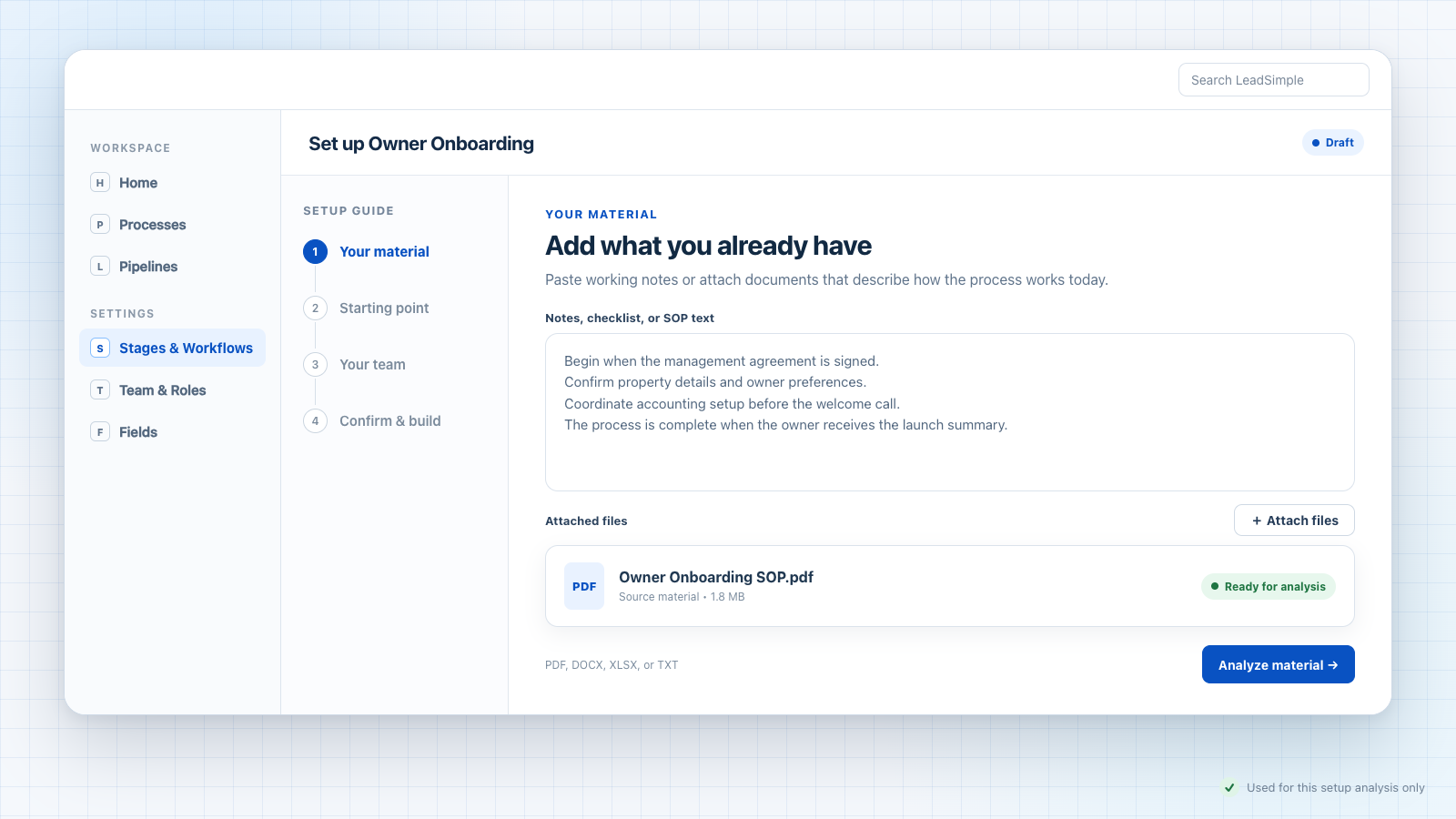
Guided setup begins with what you already have. Paste working notes or attach a PDF, Word document, spreadsheet, or text file. The source does not have to be polished. A useful draft can begin with the messy version your team actually uses.
LeadSimple looks for the workflow’s goal, trigger, definition of done, actors, handoffs, stage intent, and places where structured fields or conditions may be useful. Conflicts and assumptions are surfaced for review instead of being hidden inside the draft.
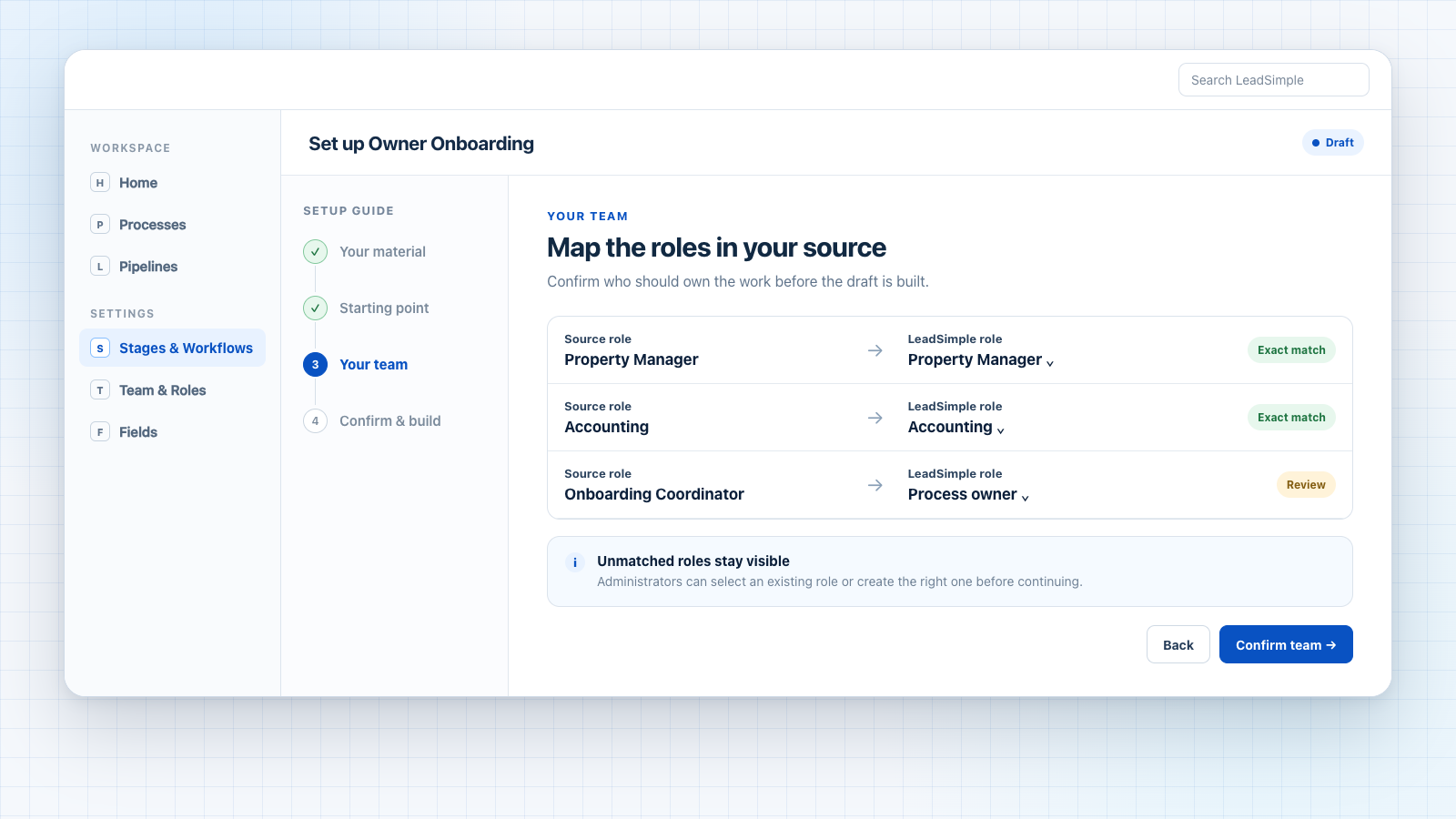
Resolve ownership before the workflow starts
A workflow is only as clear as its ownership. Guided setup identifies the roles described in your source and helps map them to the roles already in LeadSimple. Exact matches can be confirmed quickly; unmatched responsibilities stay visible so an administrator can match or create the right role.
This is an important checkpoint. It keeps a familiar job title in an SOP from turning into an ambiguous assignment later. When a specific match is not available, the workflow can fall back to the process or lead owner rather than inventing a person.
Review the blueprint—not a black box
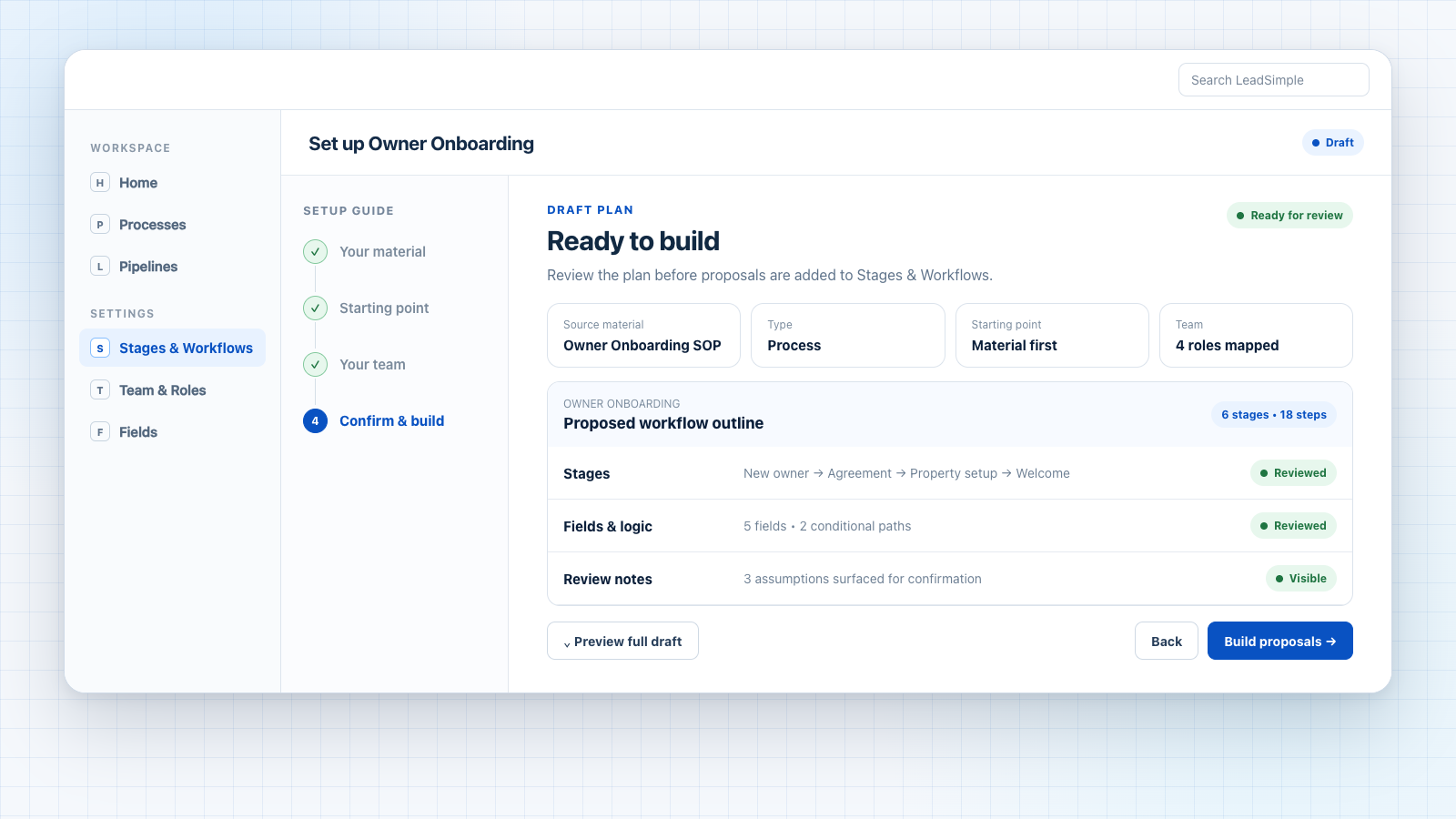
Before anything is built, the confirmation view summarizes the source material, workflow type, drafting approach, and team mapping. It also shows the proposed stage and step counts, stage names, fields and logic, and review notes.
That gives your team a practical review surface. You can inspect the full draft, catch a missing handoff, question a field recommendation, or revise an assumption while the plan is still easy to change.
- Sequence: Do the proposed stages reflect how work should move?
- Responsibility: Is each step assigned to the right role or owner?
- Data and logic: Are the recommended fields and conditions necessary?
- Assumptions: Which review notes need a human decision before build?
Build in reviewable pieces
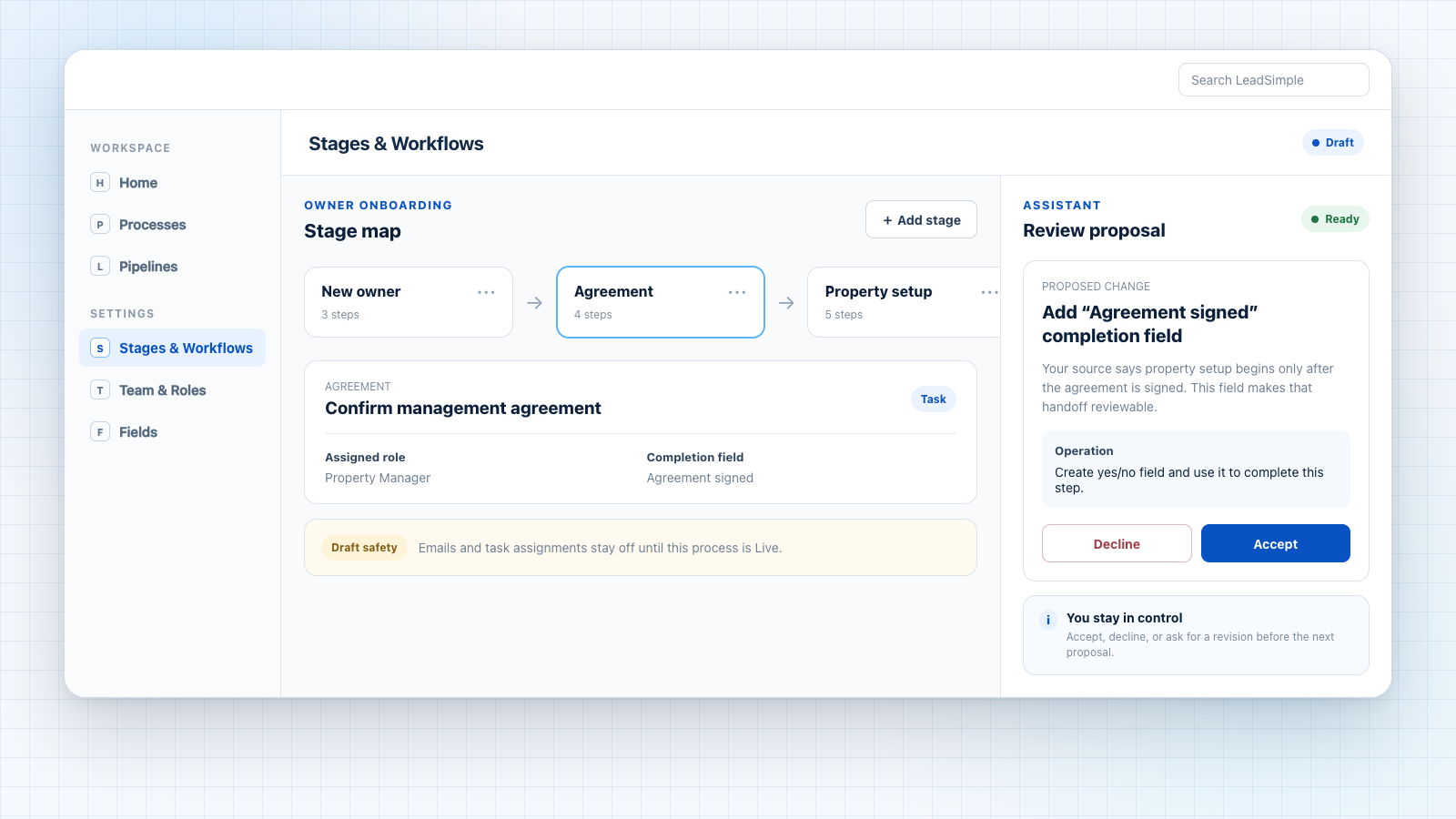
Once the blueprint is confirmed, guided setup brings the work into Stages & Workflows. It proposes the stage map first, then works through stage-level changes in smaller cards. Each proposal explains what will change and can show when another accepted change is required first.
You can accept, decline, or revise proposals in chat. Progress is saved as you go, so workflow design becomes a sequence of deliberate decisions instead of one irreversible action.
Human control is the feature
Guided setup is not a one-click SOP import, and that is a strength. Property management workflows carry real operational consequences. A useful assistant should reduce blank-page work while leaving judgment, permissions, and activation with the people accountable for the process.
Guided setup is available for a Process or Pipeline with zero stages, so it does not silently rewrite an established workflow. Existing workflows can continue to be refined through the visual editor and its assistant.
New processes remain in Draft until your team is ready to make them Live. Draft processes do not send emails or assign tasks. Completing guided setup for a Pipeline does not move records or send messages; your team can review its stages, steps, and automation settings first.
- Review a concrete structure instead of starting from an empty canvas.
- Make assumptions and unresolved questions visible early.
- Resolve responsibility before the workflow reaches the team.
- Inspect automation before the process becomes active.
A stronger starting point for every workflow
The best workflow tools do more than preserve documentation. They help a team turn that documentation into a shared operating system. Guided setup closes the gap between the process you have, the process you intend, and the workflow your team can confidently run.
Bring the SOP. Bring the checklist. Bring the notes that only make sense to the person who wrote them. LeadSimple can help shape the first draft—and keep every important decision in your hands.