2018 Q1 Product Update
The Marketing Automation add-on helps LeadSimple customers capture leads from their website through forms, nurture those leads, track their engagement, and auto-advance stages.
By Matt Berkompas
We're releasing a brand new set of features this quarter in the form of a new LeadSimple add-on called Marketing Automation. This add-on is designed to help you capture more leads from your website and nurture and engage with those leads automatically, increasing the likelihood of converting them down the road. Below is a summary and video overview (bottom of page) of the release features.
Forms
LeadSimple forms enable you to offer a lead magnet on your website and deliver that content through one of your stages and workflows. This stage could contain a series of email templates, set to go out automatically over time, on the pros and cons of hiring a property management company.
Form Builder
To build a form, simply open up LeadSimple's form builder and click "Create" and choose the lead type you want to create this form in.
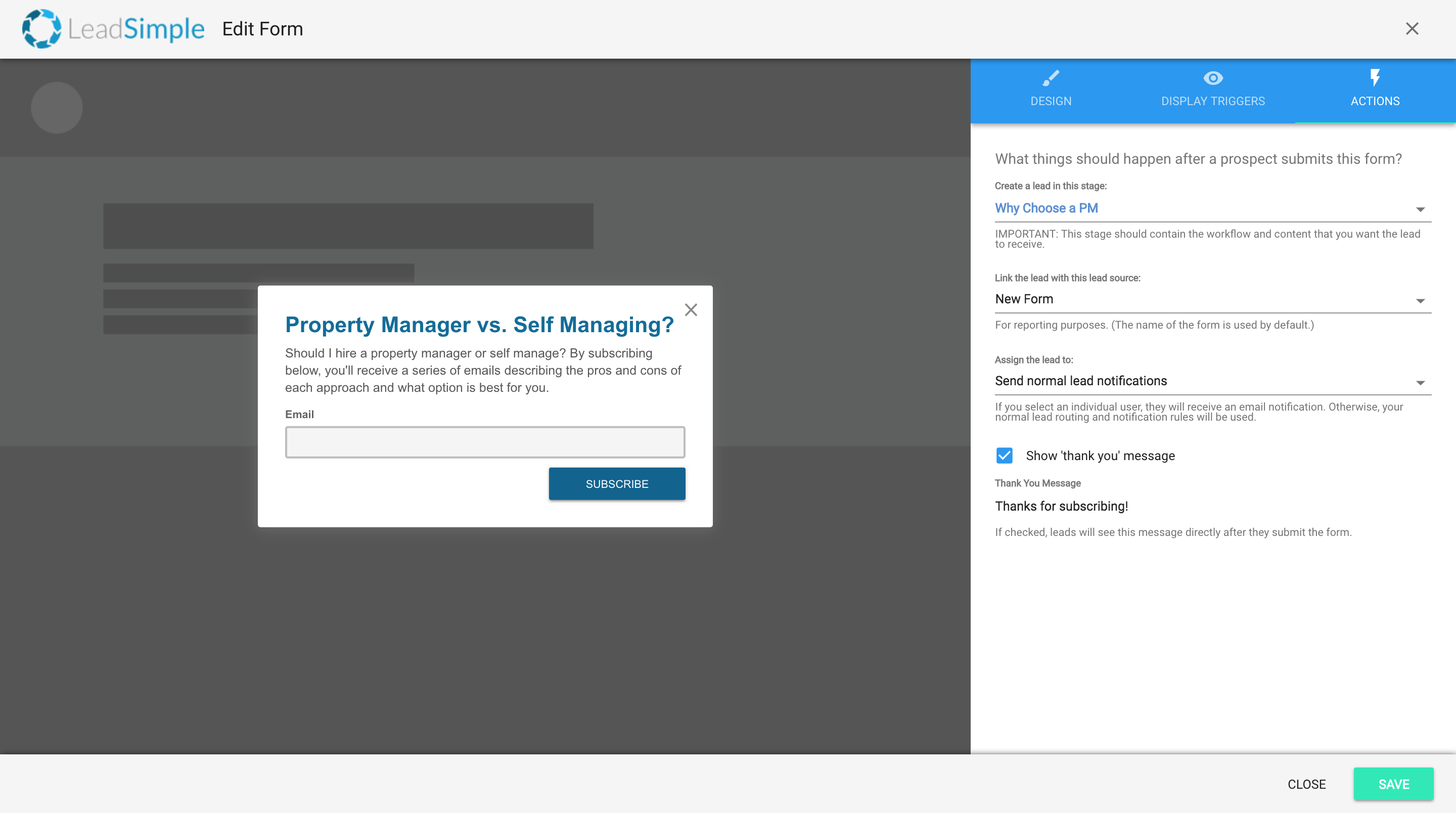
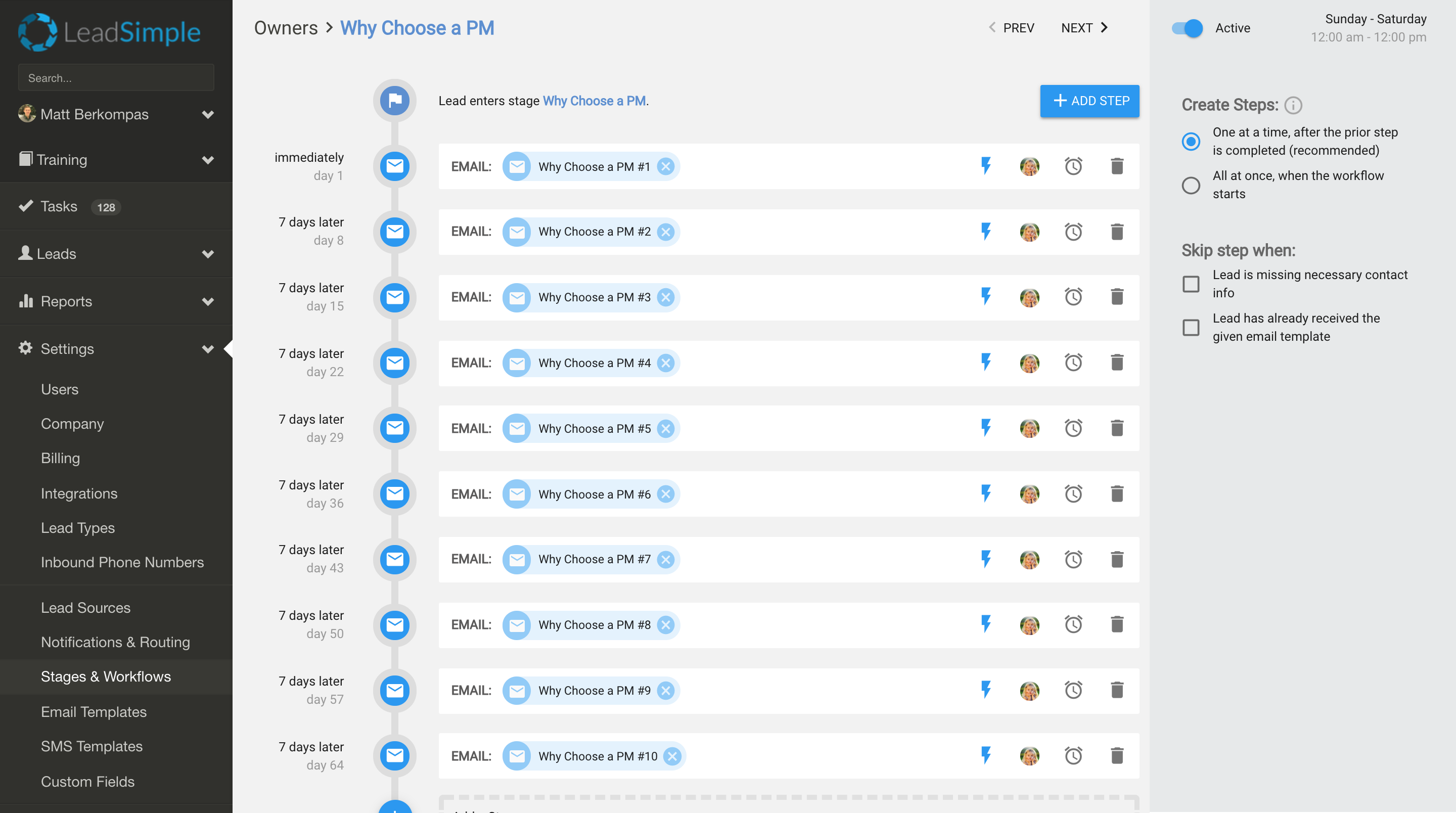
For starters, you can build a basic form with a simple header and description explaining the content you're offering and then set the stage and workflow of the form to the one that contains that content like the "Why Choose a PM" stage and workflow below.
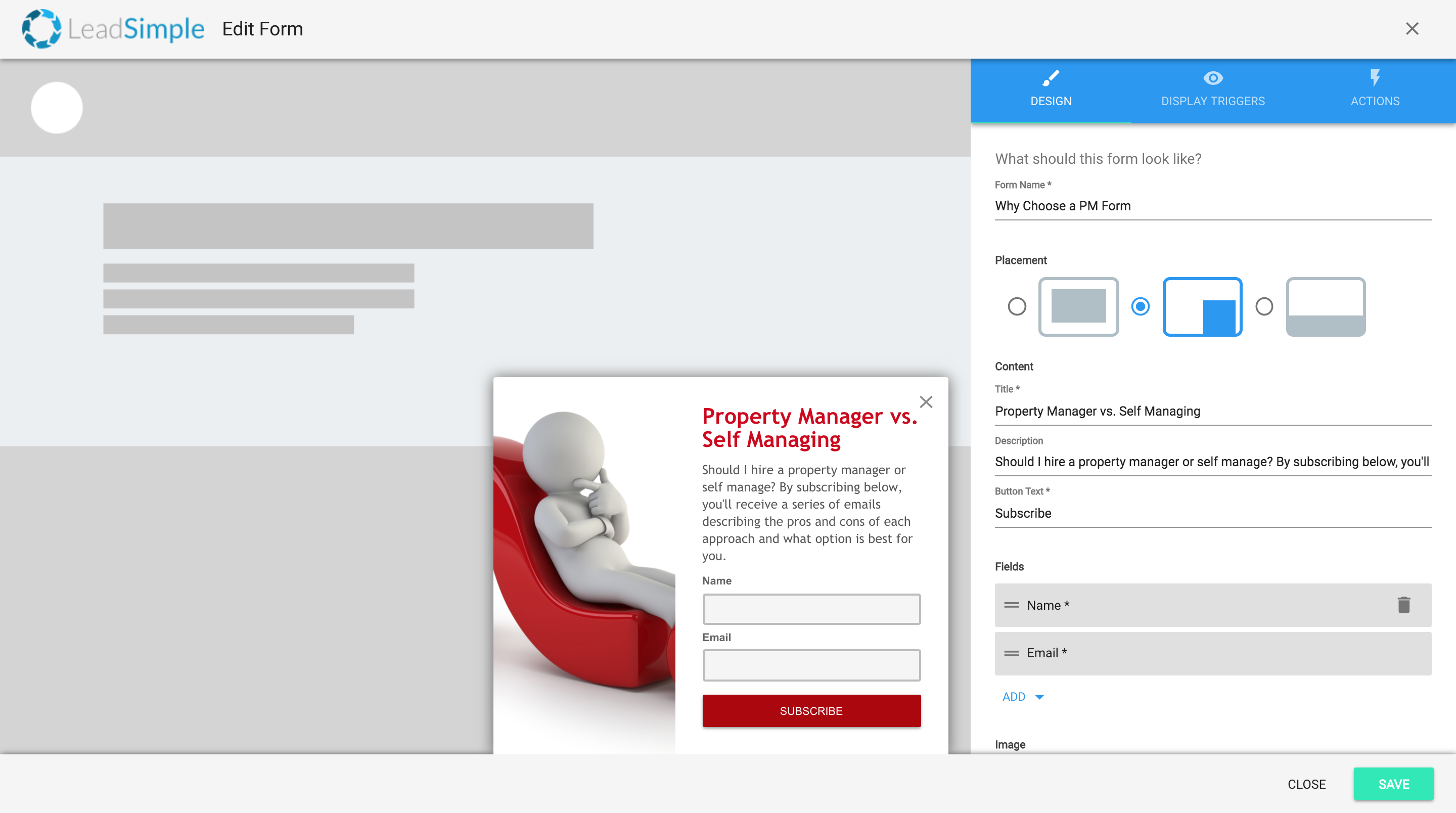
If you want to customize your form more, you can change the colors, fonts and add an image. You can also add extra fields to capture more info like the lead's name or phone number. Just be careful not to ask for too much info as that could make prospects less likely to fill out the form. For our example, we'll just add a stock image and change the colors to red to match our website better.
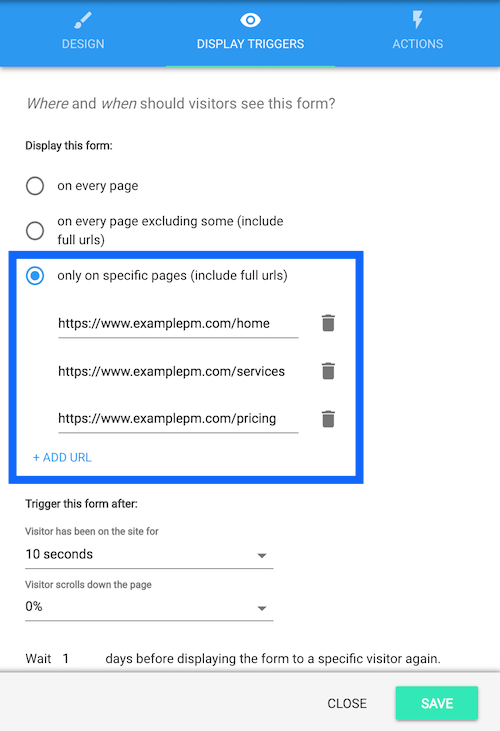
You can also set the exact pages of your website you want the form to be displayed on.
Site Tracking
The Marketing Automation add-on also includes site tracking for leads who fill out one of your LeadSimple forms. With this enabled, LeadSimple will track page views on the lead's record, giving you context about what information they're interested in.
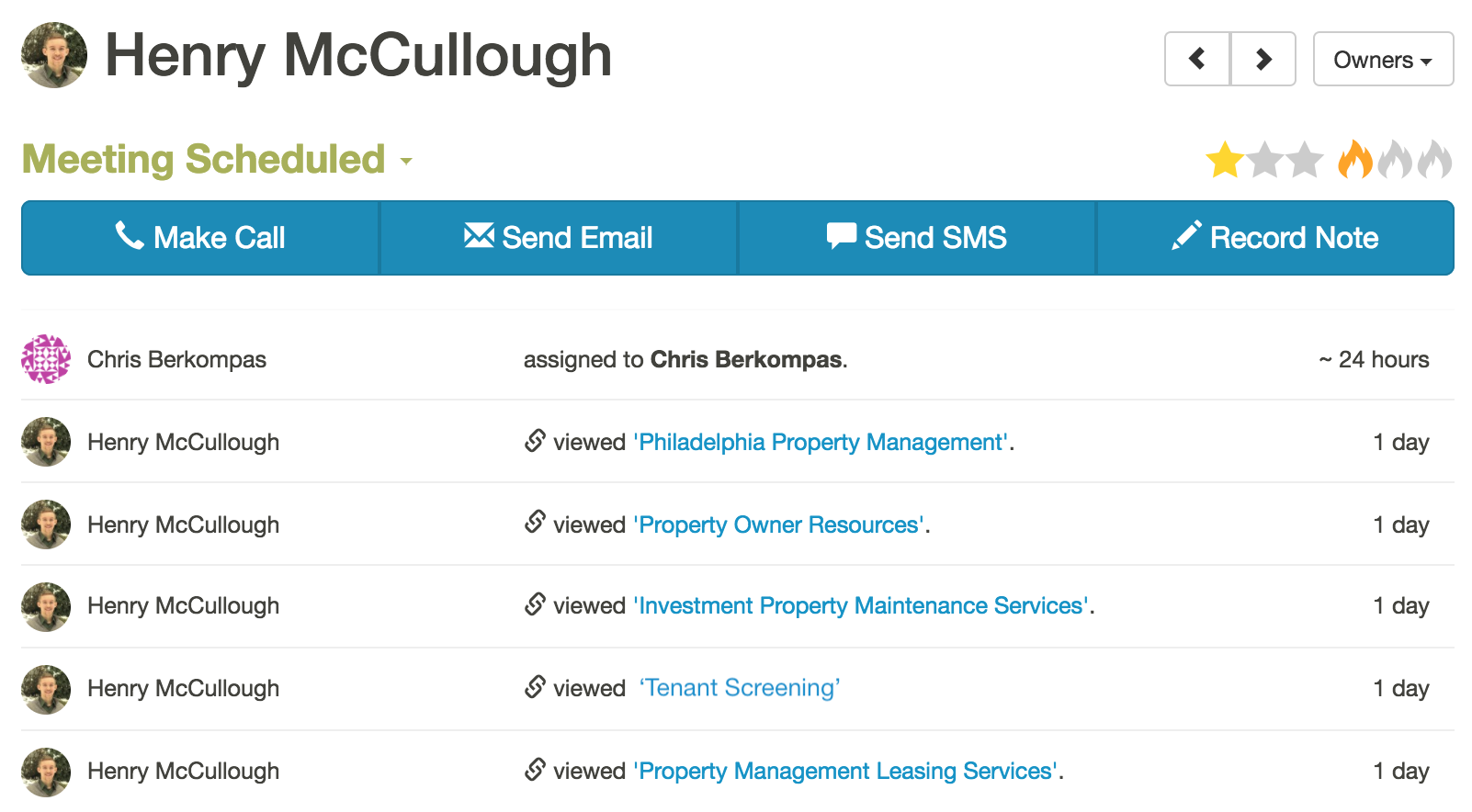
Engagement Triggers
A huge part of this new add-on is the additional automation it provides. For example, if a lead is visiting your website, opening your emails and clicking on links inside them, you can "tell" LeadSimple to auto-advance that lead into a different stage.
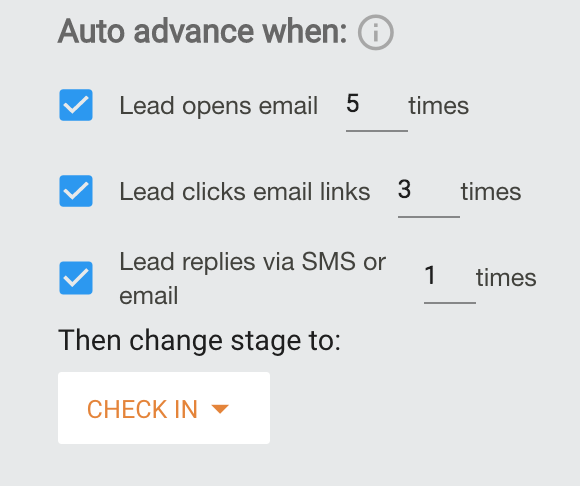
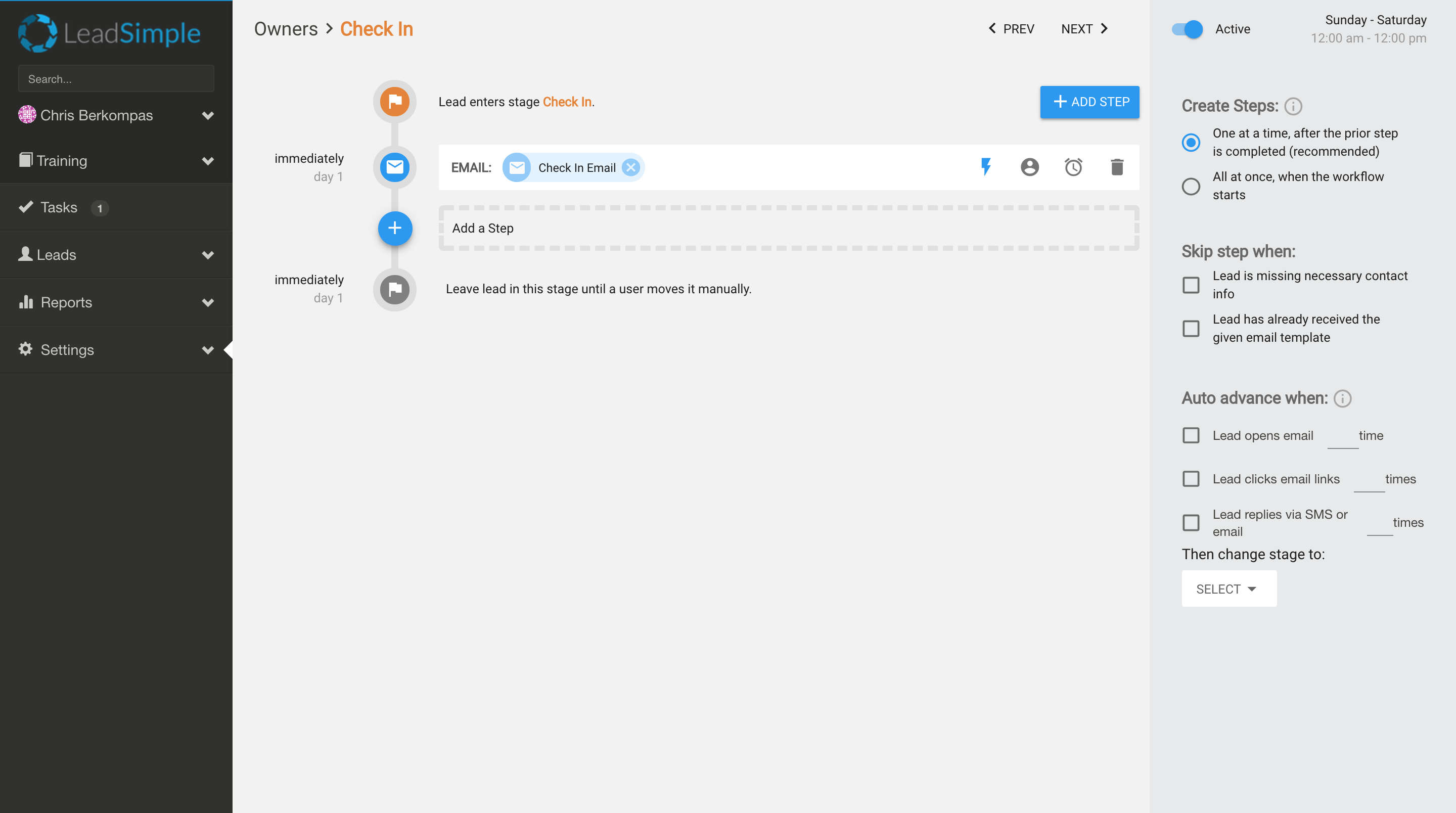
This stage could contain an automatic email which asks the lead if they'd be interested in a quick phone call to have a more serious discussion about what you can do for them.
Activating Marketing Automation
Step One: Activate the Addon
You can activate these features from two places:
- The new Billing page (Settings > Billing in the sidebar), under the "Addons" section at the bottom. There is additional pricing involved so be sure to review that first. Then simply click the switch next to the words "Marketing Automation Addon" and you'll have access to these features.
- The Forms & Site Tracking page which can also be found under Settings in the sidebar. An overview of the pricing is available on this page in addition to an "Activate" button which you can click to activate the addon.
Step Two: Embed Javascript Code
Forms and Site Tracking will only work if you have a snippet of LeadSimple Javascript installed in your website's HTML. You or your website manager will need to do this. The code and installation instructions can be found on the Forms & Site Tracking page (Settings > Forms & Site Tracking) by clicking the "Install Instructions" button in the header.
This opens a pop-up window with everything you'll need to do this. If your website manager will be installing the code, copy the instructions and code in the first box, paste it into a new email and send it to them.
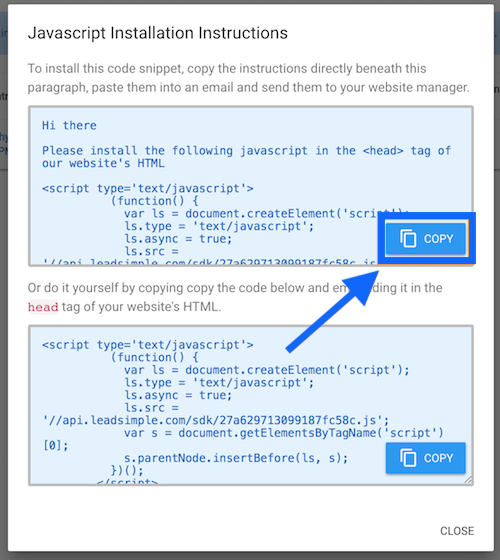
If you are doing it yourself, you can just copy the code in the second box and follow the instructions in the pop-up window.
Not sure where to start?
If you'd like to start using these features, but need help getting started, don't hesitate to contact us at support@leadsimple.com. We'd love to get on a call to give you a full walk-through of the feature and help you come up with a lead magnet and content ideas. As always, let us know if you have any questions, problems or feedback. The more feedback we get, the more we can improve to meet your needs. Happy closing!