2019 Q1 Product Updates
This release focused on improving speed, performance, usability, and more. It included changes to the Lead List page, the Lead page, and the Task summary page.
By Matt Berkompas
This quarter we focused on changes that make it easier for you to use LeadSimple now and faster for us to add new features going forward. We cleaned up the interface to make it cleaner and easier for you to use. We also rebuilt the software to increase speed and performance. Stay tuned for more big changes later this year. We can't wait to share them with you!
Features and Improvements
Lead List Page
*Contact Rate Stat was updated to make it more accurate.*
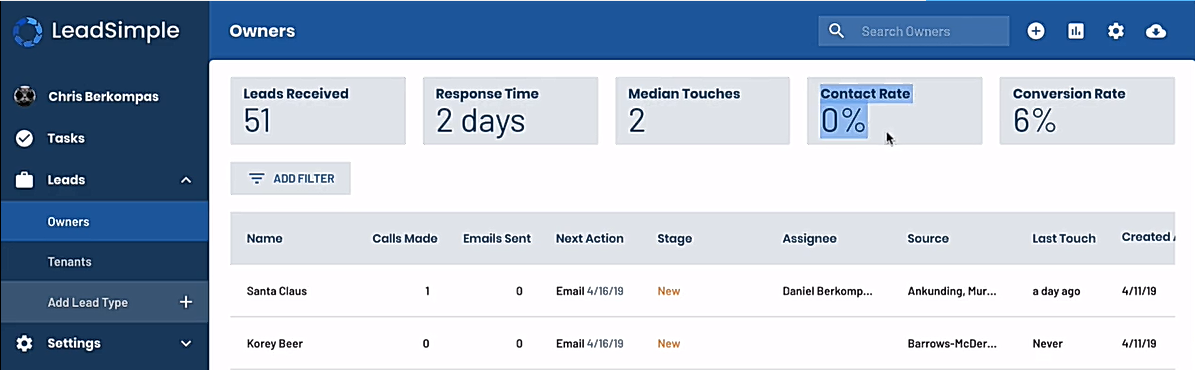
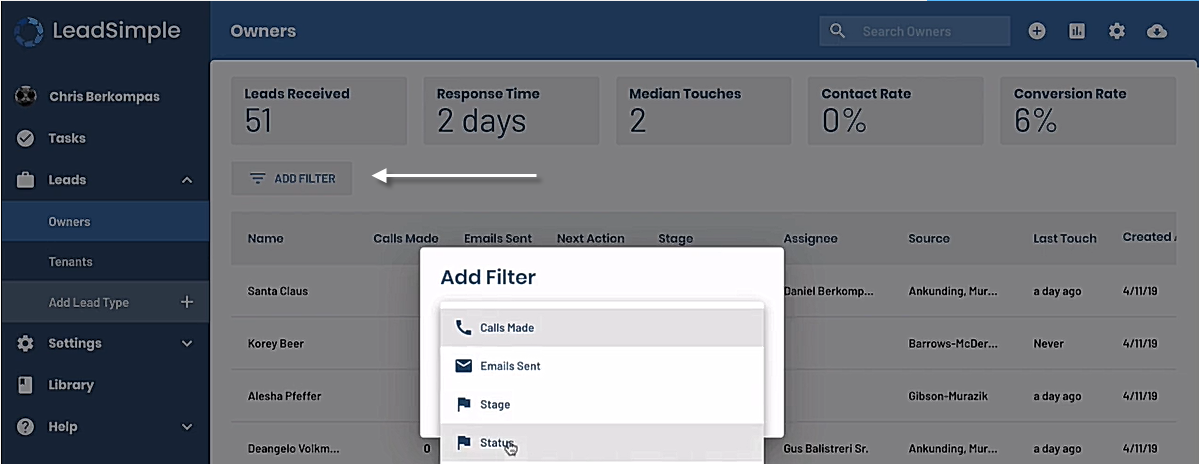
*List Filters are easier to access and use.*
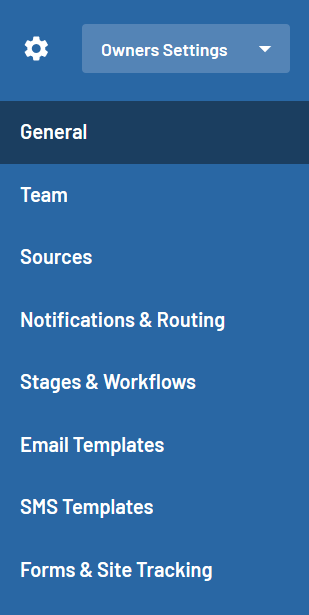
*Relocated Lead Type Settings to the Upper Right of the page.*

Navigate to the desired lead type (e.g. Owners)
Click on the settings icon in the upper right of the screen to manage the team, sources, notifications, Stages, workflows, templates, and forms associated with that lead type.
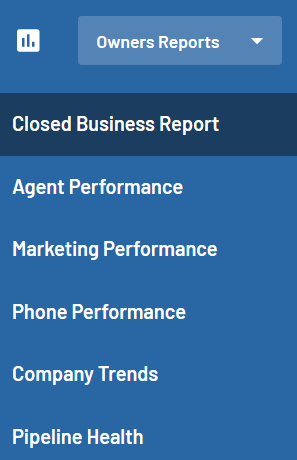
*Relocated Lead Reports.*

Navigate to the desired lead type (e.g. Owners)
Click on the reports icon in the upper right of the screen to access reports associated with that Lead Type.
Lead Page
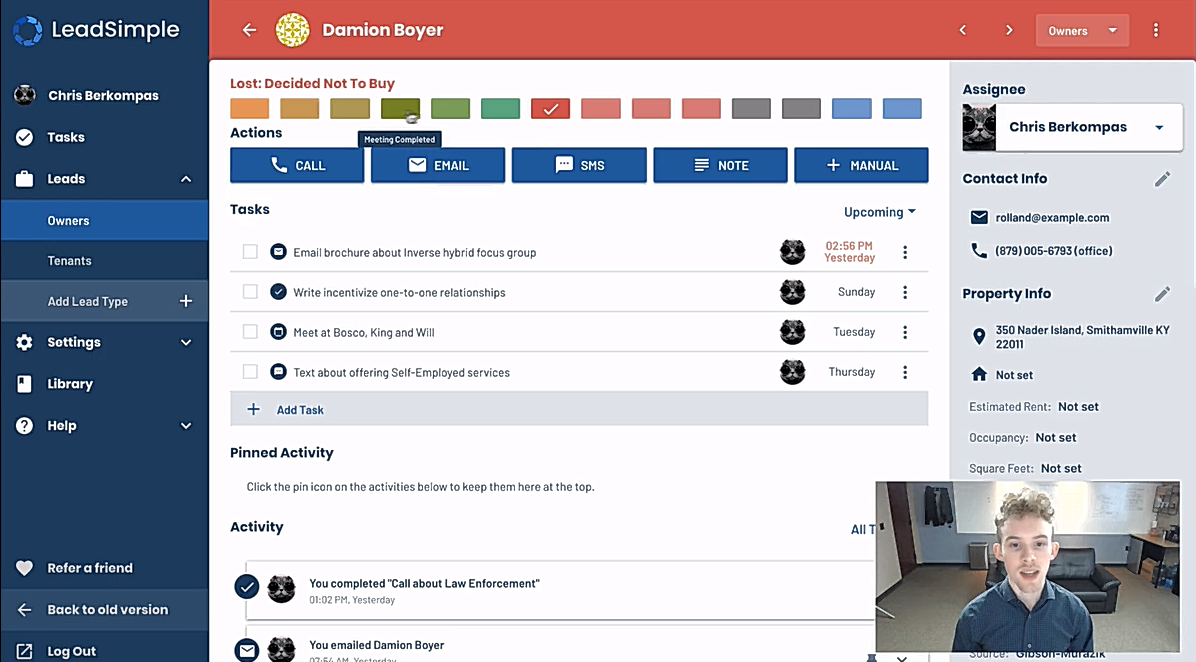
These changes will help your business development manager update contacts and follow through on tasks.
- Stages are now represented by the progress bar at the top of the lead page. Hover over the color bar to see stage names and click on one of the color blocks to change the stage.
- Tasks are now front and center so you can quickly see the "to-do" list associated with a specific lead.
- You can now filter the activity feed to see specific types of activity (e.g. email, tasks, calls, etc.)
- Emails in the activity feed are now displayed as threads so all correspondence with the same subject line are grouped together.
- Activity notes can now be pinned to the top of the lead page so they are immediately visible to team members viewing that page.
Task Summary Page
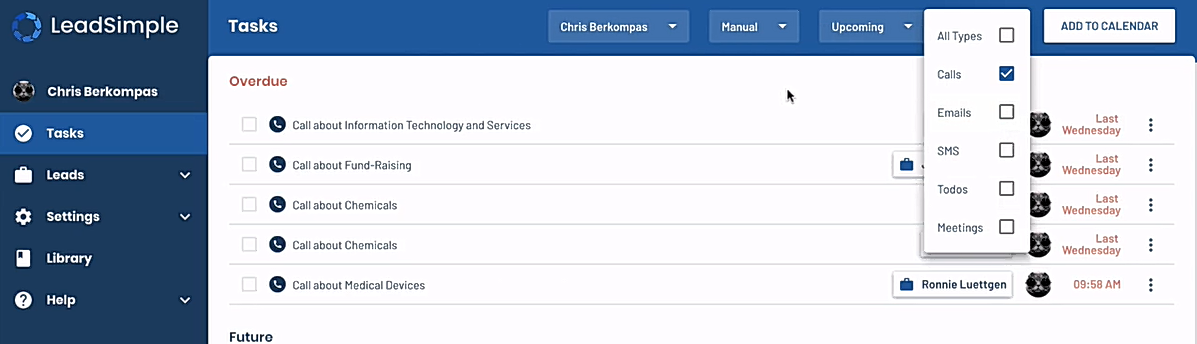
These changes will help your business development manager complete follow up assignments more quickly.
- Click on any task to send emails or make phone calls right from the summary page. No need to navigate to the lead page first!
- There is now a 5 second delay when deleting a task so you can catch and correct deletion errors.
- Filter the task list by type so you can view and/or focus on specific types of follow up assignments.
Where do you find the new features?
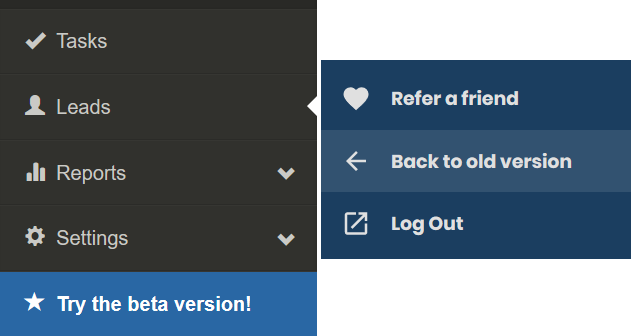
Try the "Beta Version" of our software! We are confident you'll be excited about the new version, but you can revert to the old version if you need a little more time to make the transition. Have fun exploring!!!
Do you have feedback about these changes?
We'd love to hear from you. Reach out to support@leadsiimple.com to share your thoughts and questions.
Video Overview
Check out this video if you want a walk through.