Complete a workflow step and keep work moving
Workflows give the team a clear path from one step to the next. Some tasks are managed by the workflow: they complete when the corresponding result is recorded. This turn example shows an approval already obtained outside this action being recorded in One.
You’ll learn how to
- Recognize a task that is waiting on its workflow.
- Record an already-obtained scope approval with its date.
- Verify the completed task and review the next repair step.
-
Open the turn and review its scope
Open Operations and choose the turn you are working on. In the demo, Turn · Liviu Court 4B shows Approve the turn scope as its next step. Review the scope before opening the related task.
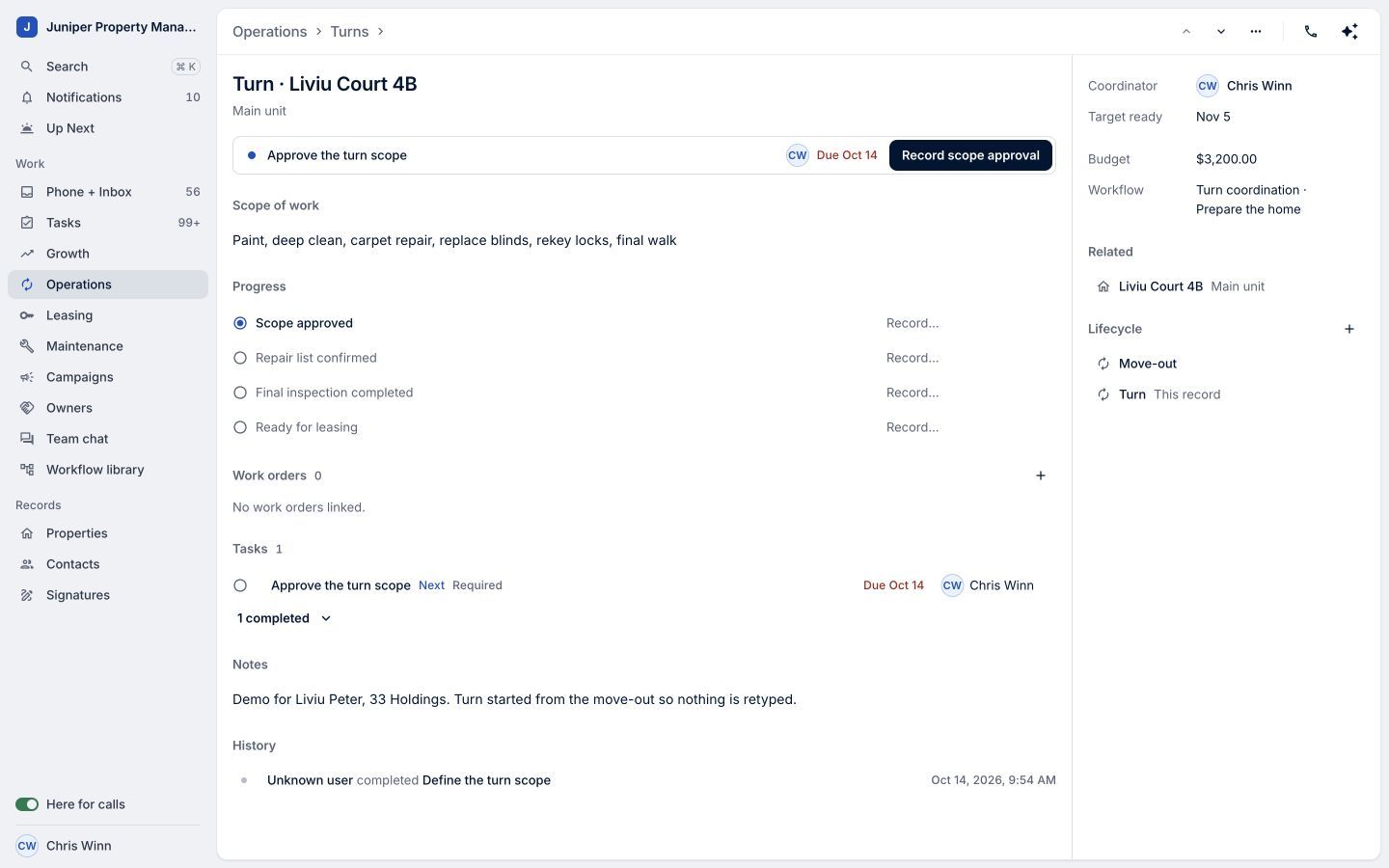
Sample data. Understand the work before recording a result. Sample data. Select the image to enlarge it. -
Read the workflow-managed task
Open Approve the turn scope. Its Waiting on workflow status means this task completes when its step is recorded in the workflow. Read the instructions, then return to the turn record.
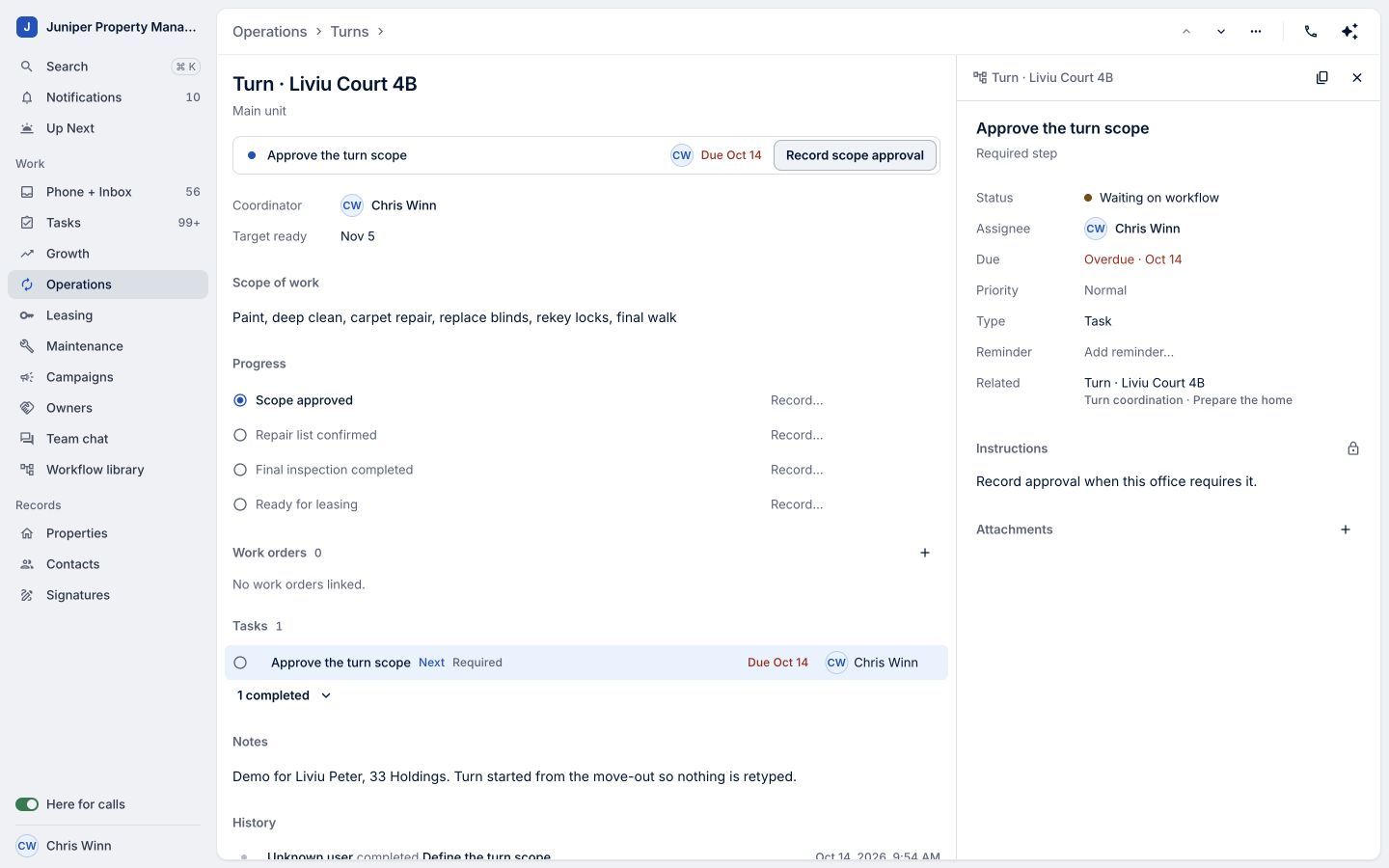
This task is completed through its workflow result. Sample data. Select the image to enlarge it. -
Record the approval already obtained
Once the required approval has been obtained, choose Record scope approval. Confirm the Scope approved date and select Record scope approval in the popover. This records an existing approval; it does not request or grant one.
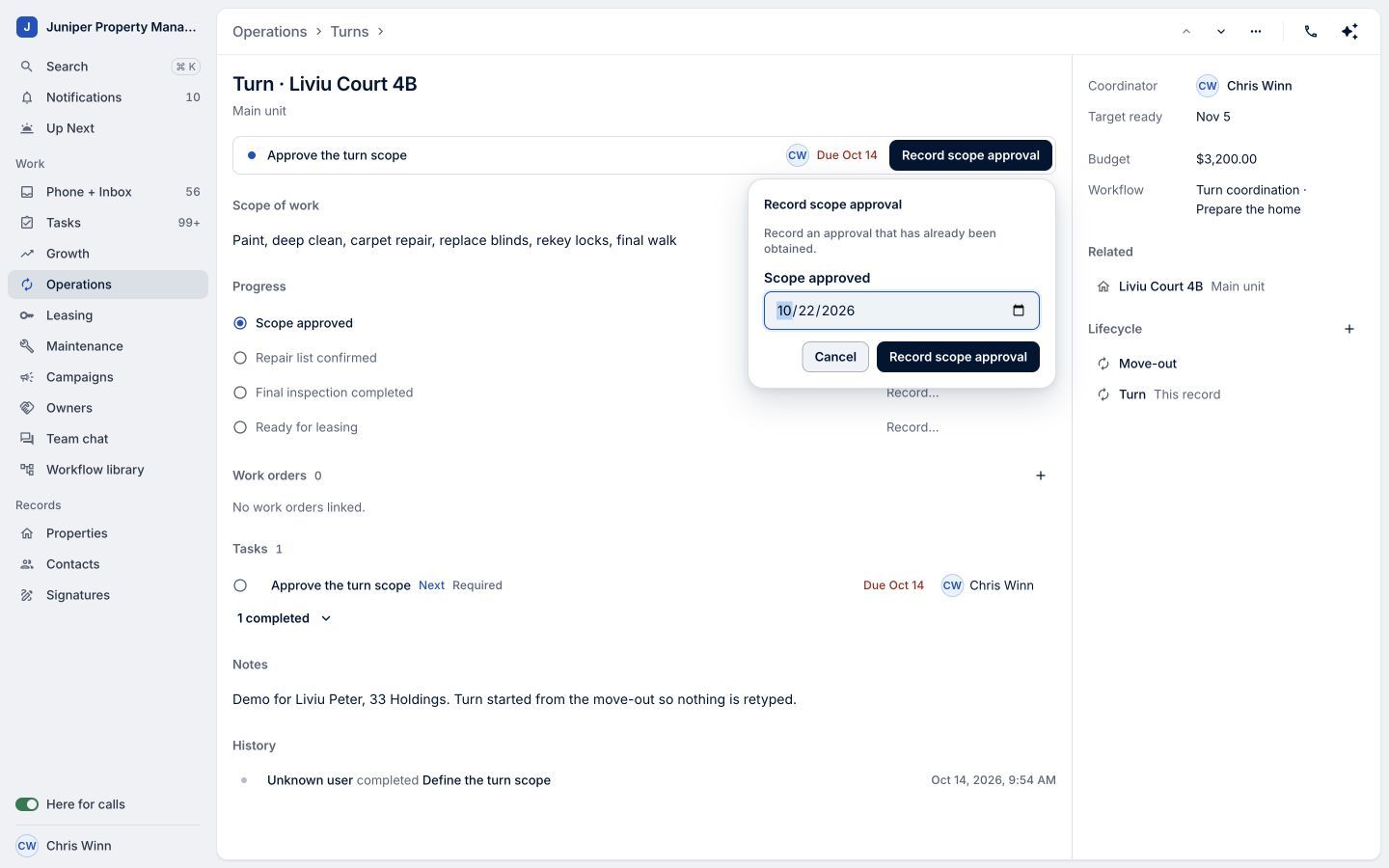
Confirm the actual approval date. Sample data. Select the image to enlarge it. -
Check the completed step
Open the completed task to confirm its Completed status. The demo approval was recorded on October 22.
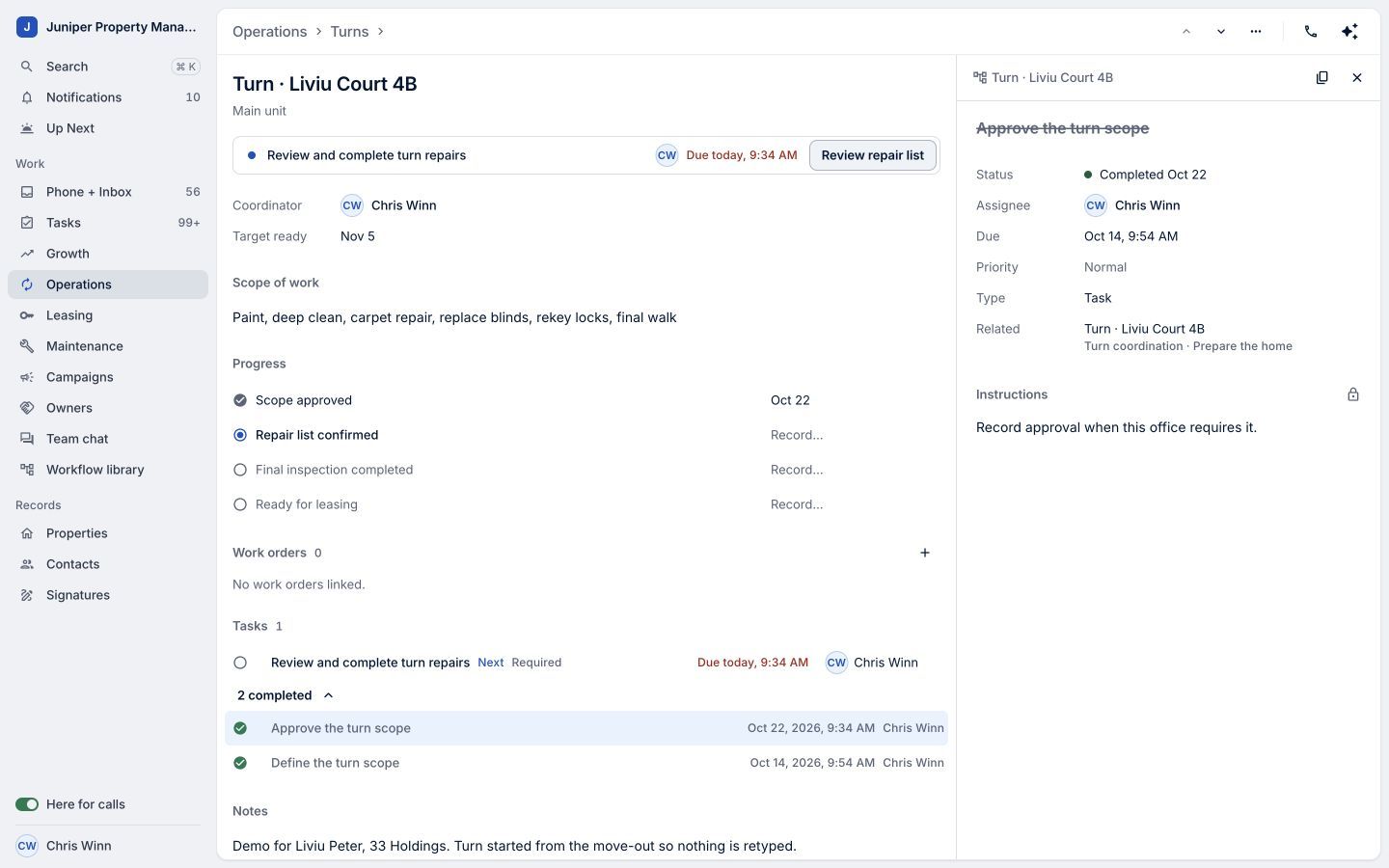
The recorded result completes the approval task. Sample data. Select the image to enlarge it. -
Review what comes next
Back on the turn record, the next step is Review and complete turn repairs. Review that next action and continue when the work is ready.
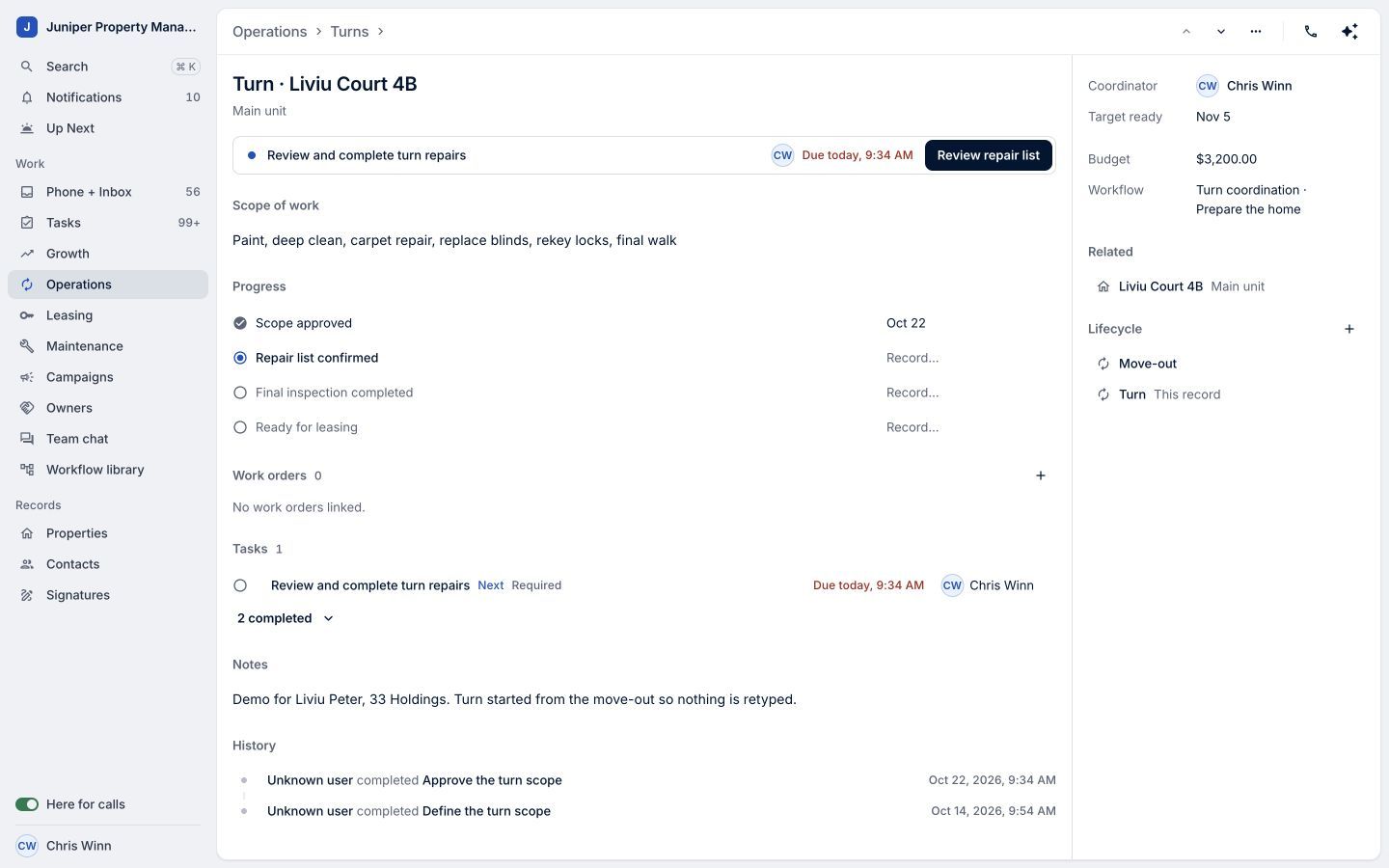
The next step is visible after the approval is recorded. Sample data. Select the image to enlarge it.
Video transcript
Workflows give your team a clear path from one step to the next. In LeadSimple One, open Operations and choose a turn. Review the scope and open its approval task. This task is waiting on the workflow: it completes when the approval is recorded. Once approval has been obtained, return to the turn and choose Record scope approval. Confirm the approval date, then save. The approval task is now completed, and the next step is to review and complete the repairs. Record the result, see what comes next, and keep work moving.
Record the result, see what comes next, and keep work moving.
Try it in your own workspace, review the result, and bring your team along.