Give LeadSimple AI a task
Give LeadSimple AI a clear outcome and boundaries so it can help with useful work. This example uses the fictional Juniper demo account to produce an internal renewal planning checklist from task instructions, without contacting anyone.
You’ll learn how to
- Write a clear task and define its limits.
- Assign the task to LeadSimple AI and follow its progress.
- Review the result and approve proposed completion.
-
Describe the result you need
Open a task and add clear instructions before assigning it. In this example, ask for a concise renewal planning checklist covering the lease end date, owner preferences, open maintenance, the renewal offer, and the resident response. Specify that AI should use only the instructions, avoid inventing account facts, and not contact anyone.
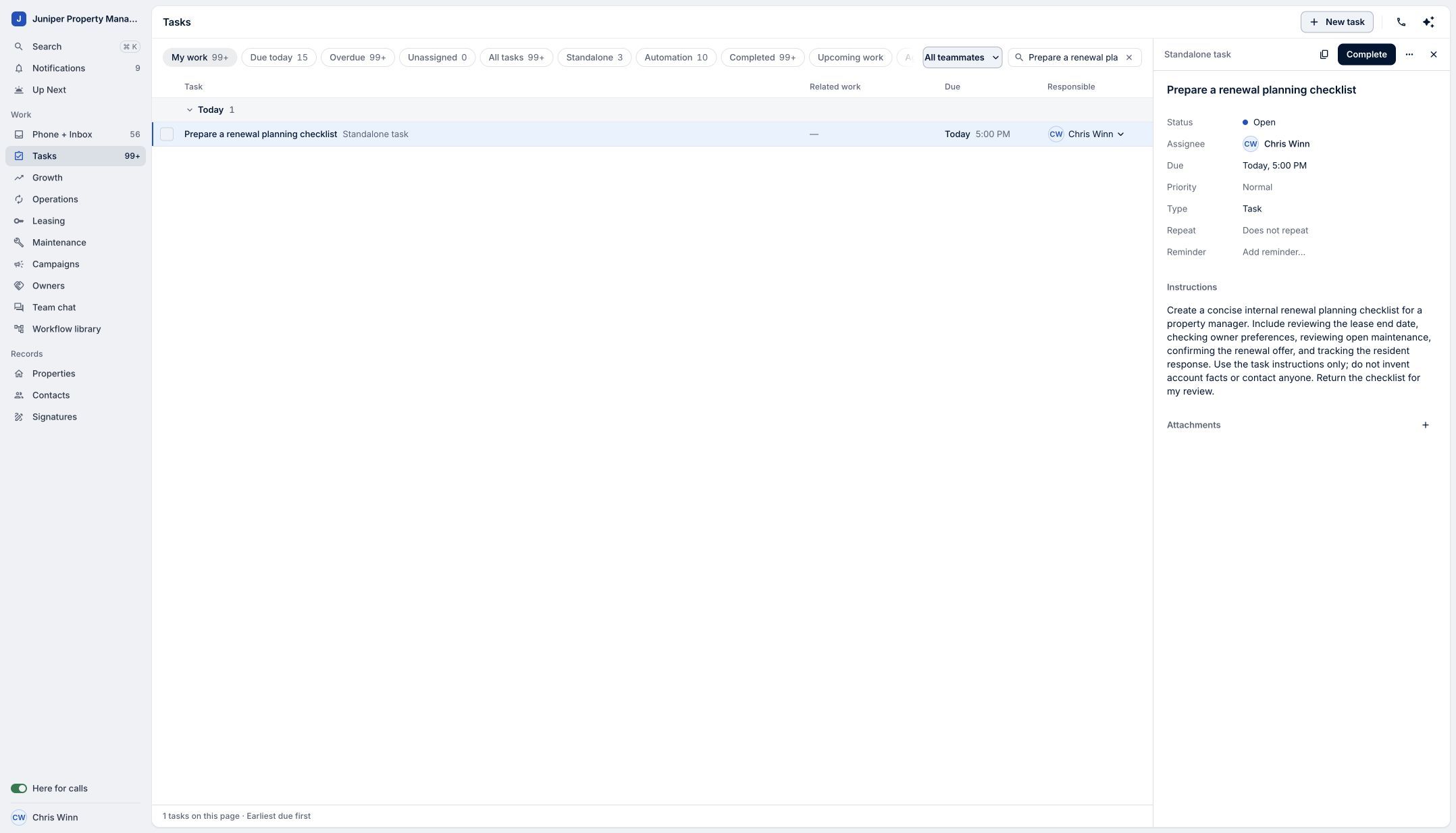
Set the scope before assigning the task. Sample data. Select the image to enlarge it. -
Choose LeadSimple AI
Open Assignee and select LeadSimple AI. Work starts immediately. The assignment notice explains that AI may research the public web or send email within your instructions, so define any boundaries first. Reassigning the task cancels the AI work.
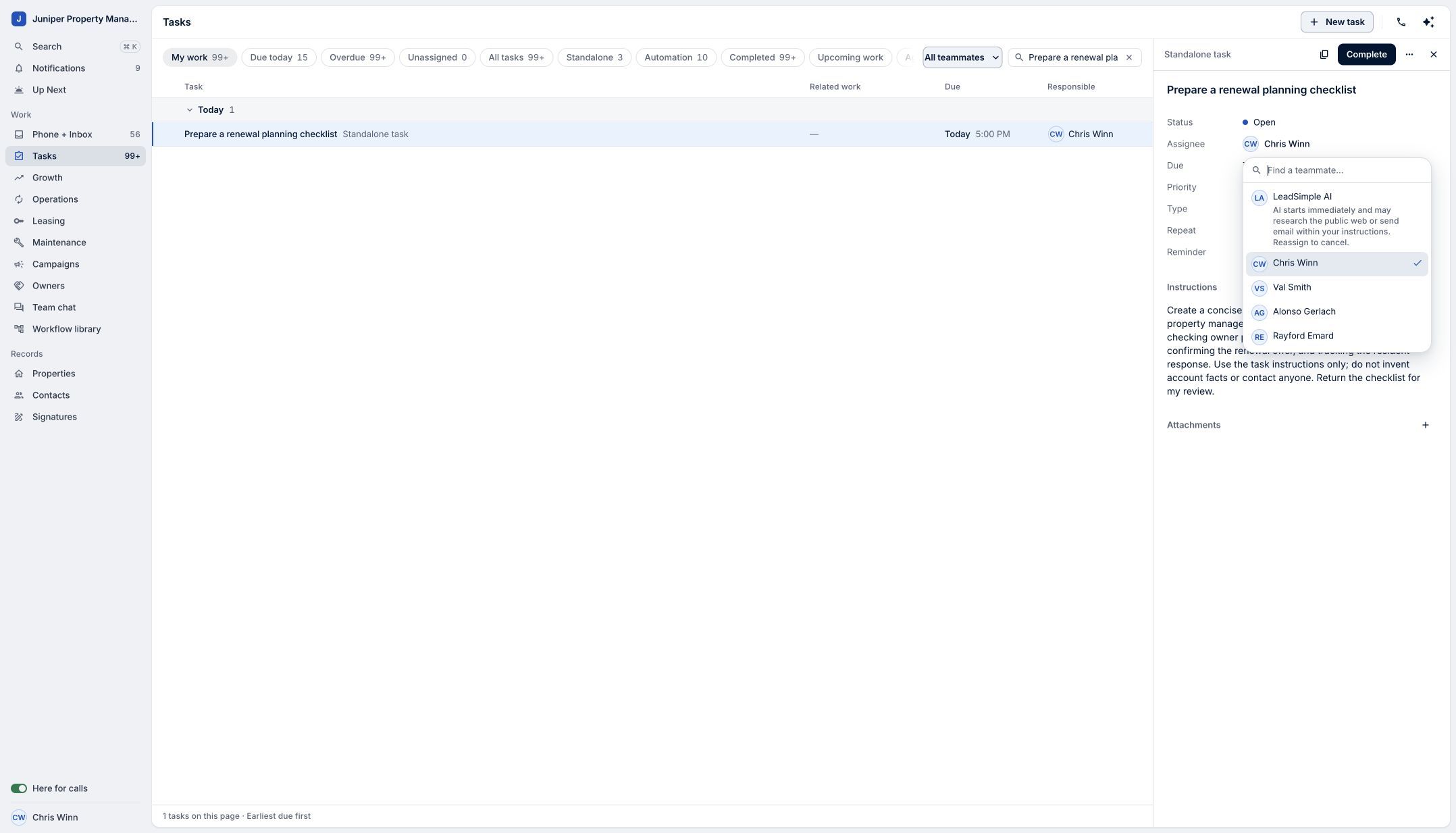
Read the assignment notice and choose LeadSimple AI. Sample data. Select the image to enlarge it. -
Review the plan and result
Open the plan from the task’s activity to follow progress. When the checklist is ready, read its contents and the proposed completion. In this demonstration, the checklist remains internal and no message is sent.
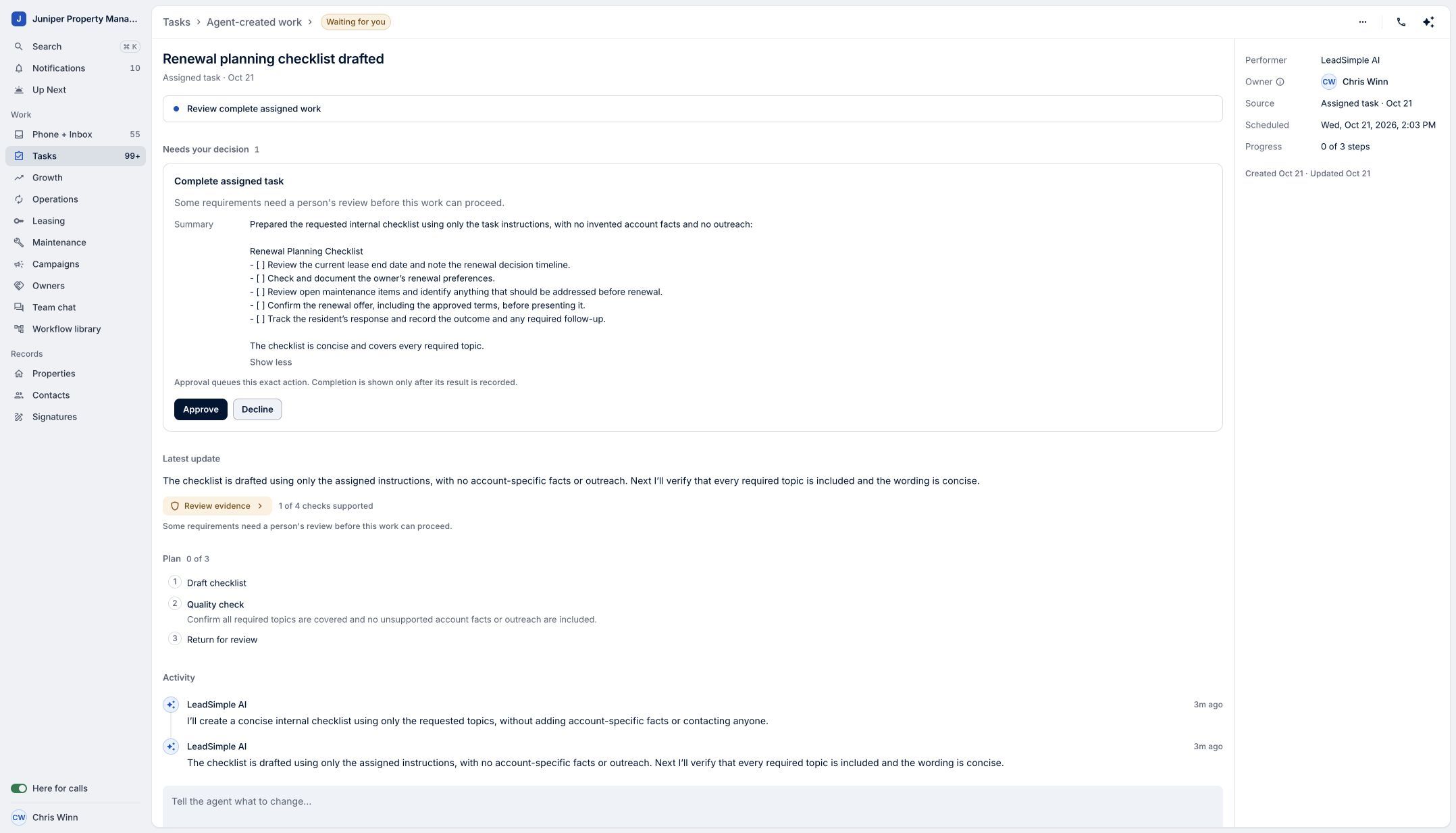
Review the actual result before approving completion. Sample data. Select the image to enlarge it. -
Approve the proposed completion
Select Approve when the result meets the task’s instructions. Confirm that the plan and task show Completed. This completion review does not mean every AI action waits for approval; the assignment begins work immediately within its instructions.
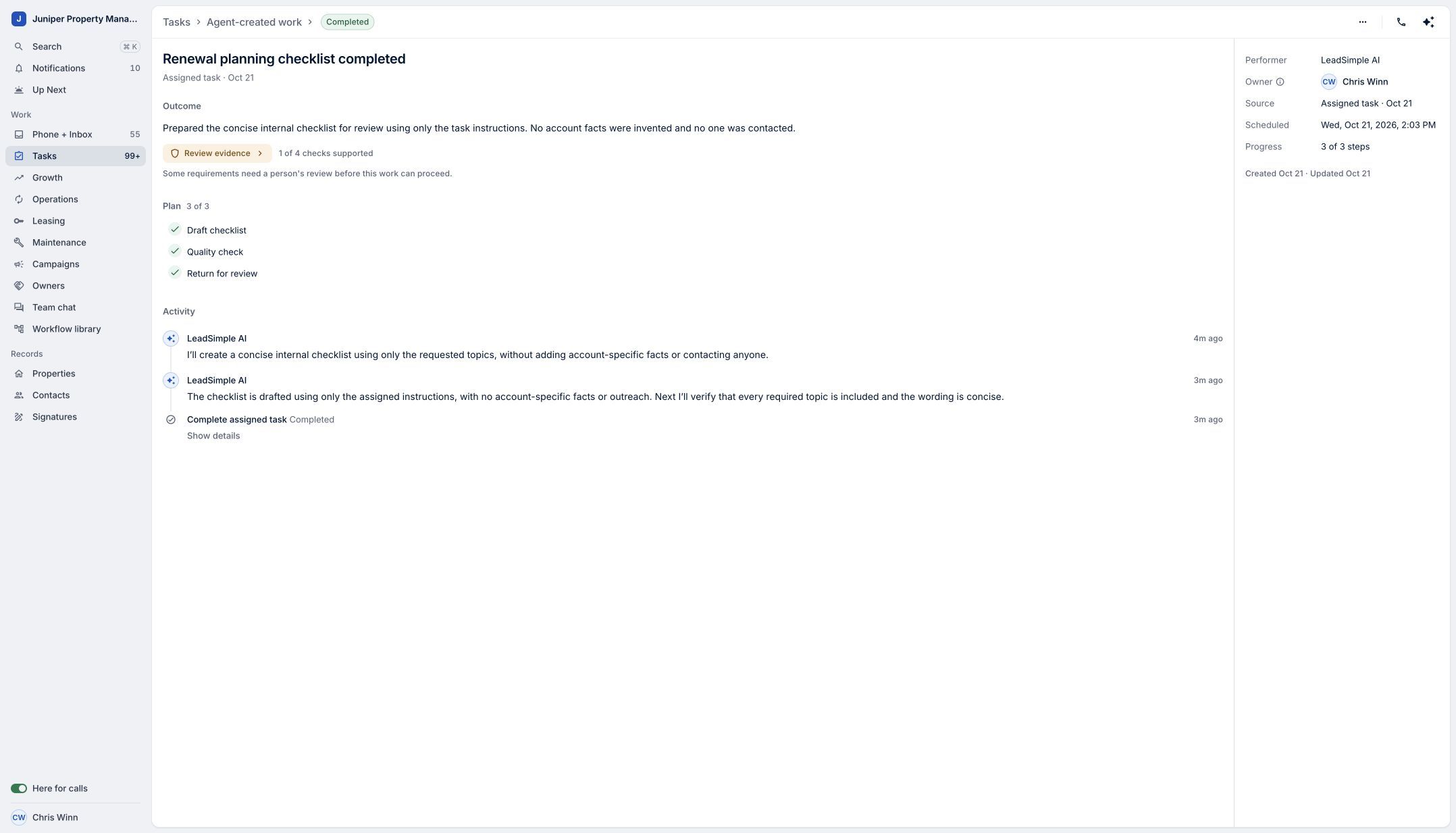
Confirm the completed result. Sample data. Select the image to enlarge it.
Video transcript
LeadSimple AI can help turn a clear task into useful work, giving you more time for your team and customers. Open a task and describe the result you need. Here, we’re asking for a renewal planning checklist, using only these instructions and without contacting anyone. Open Assignee and choose LeadSimple AI. Work starts immediately, so make the scope clear before assigning it. Open the plan to follow its progress. When the checklist is ready, review the result and approve the proposed completion. Give AI a clear task, and move forward with the result.
Give AI a clear task, and move forward with the result.
Try it in your own workspace, review the result, and bring your team along.