Give your first owner lead a next step
A new owner relationship needs a clear next step. Growth brings the lead, responsible person, and follow-up together so the team can see what happens next. This example uses fictional sample data.
You’ll learn how to
- Create an owner lead with contact details and a sales milestone.
- Review the follow-up task and its instructions.
- Set a follow-up time and confirm it on the owner record.
-
Add the owner lead
Open Growth and choose Add owner lead. Enter the owner's name and contact details, then choose the appropriate sales milestone. In this example, Casey Morgan starts as a New owner lead.
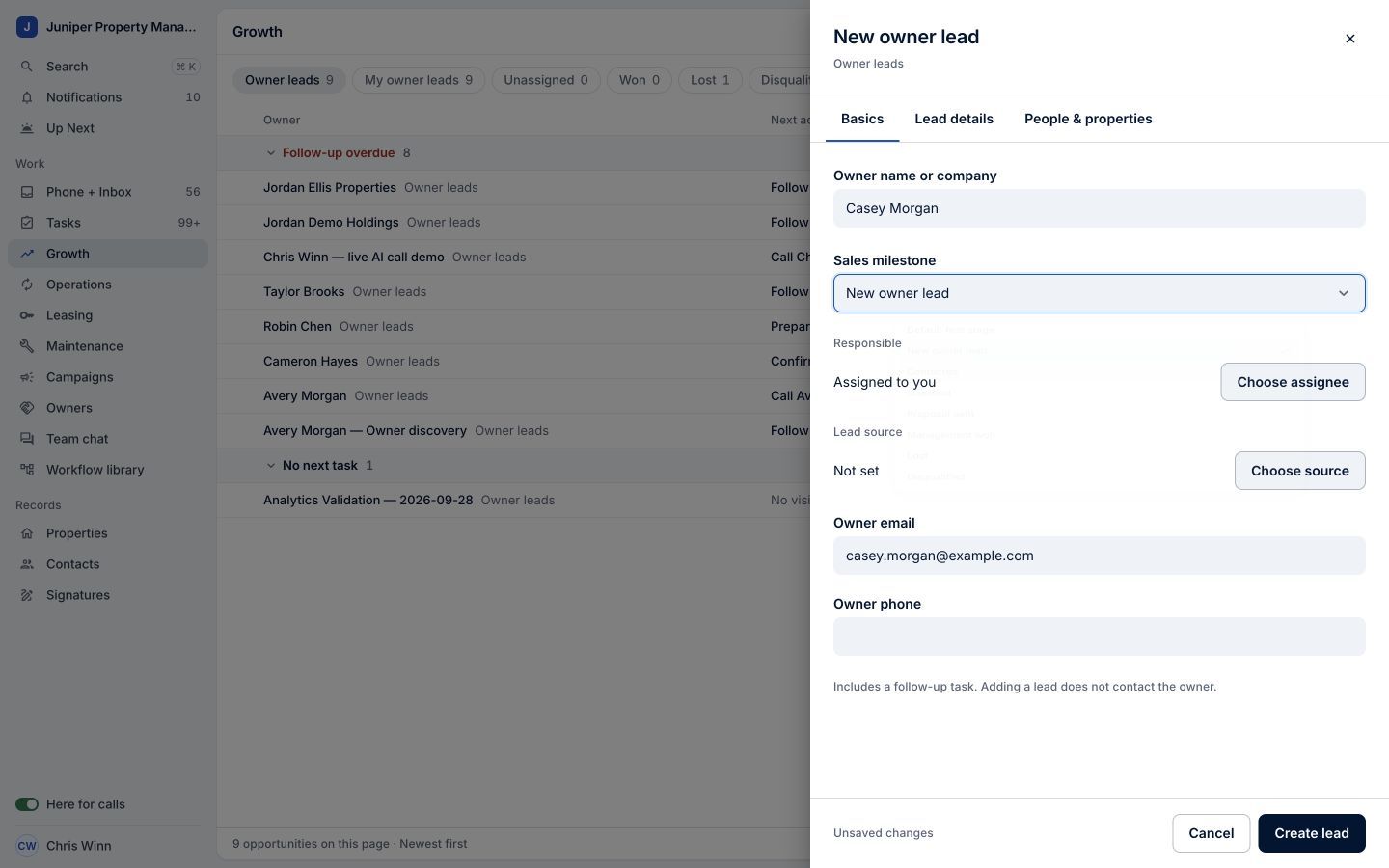
Sample data. Review the details before creating the lead. Sample data. Select the image to enlarge it. -
Review the next action
Choose Create lead. In this demo configuration, One adds a Call new owner lead task. Open the task from the owner record and review the assignee and instructions before acting.
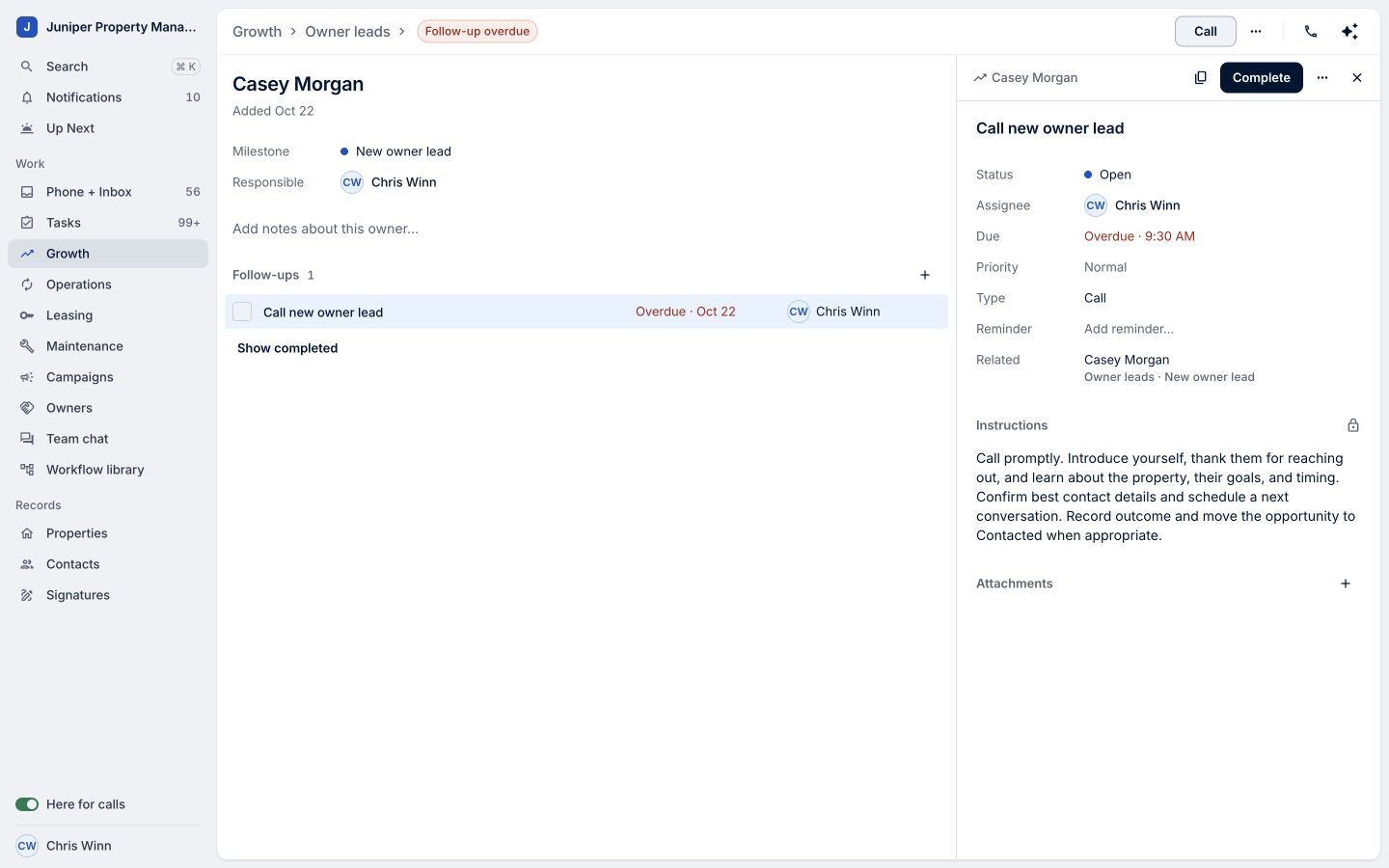
The task gives the new relationship a next action. Sample data. Select the image to enlarge it. -
Set the follow-up time
Choose Due in the task drawer and set the date and time. The demo uses Tomorrow at 9:30 AM. Choose a time that fits your follow-up commitment.
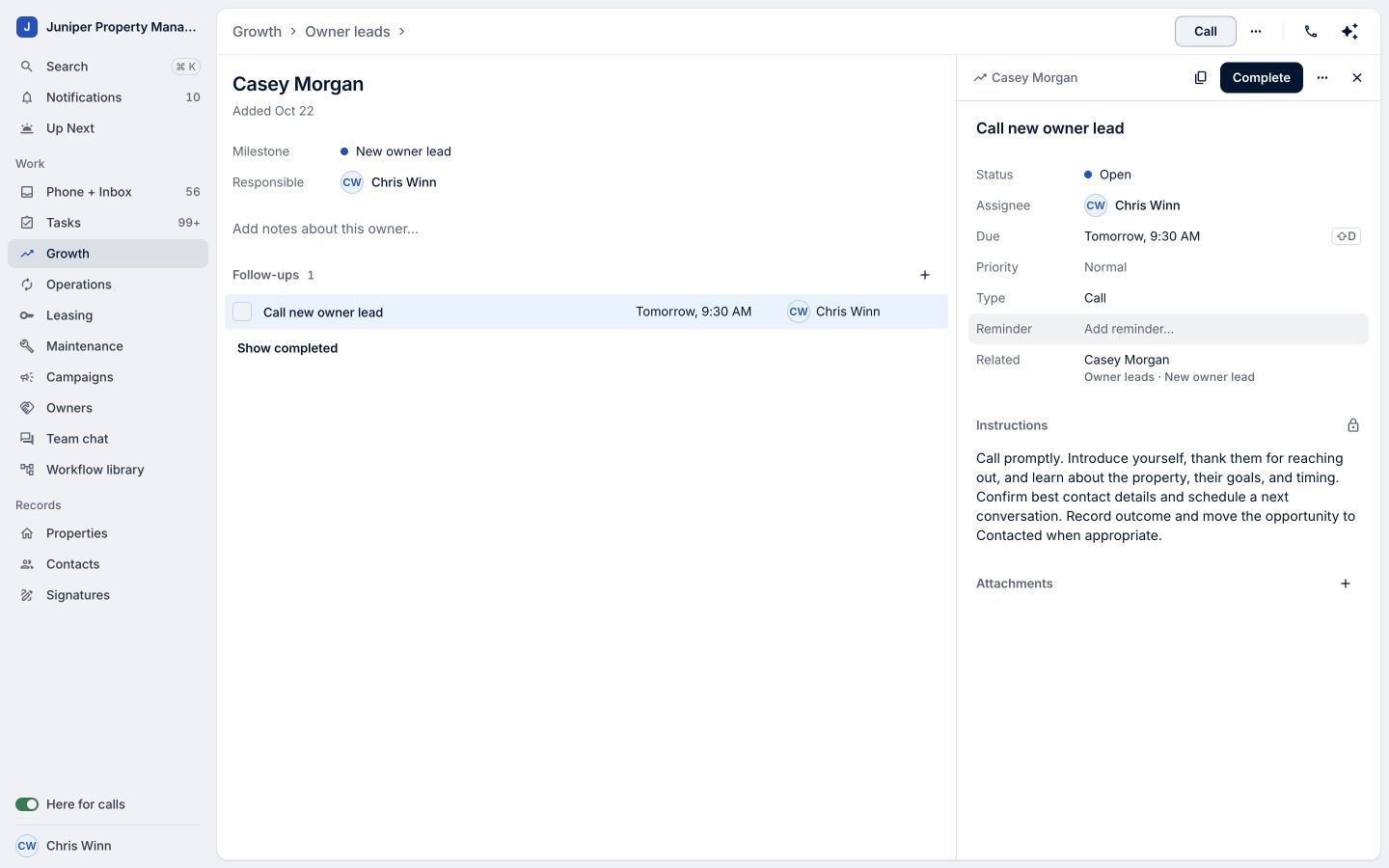
The saved date makes the follow-up clear. Sample data. Select the image to enlarge it. -
Confirm the owner record
Return to the owner record and check that the follow-up task and date are visible. Creating and scheduling a task does not place a call or send a message.
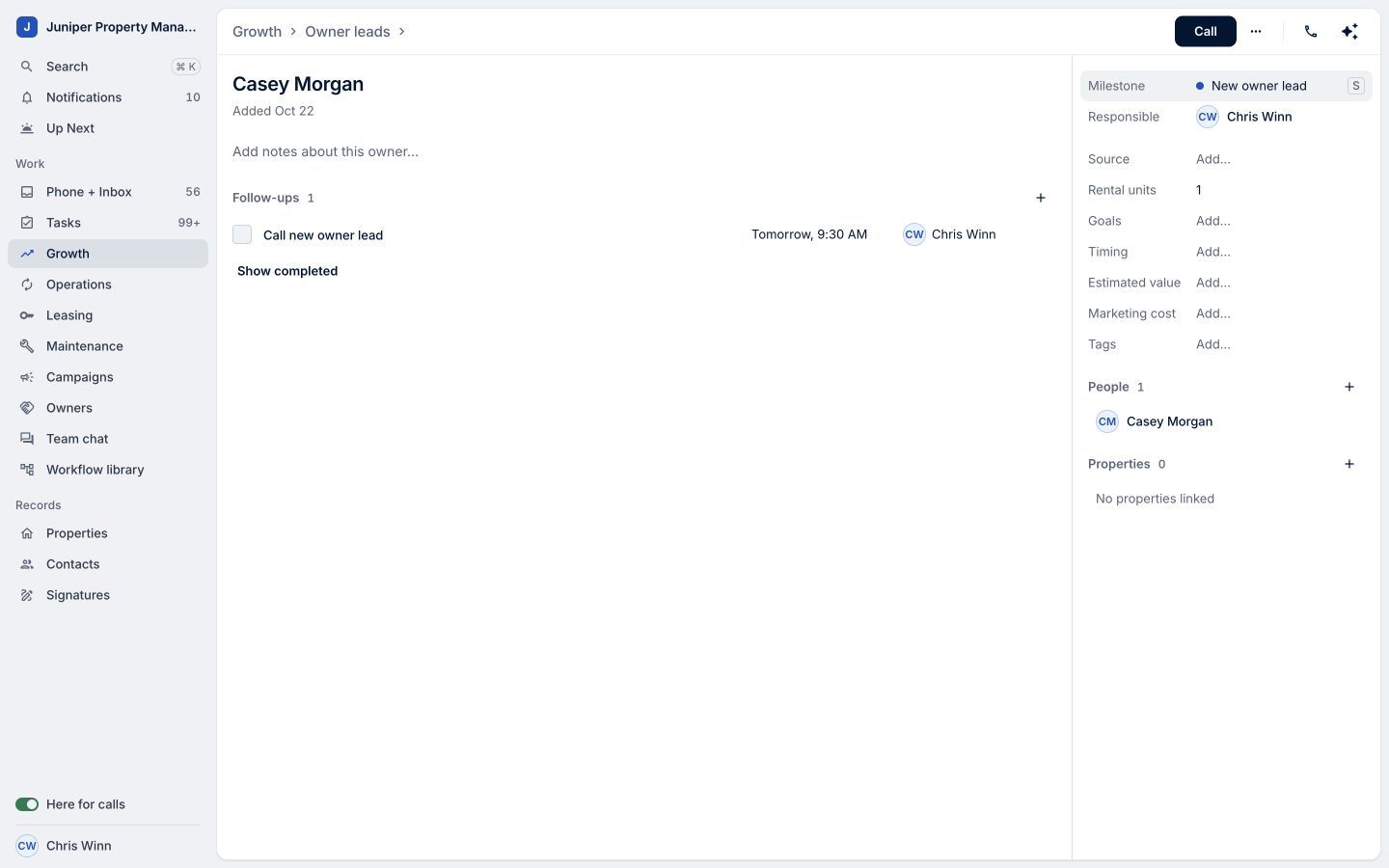
A clear next step, ready for the responsible person. Sample data. Select the image to enlarge it.
Video transcript
An owner lead needs a clear next step. Growth in LeadSimple One keeps the relationship, responsible person, and follow-up together. Open Growth and choose Add owner lead. Enter the owner's name and contact details, then choose the sales milestone and create the lead. In this example, One adds a Call new owner lead task. Open it to review the assignee and instructions. Choose Due and set the right follow-up time. Back on the owner record, confirm the task and date are visible. Start the relationship with a clear next step, and keep it moving.
Start the relationship with a clear next step, and keep it moving.
Try it in your own workspace, review the result, and bring your team along.