Hand off a conversation with context
A helpful handoff keeps the customer’s request, relevant context, and next action together. This walkthrough uses a fictional resident renewal conversation in Juniper to add an internal note and assign Val Smith as the conversation owner.
You’ll learn how to
- Add a useful internal handoff note.
- Assign the teammate responsible for the next step.
- Verify the note, owner, and teammate access.
-
Add the handoff context
Open the conversation and choose Note. Summarize what the customer needs, what is known, and the next action. Here, the resident wants to renew; the note asks the teammate to confirm the owner’s terms, review open maintenance, and prepare next steps before replying.
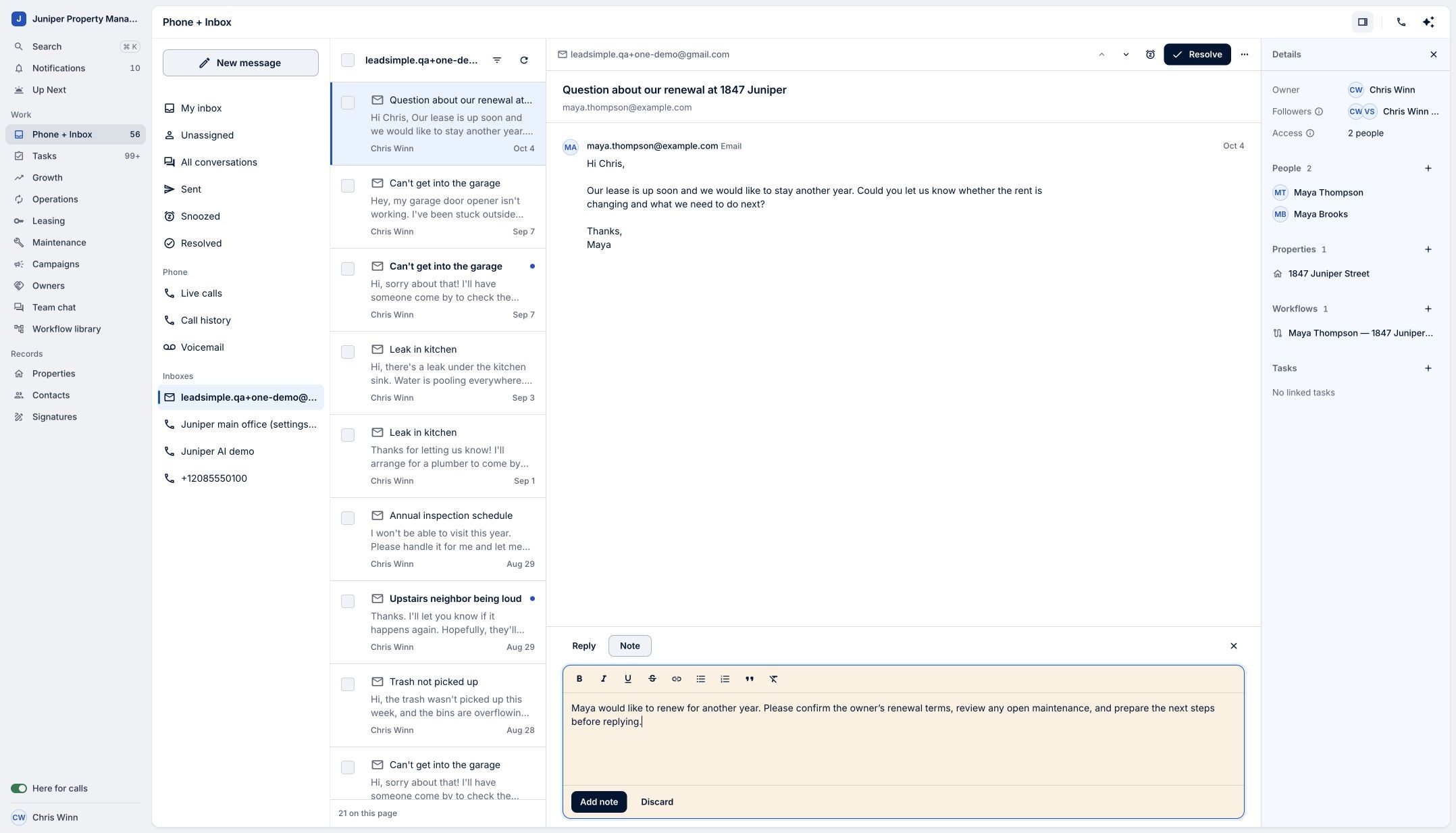
Use Note to keep the handoff context inside the conversation. Sample data. Select the image to enlarge it. -
Save the note
Select Add note. Confirm that the note appears in the conversation history before moving on. It is an internal note, separate from a customer reply.
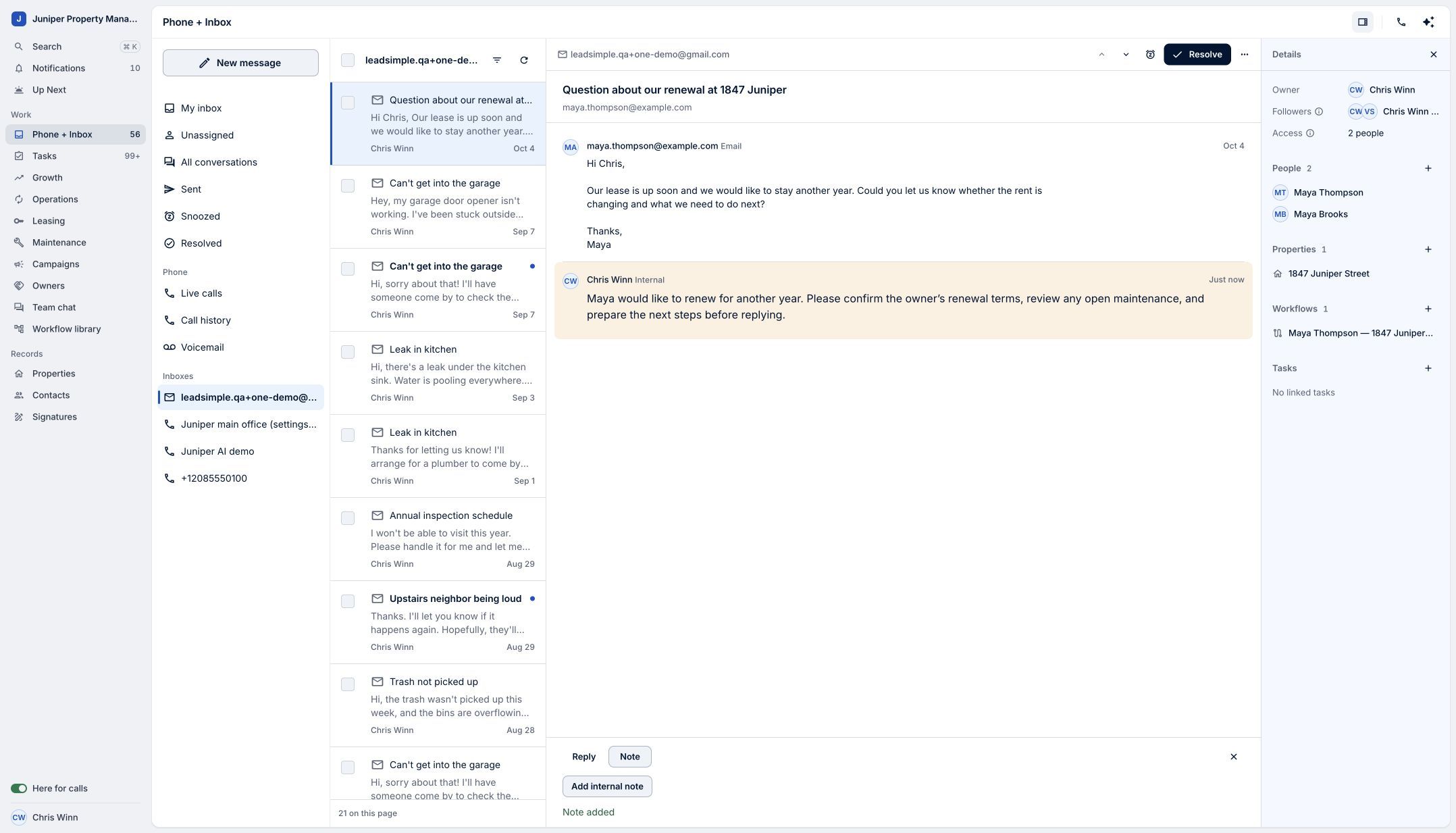
Check that the note is saved. Sample data. Select the image to enlarge it. -
Assign the next step
Open Owner and choose the teammate responsible for following up. This example selects Val Smith. Confirm the new owner is shown in Details and that the saved note remains visible.
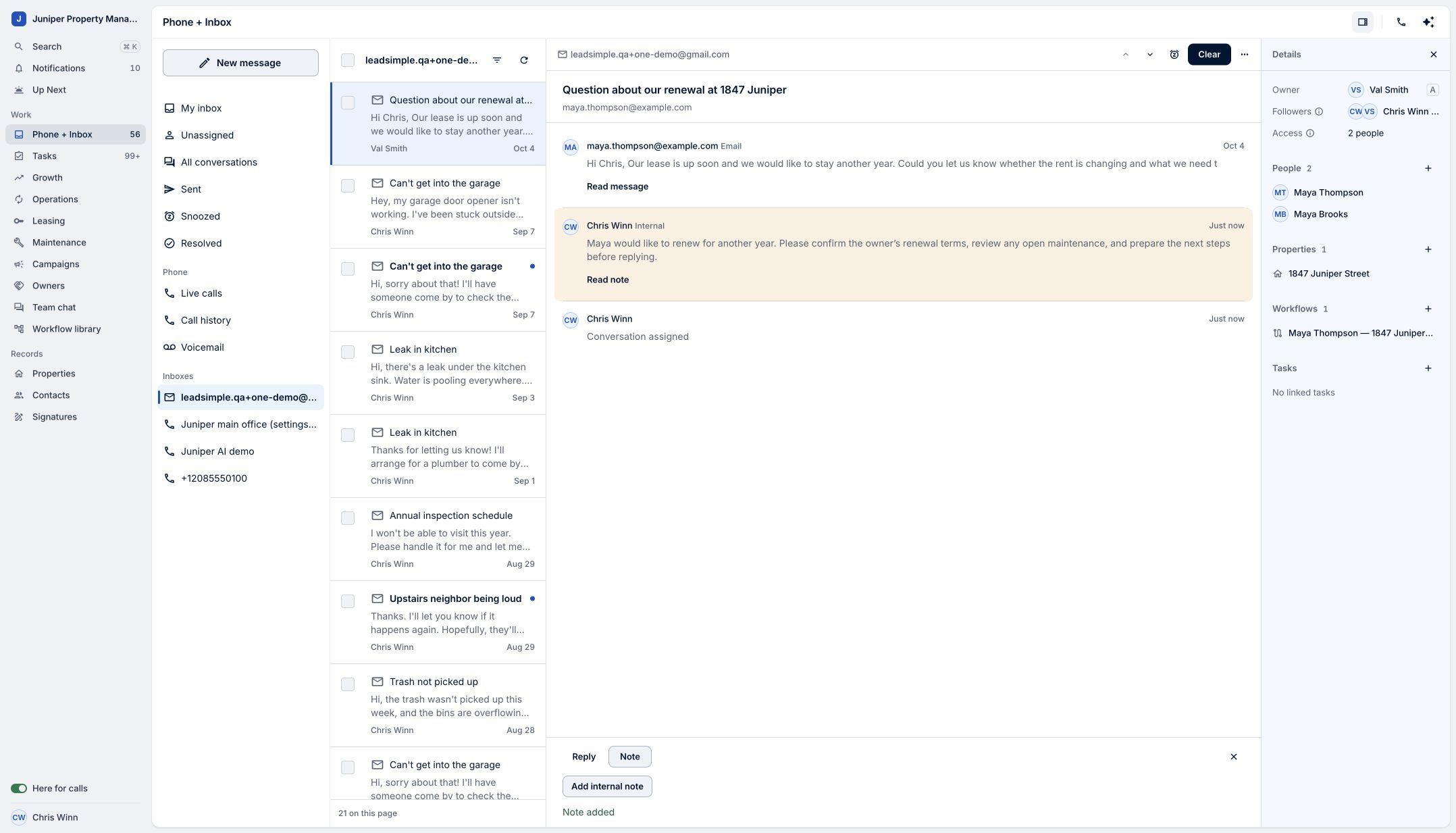
Give the conversation a clear owner. Sample data. Select the image to enlarge it. -
Confirm your teammate has access
Check Access if you are unsure whether the teammate can read the conversation. Ownership and mailbox access serve different purposes. Grant the required mailbox access through the appropriate settings before relying on the handoff.
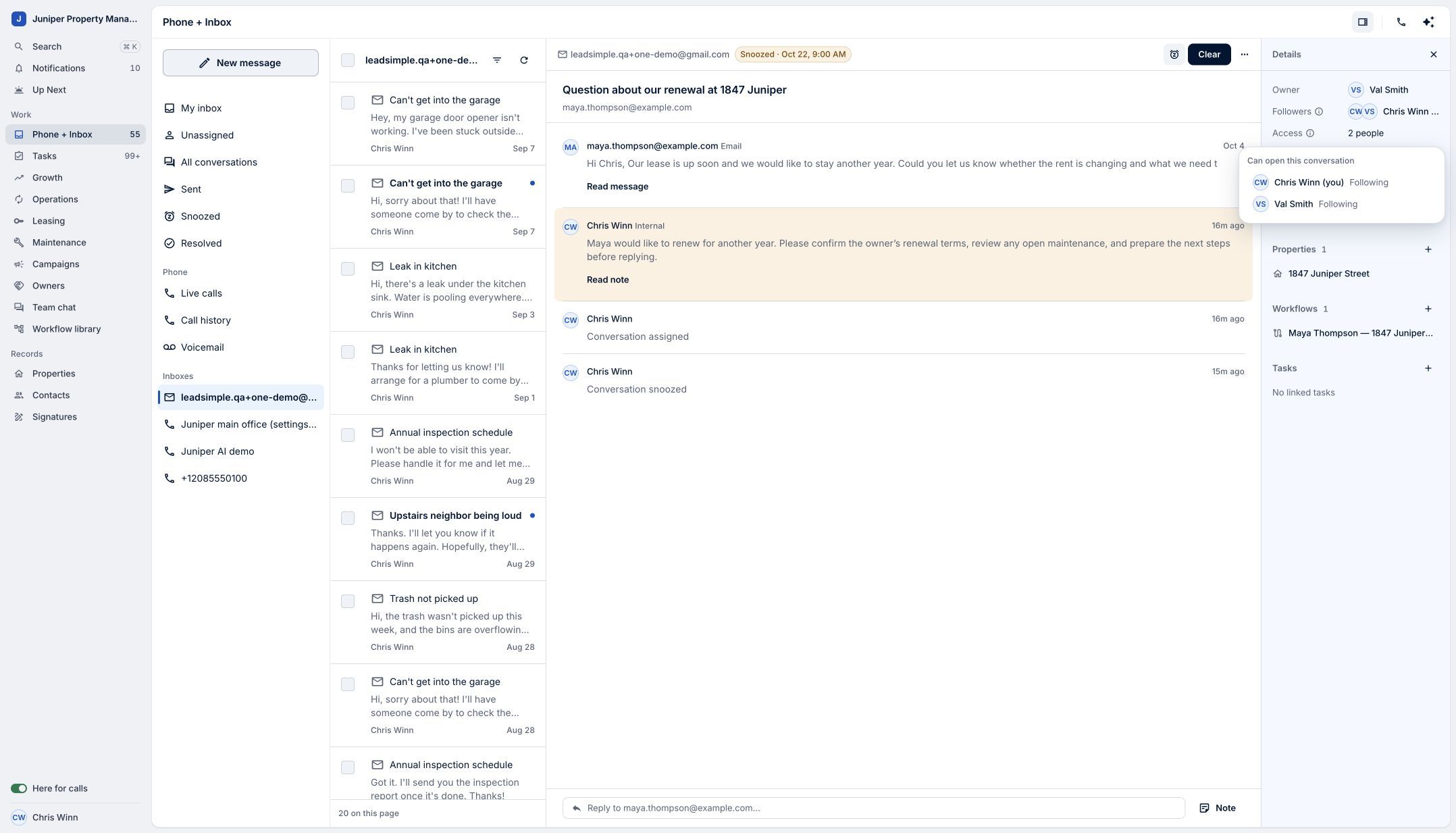
The assigned owner also needs access to the conversation. Sample data. Select the image to enlarge it.
Video transcript
A good handoff gives your teammate the story and a clear next step. In LeadSimple One, open the conversation you want to hand off. Choose Note and summarize what the customer needs, what’s already known, and what should happen next. Select Add note to keep that context inside the conversation. Then, open Owner and choose the teammate responsible for following up. Check that the note is saved and the new owner is shown. Your teammate needs inbox access to read the conversation. Pass along the context, and keep service moving.
Pass along the context, and keep service moving.
Try it in your own workspace, review the result, and bring your team along.