Keep follow-ups from slipping away
When a conversation needs attention later, Snooze lets you choose when it returns to the inbox. This example uses a fictional renewal conversation in Juniper and schedules it for tomorrow at 9 AM in the displayed time zone.
You’ll learn how to
- Choose a follow-up time for a conversation.
- Check the time zone and saved return time.
- Find the conversation in Snoozed.
-
Open the conversation and choose Snooze
Open the conversation you want to revisit. Select the Snooze control beside Close at the top of the conversation. The scheduling dialog shows suggested times and an option to choose a specific date and time.
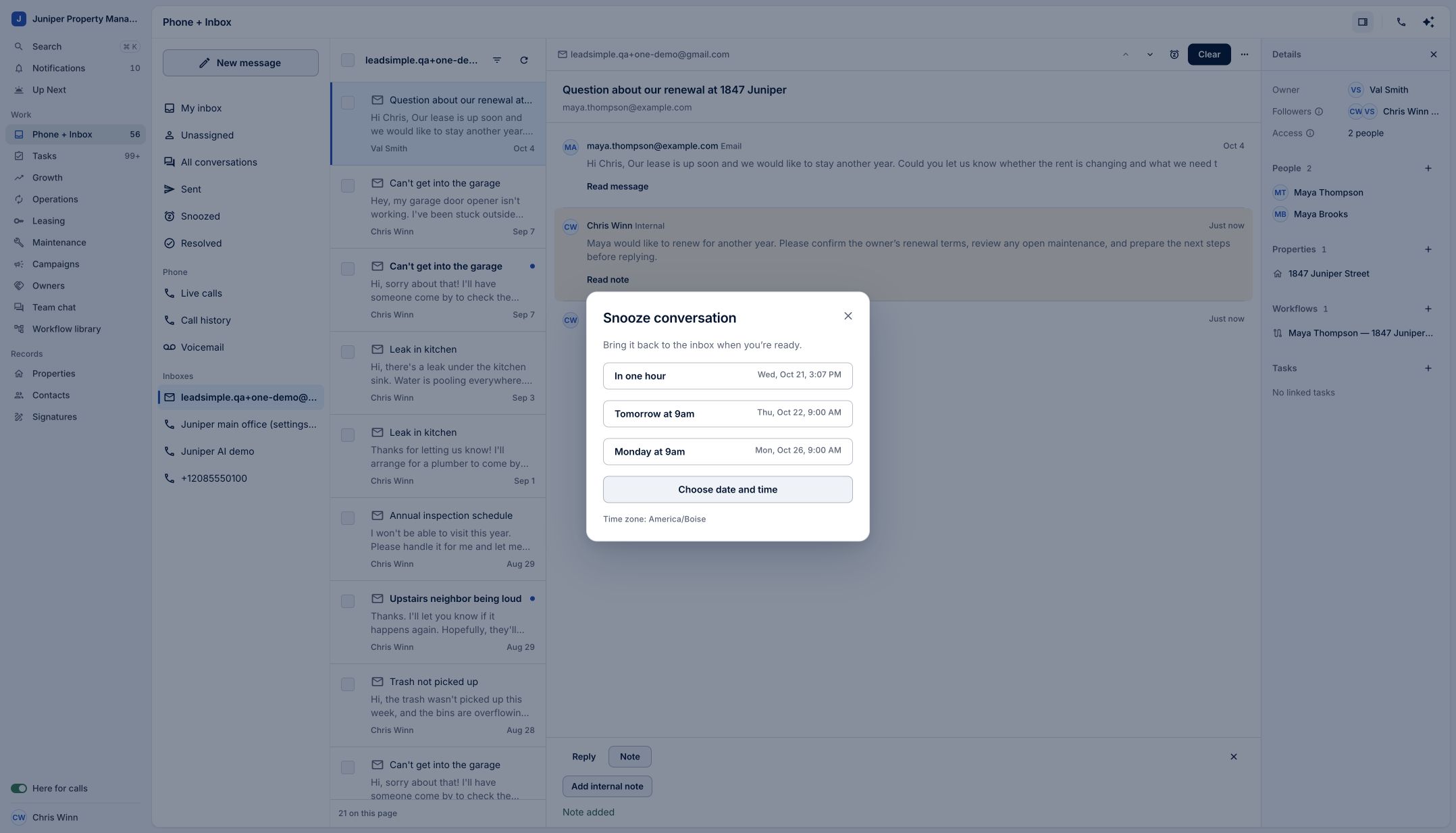
Choose a suggested time or a specific date and time. Sample data. Select the image to enlarge it. -
Check the time zone and save
Review the displayed time zone before selecting a time. In this example, we select Tomorrow at 9 AM using America/Boise. After the dialog closes, check the conversation’s snoozed-until label to confirm the saved return time.
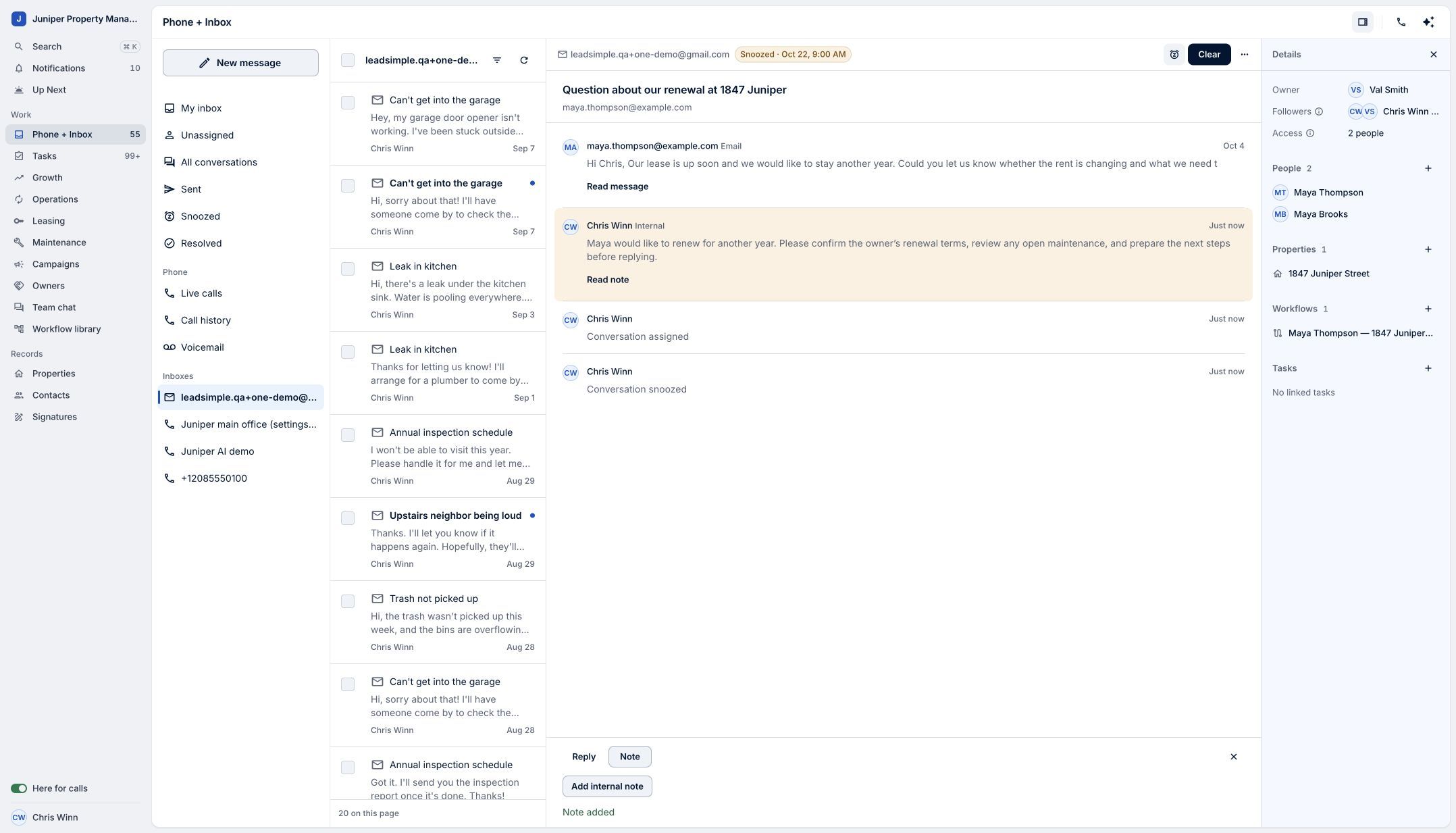
Confirm the return time after saving. Sample data. Select the image to enlarge it. -
Find it in Snoozed
Select Snoozed in Phone and Inbox to find the scheduled conversation. Open it when you need to review its details. The demo verifies the saved schedule; it does not wait until tomorrow to show the automatic return.
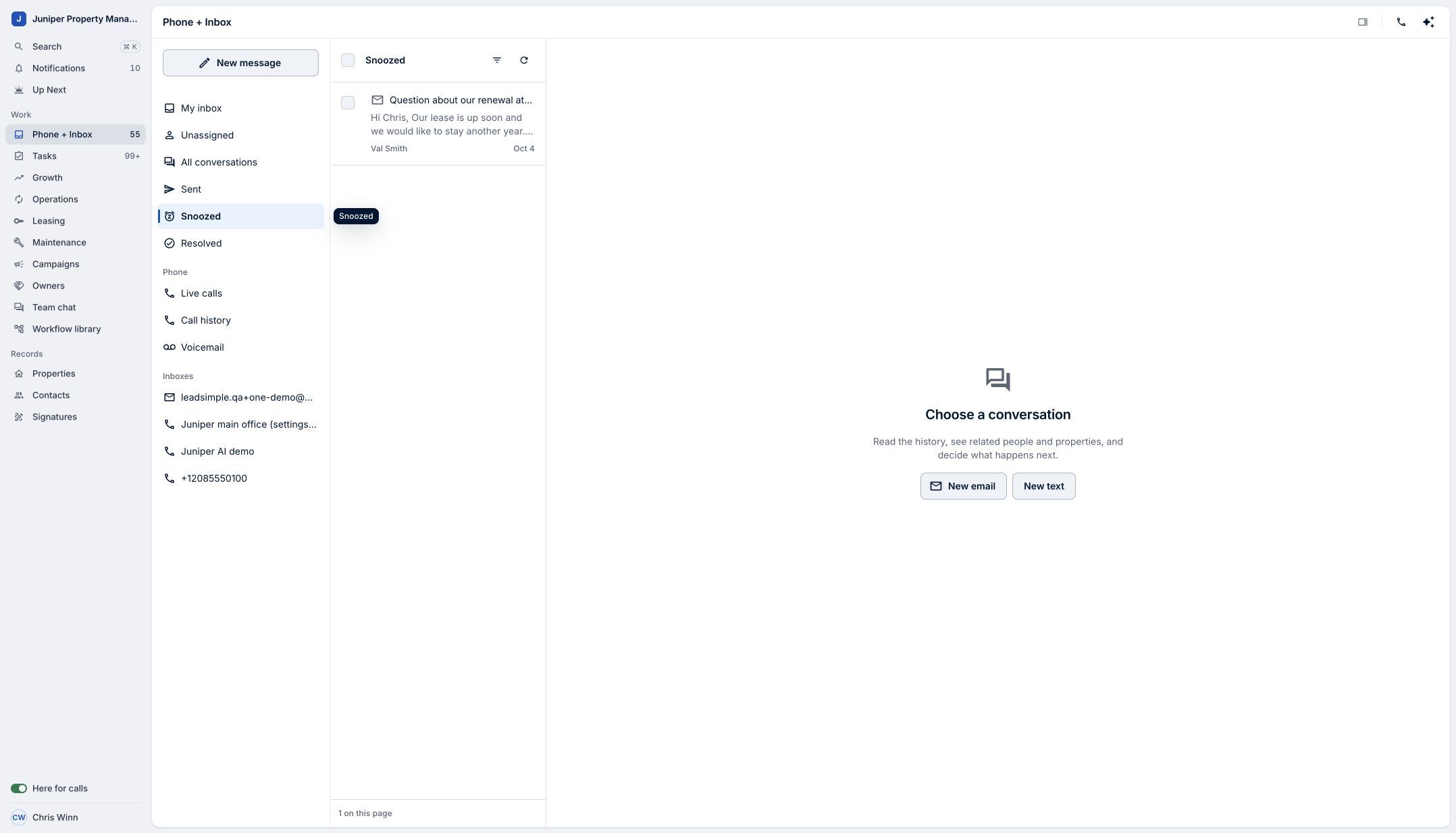
Use Snoozed to find conversations waiting for a later follow-up. Sample data. Select the image to enlarge it.
Video transcript
Some conversations need attention later, once you have the information to move forward. Snooze in LeadSimple One helps you keep today’s inbox focused without losing the follow-up. Open the conversation, then choose Snooze. Pick a suggested time, like tomorrow at nine, or choose a specific date and time. Check the time zone before saving. The conversation now shows when it will return to the inbox. Open Snoozed to find it again and review the scheduled follow-up. Make room for today, without losing track of tomorrow.
Make room for today, without losing track of tomorrow.
Try it in your own workspace, review the result, and bring your team along.