Prepare an outbound AI discovery call
An owner discovery call can move a new relationship forward. With outbound AI calling enabled, LeadSimple One can call an eligible lead contact, identify itself as AI, and collect discovery details for your team. This lesson shows the preparation controls and illustrates the conversation; it does not place a live call.
You’ll learn how to
- Find Call with AI on an open lead call task.
- Review the objective, recipient, phone line, time zone, and consent evidence.
- Understand why the outcome needs review before task completion.
-
Open an eligible call task
Start with an open Call task connected to a lead. Review its instructions: they provide the objective for the discovery conversation. Your account needs outbound AI calling enabled, an available AI phone line, and an eligible contact phone number. If the action or recipient is unavailable, review those prerequisites with your administrator.
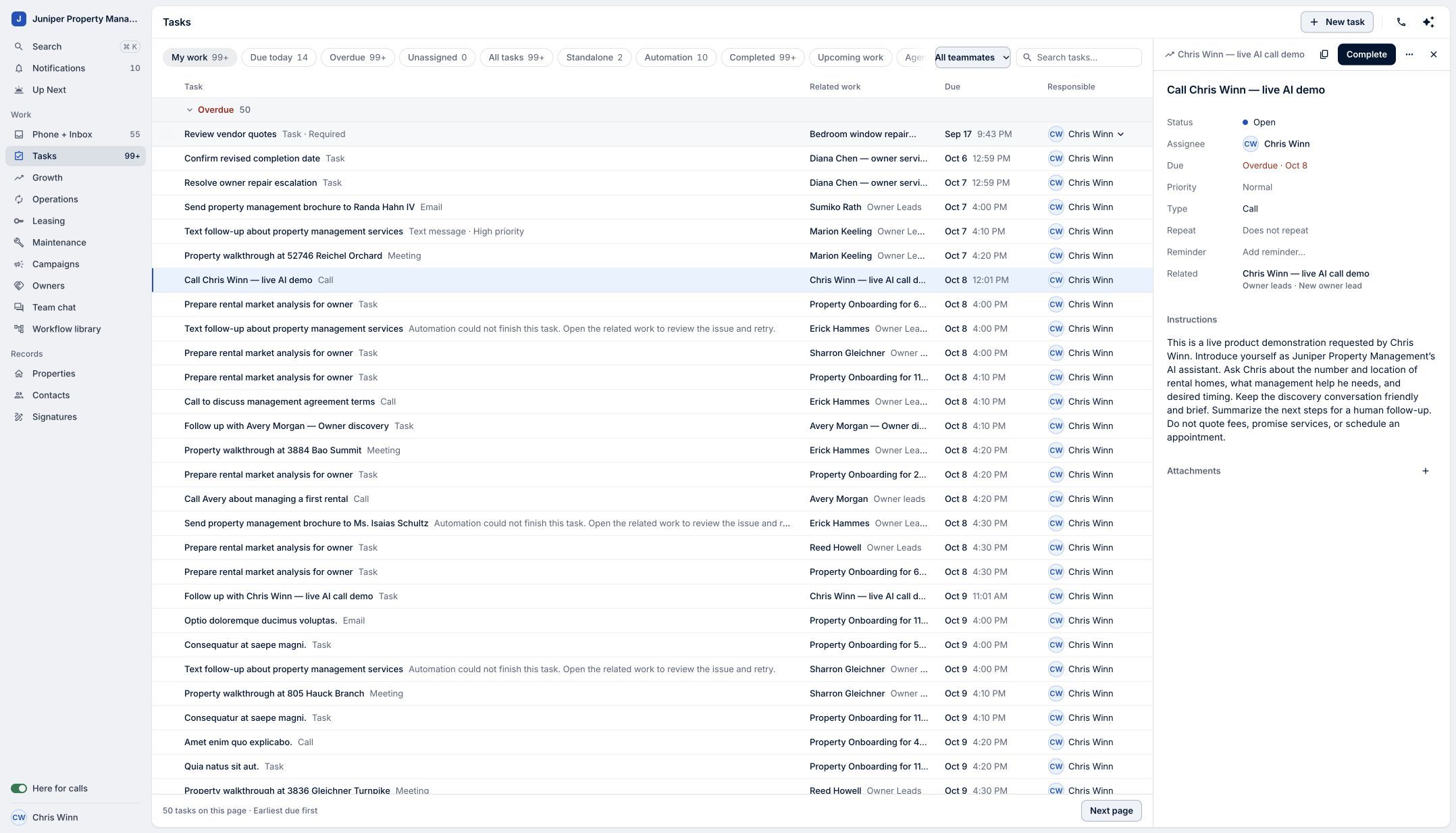
Start with a clear task objective and an eligible lead. Sample data. Select the image to enlarge it. -
Choose Call with AI
Open More actions on the task and choose Call with AI. This opens the AI discovery call dialog. Opening the dialog prepares the call; it does not place one.
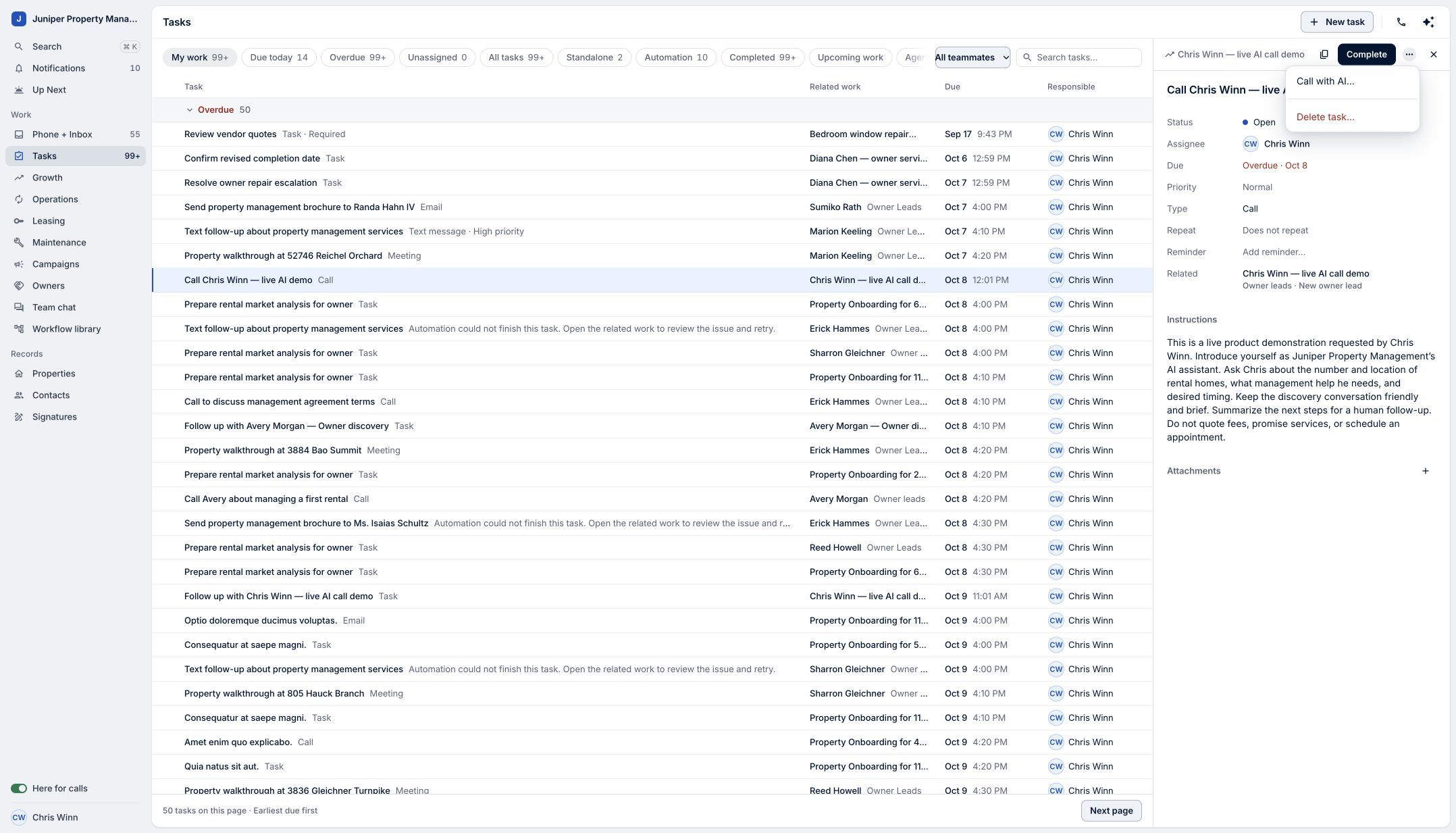
Open the AI discovery call preparation screen. Sample data. Select the image to enlarge it. -
Review the call details
Read the task objective, choose the recipient and AI phone line, and select the recipient's known time zone. The product permits calls between 8 a.m. and 9 p.m. in the recipient's local time. The screenshot shows the preparation fields before selections are made.
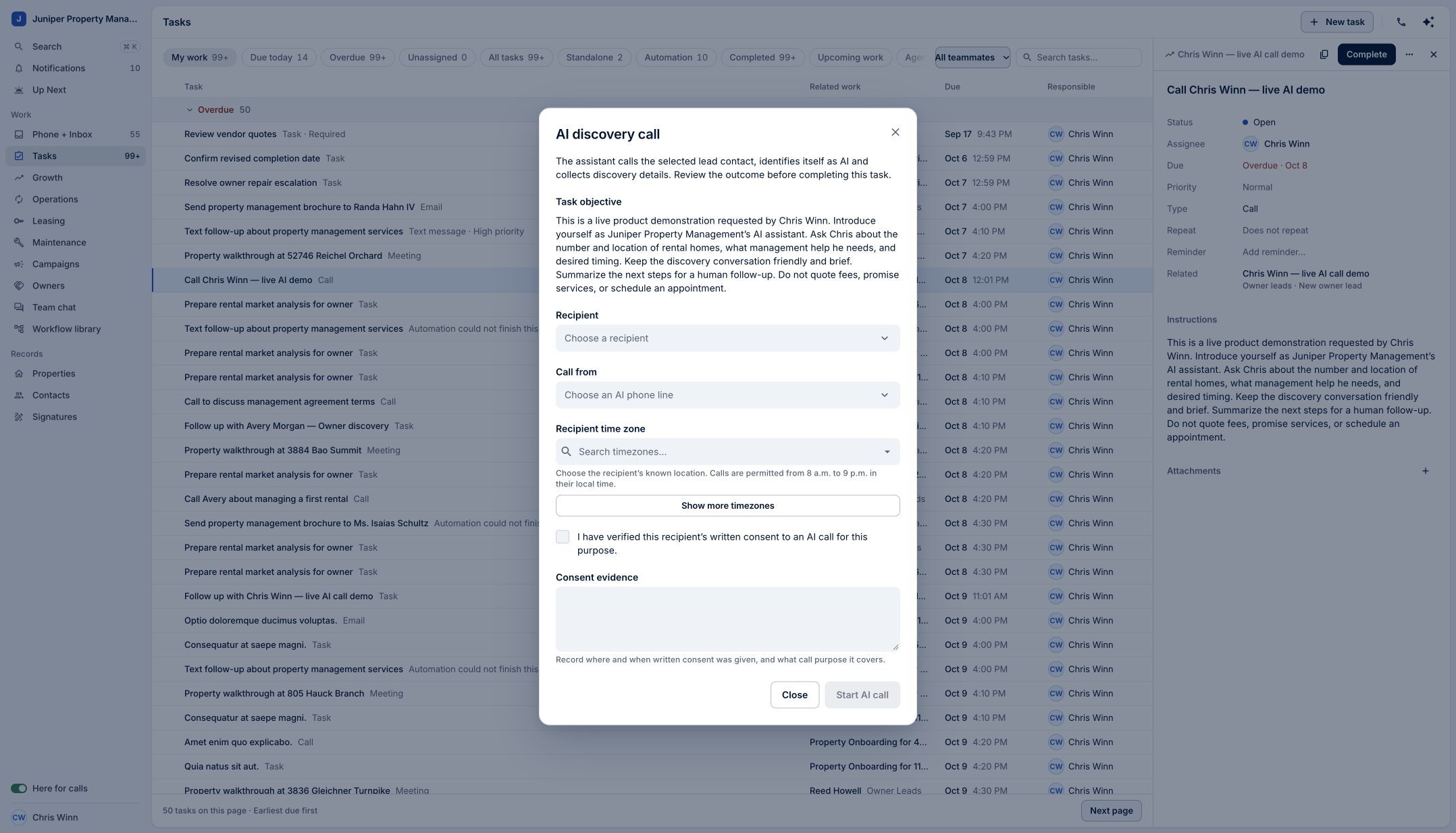
Review the objective and call details before starting. Sample data. Select the image to enlarge it. -
Verify consent and record the evidence
Verify the recipient's written consent to an AI call for this purpose, then record where and when it was given and the purpose it covers. Complete the required details before using Start AI call. The demo leaves these fields empty and does not start a call.
Consent evidence is part of preparing the call. Sample data. Select the image to enlarge it. -
Review the outcome before completing the task
During an AI discovery call, the assistant identifies itself as AI and collects discovery details. After the call finishes processing, review the outcome; use Review call when it is available to open the conversation. Decide on the next step before completing the task. A completed call and a completed task are separate decisions.
Review the call outcome before marking the task complete. Sample data. Select the image to enlarge it.
Video transcript
An owner discovery call can move a new relationship forward. In LeadSimple One, an AI assistant can make that call and gather details for your team. Start with an open call task connected to a lead. Open More actions, then Call with AI. Review the objective, choose the recipient and AI phone line, and confirm the recipient's time zone. Verify written consent and record the evidence before starting. The assistant identifies itself as AI and collects discovery details. After the call, review the outcome before completing the task. Let AI start the conversation, then bring your judgment to what comes next.
Let AI start the conversation, then bring your judgment to what comes next.
Try it in your own workspace, review the result, and bring your team along.