See the full story before you reply
A customer’s message makes more sense alongside the related work. LeadSimple One keeps linked people, property, and workflow context in the conversation’s Details panel. This example uses a fictional resident renewal request in Juniper and stops at a reviewed draft.
You’ll learn how to
- Read the request alongside its linked records.
- Use property and workflow context to plan the next step.
- Draft and review a response before sending.
-
Read the customer’s request
Open the conversation and read the message. In this example, Maya wants to stay at 1847 Juniper Street for another year and asks about renewal terms and next steps.
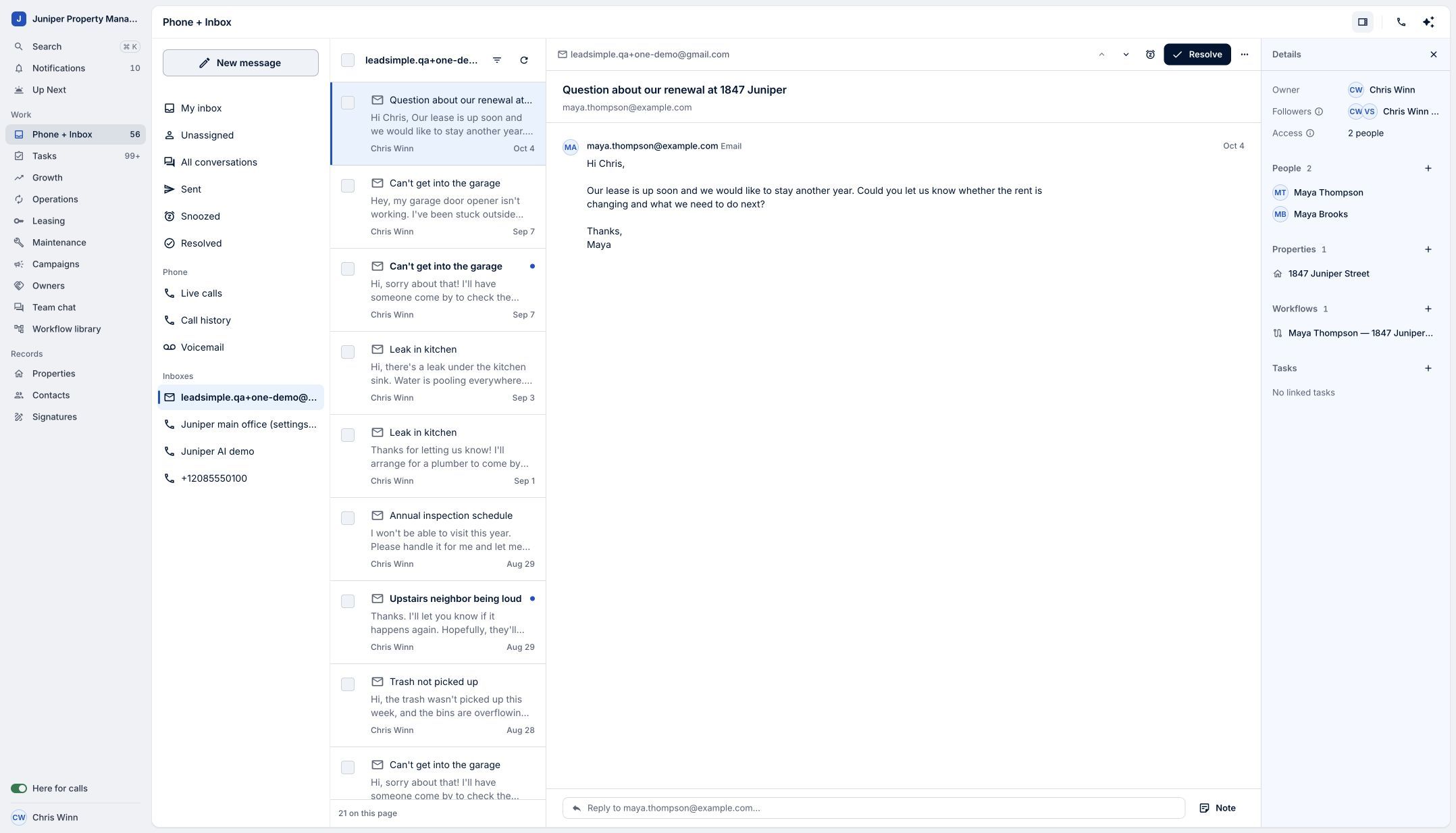
Start with what the customer is asking. Sample data. Select the image to enlarge it. -
Review the linked context
In Details, review People, Properties, and Workflows. The demo conversation includes the resident, 1847 Juniper Street, and the related renewal work. These links help orient your response; confirm actual terms and outstanding work before making a commitment.
Use the linked records to understand the work behind the message. Sample data. Select the image to enlarge it. -
Draft a clear reply
Choose Reply. Acknowledge the request and explain the next step. The example says the team is reviewing renewal details and will follow up with proposed terms, without inventing a rent amount or promising a decision.
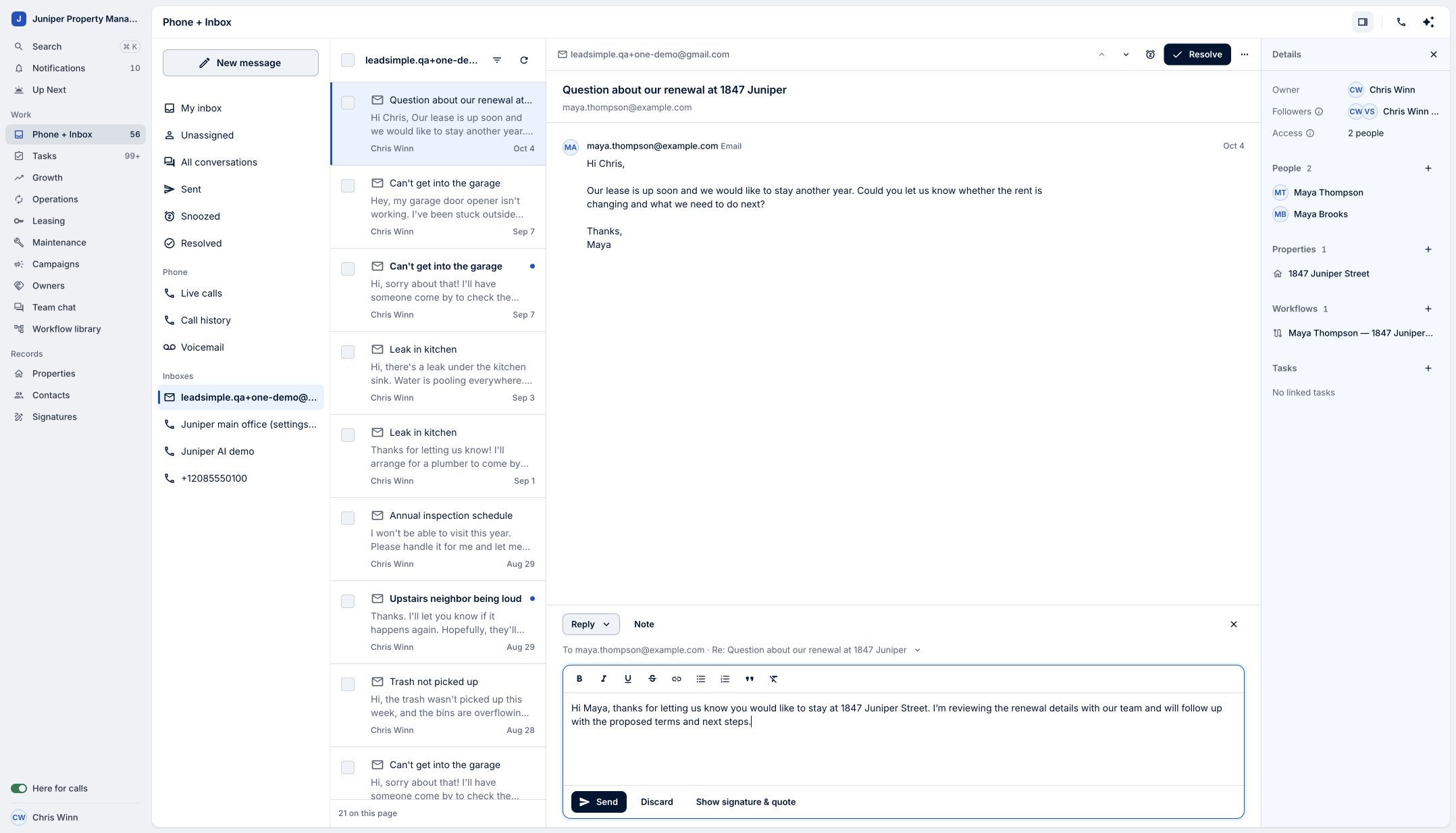
Write a response grounded in the information you have. Sample data. Select the image to enlarge it. -
Review before sending
Check the recipient, wording, and related details before you send. This tutorial ends with an unsent draft; no customer message is sent during the demonstration.
Review the response before sending. Sample data. Select the image to enlarge it.
Video transcript
A useful reply starts with understanding the work behind the message. LeadSimple One brings that context into your inbox. Open a conversation and read the customer’s request. In Details, review the linked people, property, and workflow. Here, a resident’s renewal question sits alongside the property and renewal work it belongs to. Use that context to understand the next step, then choose Reply. Draft a clear response that acknowledges the request and explains what happens next. Review the details before sending. Bring the context into the conversation, and respond with confidence.
Bring the context into the conversation, and respond with confidence.
Try it in your own workspace, review the result, and bring your team along.