See the full picture of owner service.
LeadSimple One connects communication with the work your team delivers. The Owners view brings that information together so you can spot service gaps, investigate the underlying work, and decide where a conversation could help strengthen an owner relationship. This walkthrough uses fictional Juniper demo data; your results reflect your accessible records and selected month.
You’ll learn how to
- Find owners who need attention.
- Read response time and follow-through together.
- Open overdue work and prepare a reviewed owner update.
-
Find the owners who need a closer look
Select Owners in the sidebar. Check the month, then choose Needs attention to focus the list. Open an owner’s name to see the work and response measures behind their relationship status.
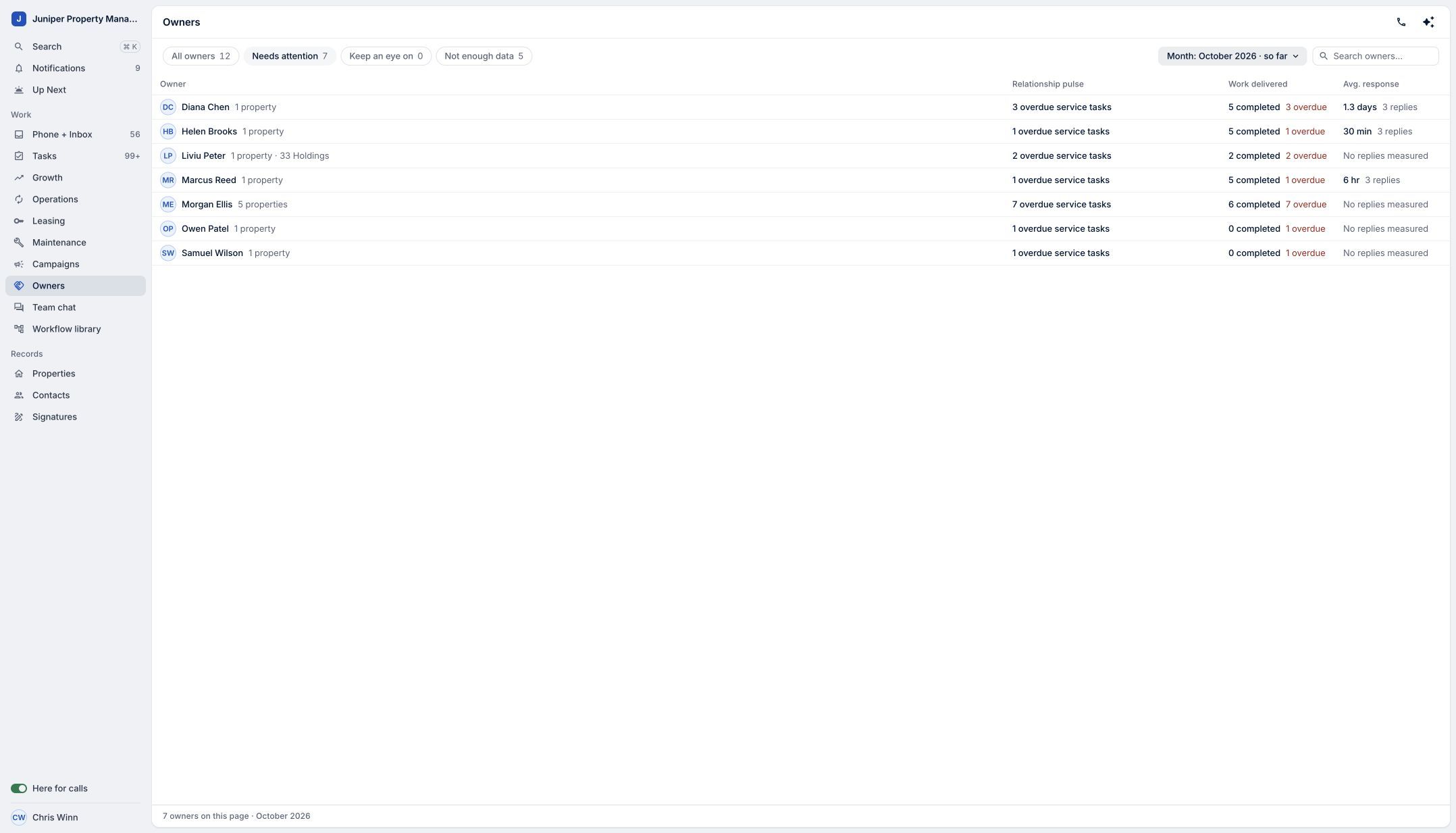
Choose Needs attention, then select an owner to open their scorecard. Sample data. Select the image to enlarge it. -
Read the service signals together
Review Follow-through, Response time, and Open work alongside the task list. In this example, Diana has five completed tasks, 40% on-time completion, three overdue tasks, and a 1.3-day average first response across three replies. On-time completion measures completed tasks against their due dates. Average first response uses recorded replies to accessible inbound owner conversations and the conversation’s configured business hours. At least three replies are needed for a response grade. Open and overdue work reflects the reporting cutoff: month end for a past month, or now for the current month. These are early service signals to guide your attention. They do not predict whether an owner will leave, and missing response data should not be read as a positive result. The broader platform connects phone, texts, email and workflows; the scorecard measures recorded work and eligible conversations rather than providing a separate score for every channel.
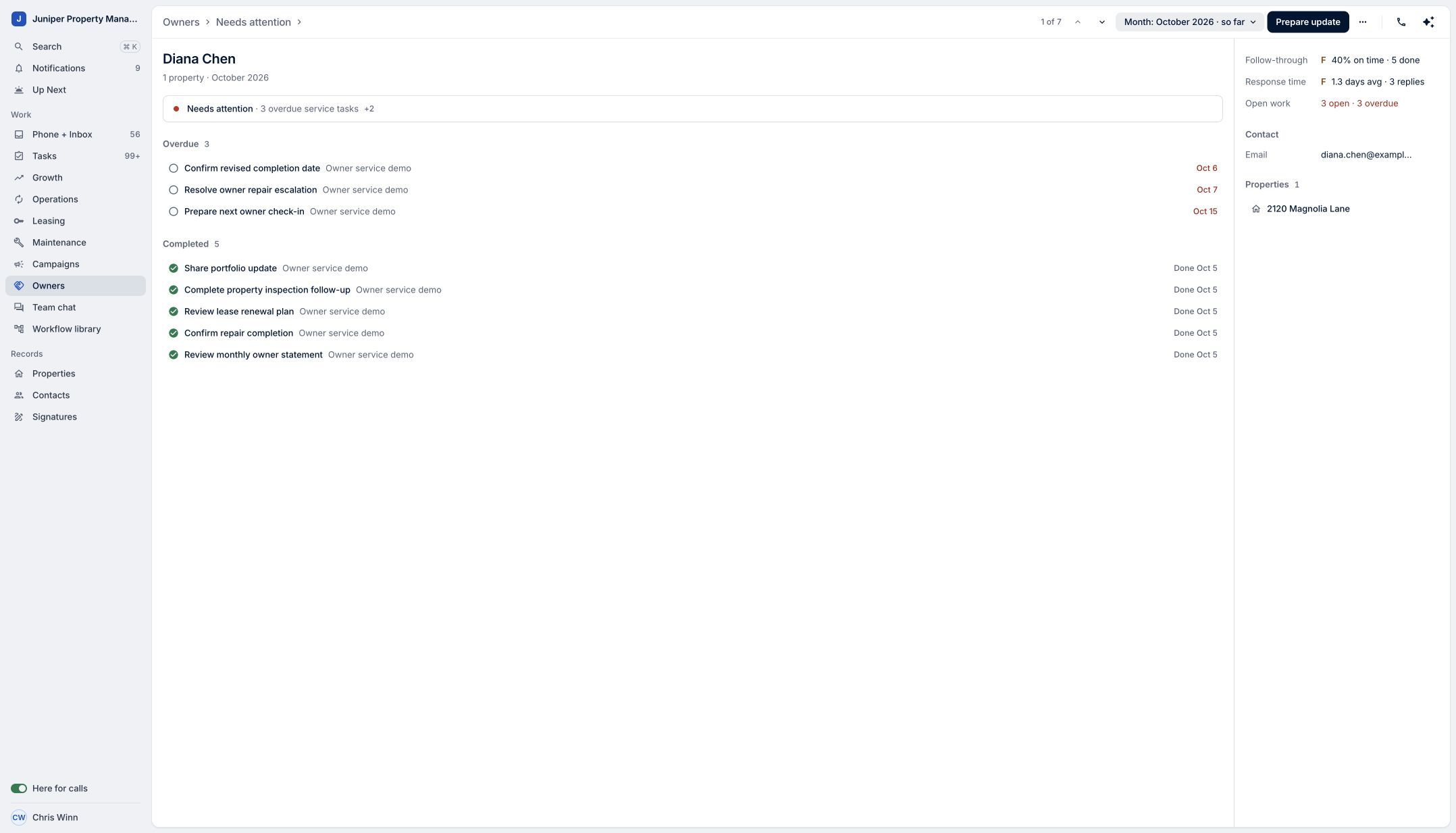
Read follow-through, response time, and overdue work together. Sample data. Select the image to enlarge it. -
Open the work behind the signal
Select an overdue task, such as Resolve owner repair escalation. The task drawer shows its assignee, due date, and related workflow. Use that context to decide what follow-up is needed with your team. Close the drawer to return to the owner’s scorecard.
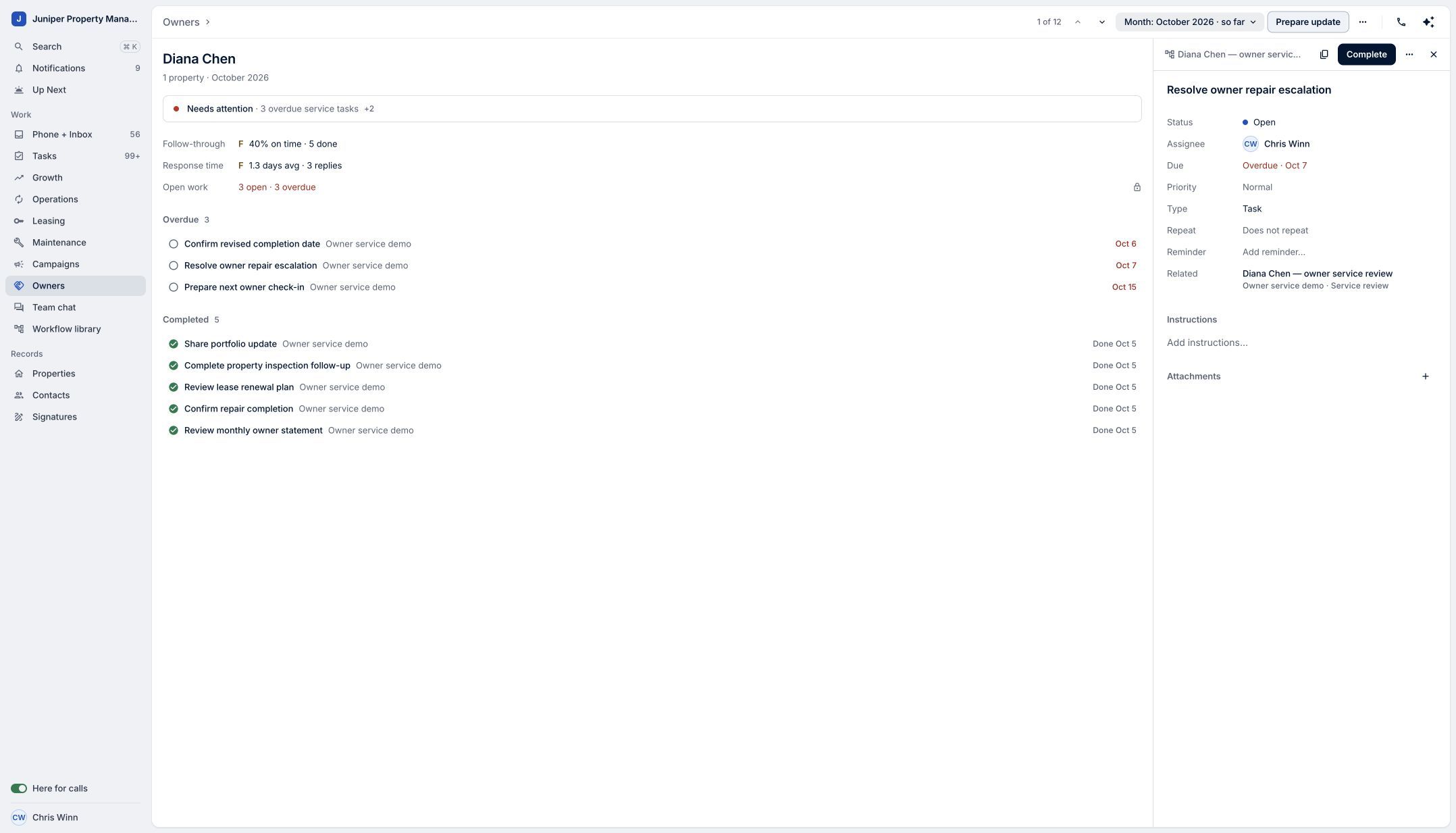
Review the task’s assignee, due date, and workflow before deciding your next step. Sample data. Select the image to enlarge it. -
Prepare a clear owner update
Choose Prepare update. Review the recipient, subject, personal note, and service summary before sharing. The summary uses aggregate completed work; internal grades, risk assessments, and task descriptions are excluded. In the video, we stop at the preview and do not send a message.
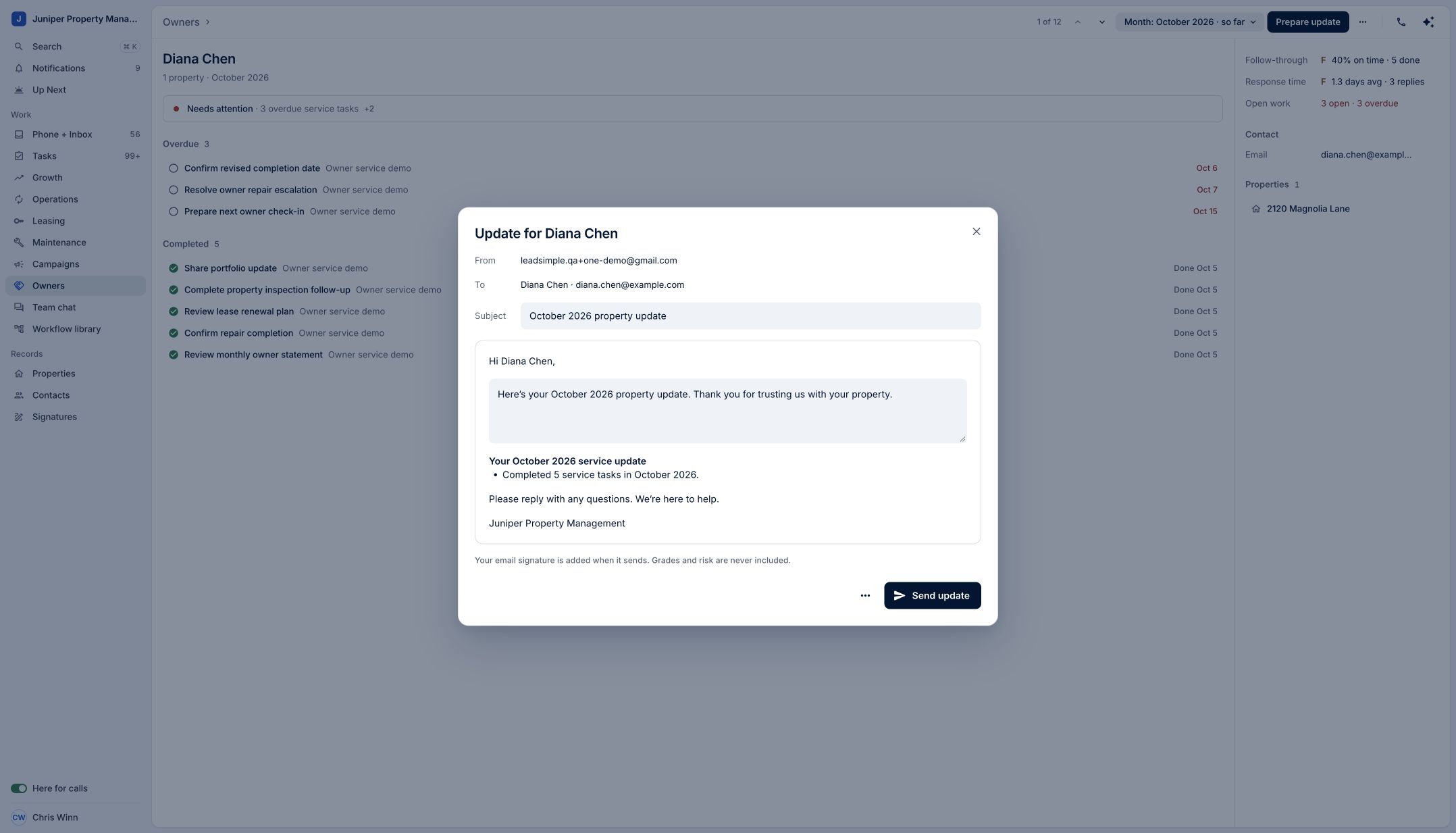
Review the owner-facing summary before sharing. This walkthrough stops at the preview. Sample data. Select the image to enlarge it.
Video transcript
The Owner report in LeadSimple One helps you spot service gaps that can affect owner retention. Your inbox, phone, texts, email, and workflows are connected, bringing communication and follow-through together. Open Owners, then choose Needs attention. Select an owner to review their scorecard. See overdue work, on-time completion, and average first response. Open an overdue task to understand what needs to happen next. Then, use Prepare update to review an owner-facing summary. These are early service signals to guide your attention. See the full picture, and turn insight into stronger owner relationships.
See the full picture, and turn insight into stronger owner relationships.
Try it in your own workspace, review the result, and bring your team along.