Product Updates: Q2 2020
This round of updates focuses largely on LeadSimple's Process Automation module, but includes lots of improvements and new features our CRM users will find useful as well.
By Matt Berkompas
For the second time this year, we're back with another round of awesome features and updates to LeadSimple! Quarter 2 of 2020 has been a busy one for us and we're excited to share what we've been working on and watch it improve your day-to-day work.
This round of updates includes some exciting new features, improvements to existing ones and significant updates to our one-of-a-kind process management module. And, by the way, if you aren't using LeadSimple for your operational processes yet, check this out to learn more and get started.
So what are the updates?
Let's start with the biggest changes.
Reply to an email thread... from LeadSimple!
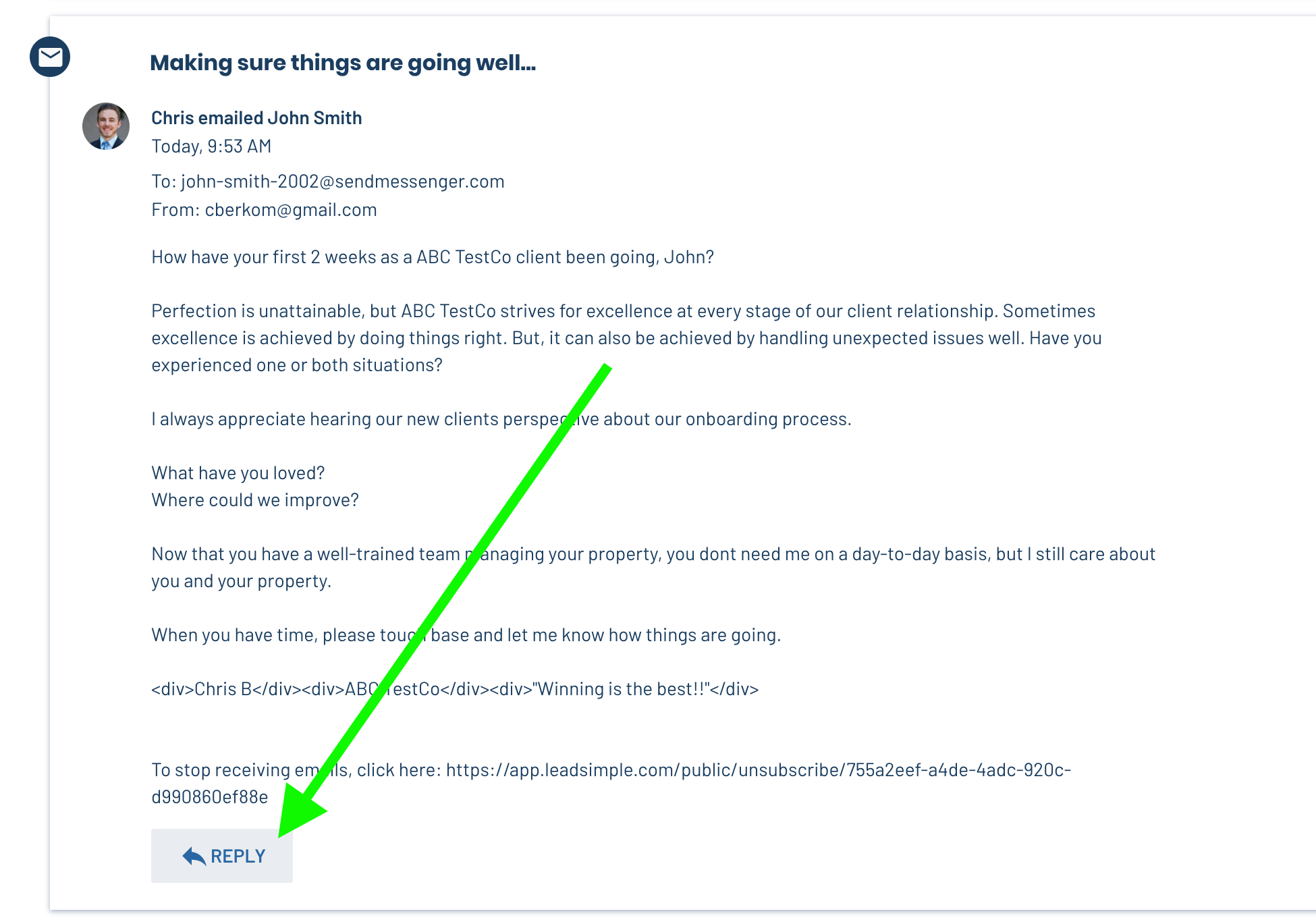
A long requested feature for sure! You can now reply to any email that is tracked in LeadSimple, either on a lead or a process, and that email will be attached to the email thread. This means you don't have to log into your Gmail or Outlook account to reply to an email in a thread.
To do this, just open a lead in your LeadSimple account, click an email in the feed to expand it and click the "Reply" button at the bottom. Then write that brilliant message 😉
Custom Field Updates: Custom sorting and more...
We made a lot of updates and improvements to the experience around Custom Fields; below are the most notable changes. Custom Fields can be used to create custom dashboards and power conditional logic in your sales and operational processes. Learn more about this feature at the following links:
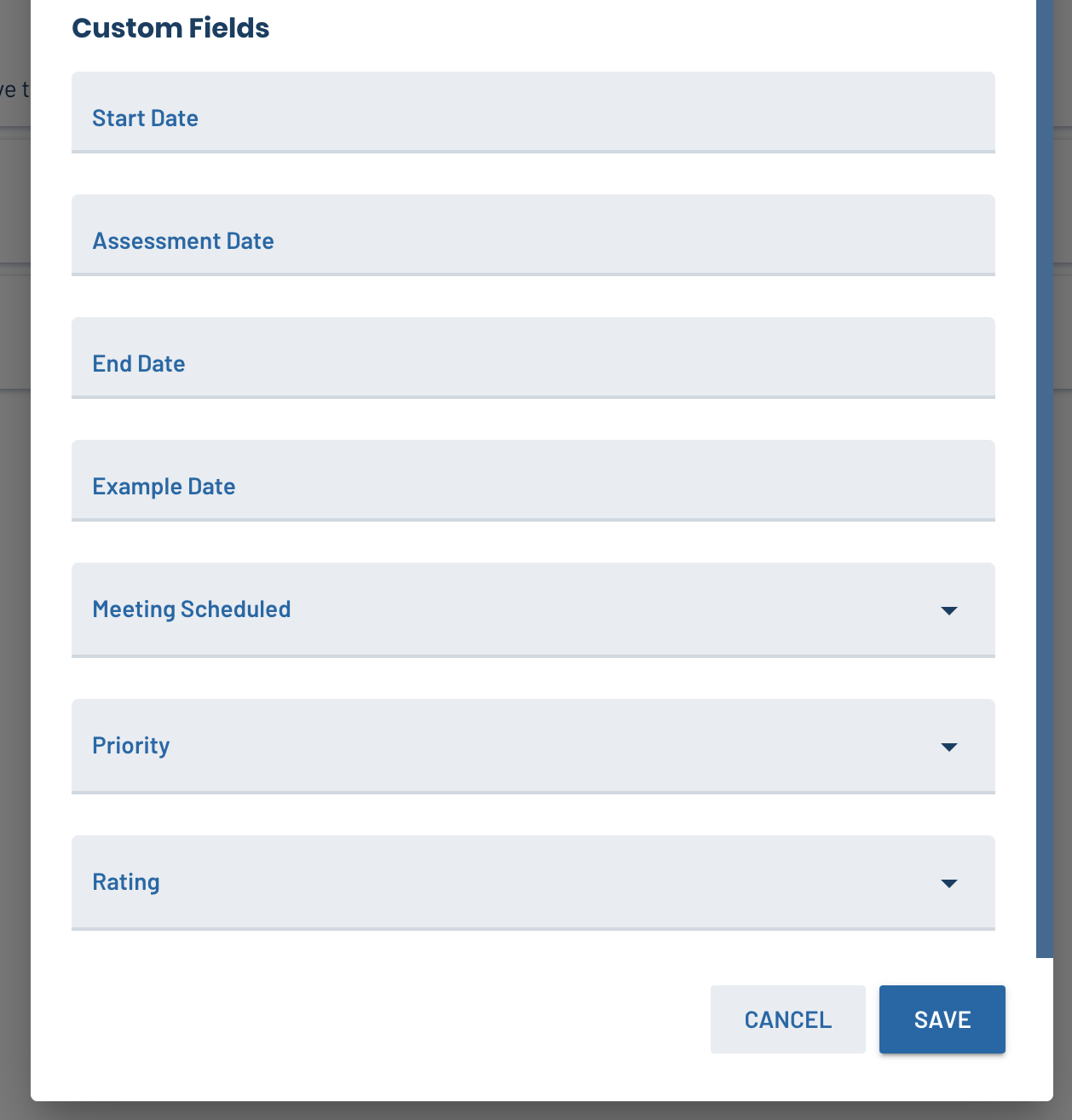
1. Customize the order your custom fields appear on a lead or process. Previously, you couldn't change the order that custom fields appear on a lead or process; now you can arrange the fields to display in any order you want!
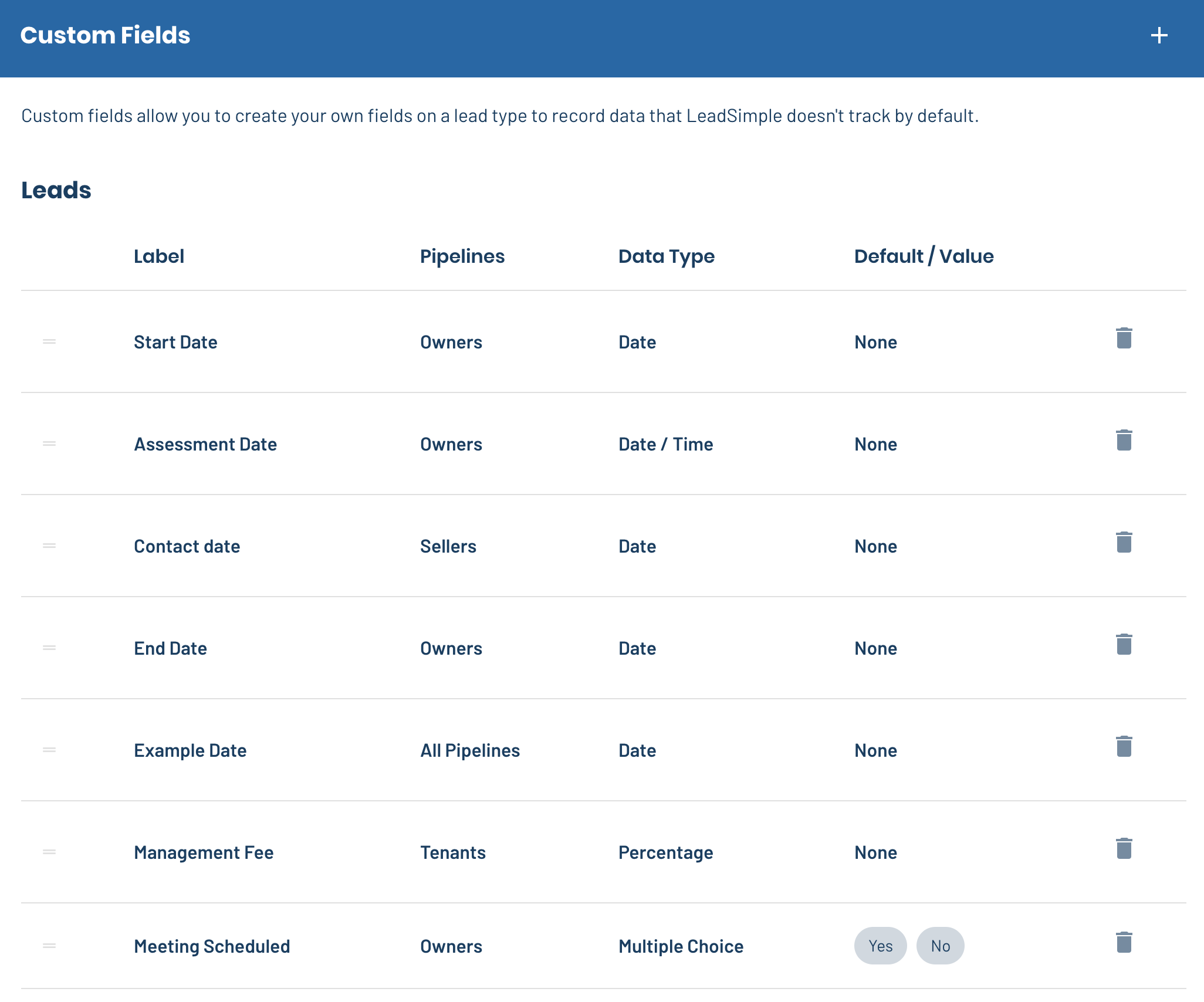
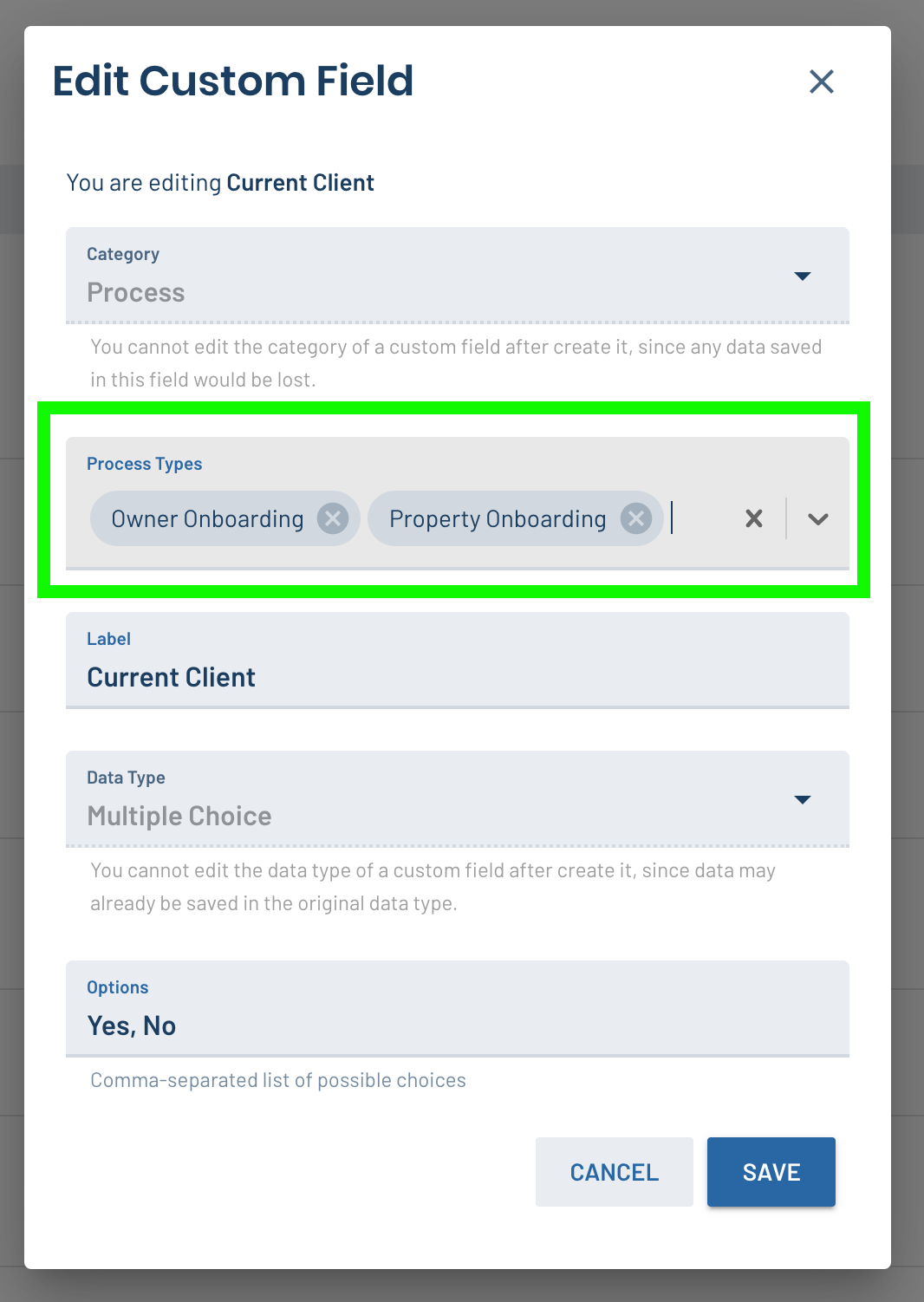
2. Apply Custom Fields to multiple Pipelines or Process Types at a time: Custom Fields could only be connected to one pipeline or process type. Now, you can choose the specific pipelines or process types to connect them to and choose more than one. This ensures that every process displays the most relevant fields and data, and makes managing that data easier.
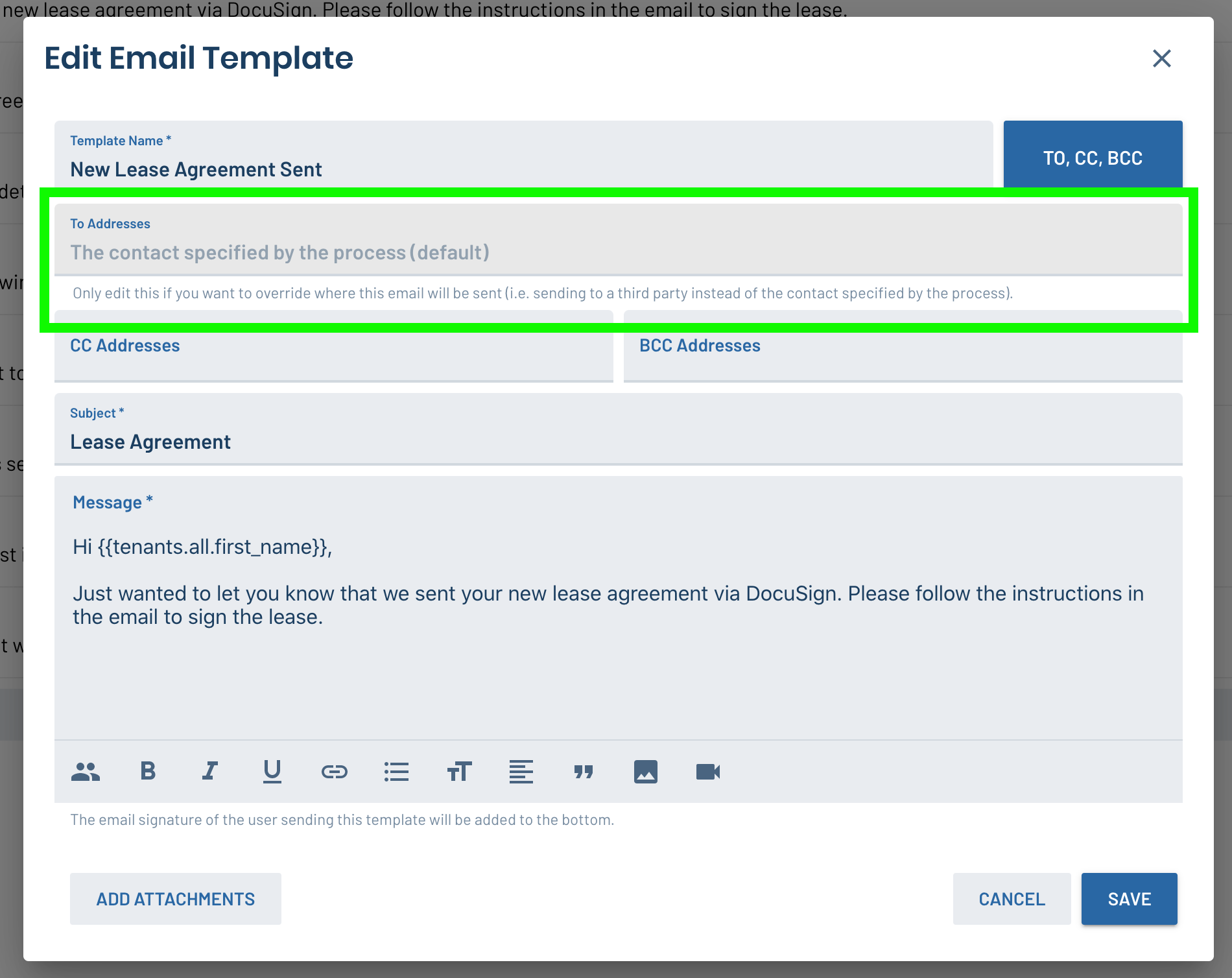
Custom "To" Address to email other teammates or third parties in workflows
Certain points in your operational processes often require you to send information to someone other than the property owner or tenant; maybe someone else on your team like a leasing agent, or a third party vendor. We added a field to email templates to allow you to automatically send an email to a third party (either manually or automatically) in your workflow. This email will be tracked on the lead or process and allows you to build more automation into it.
Assignee Roles for Processes
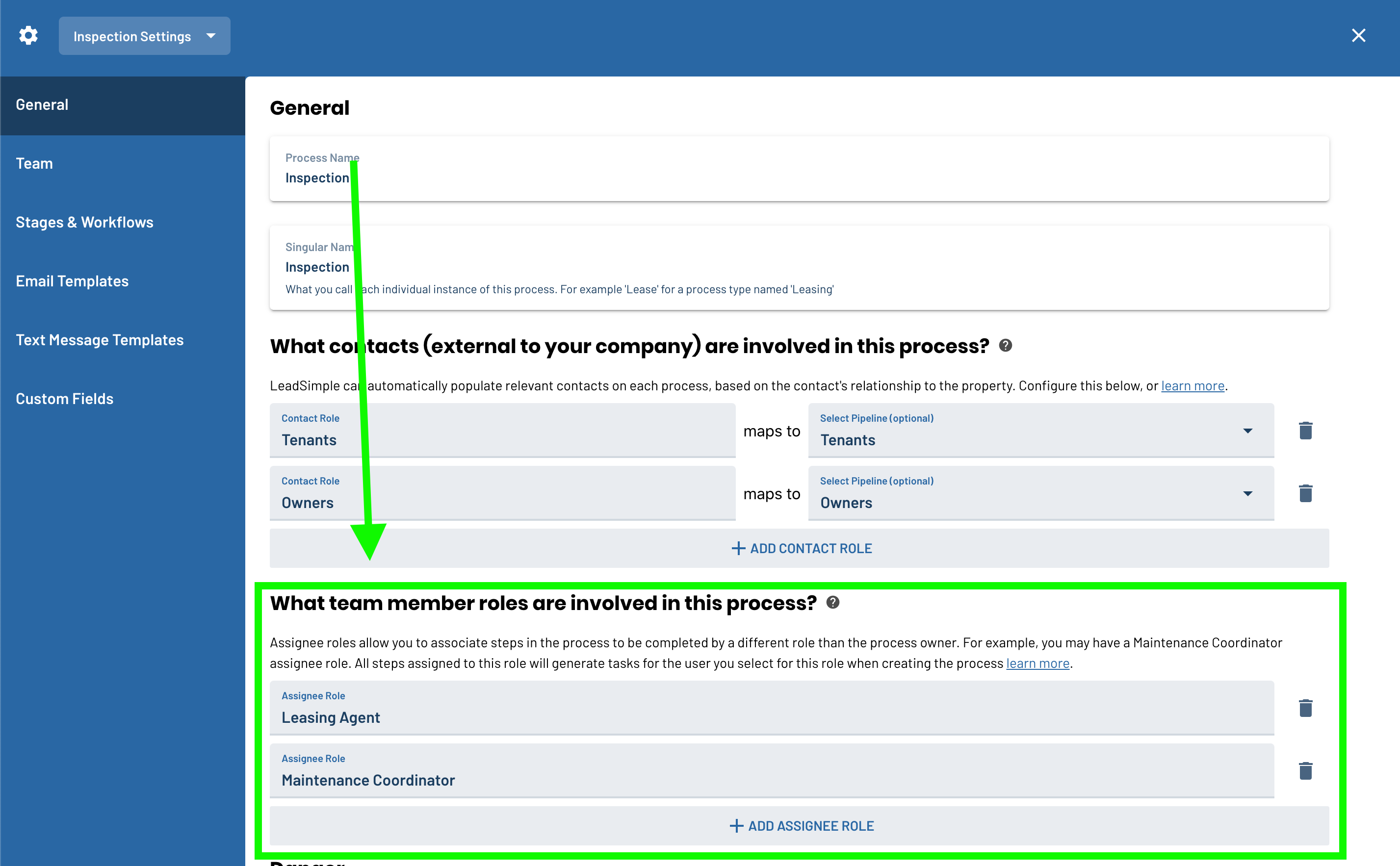
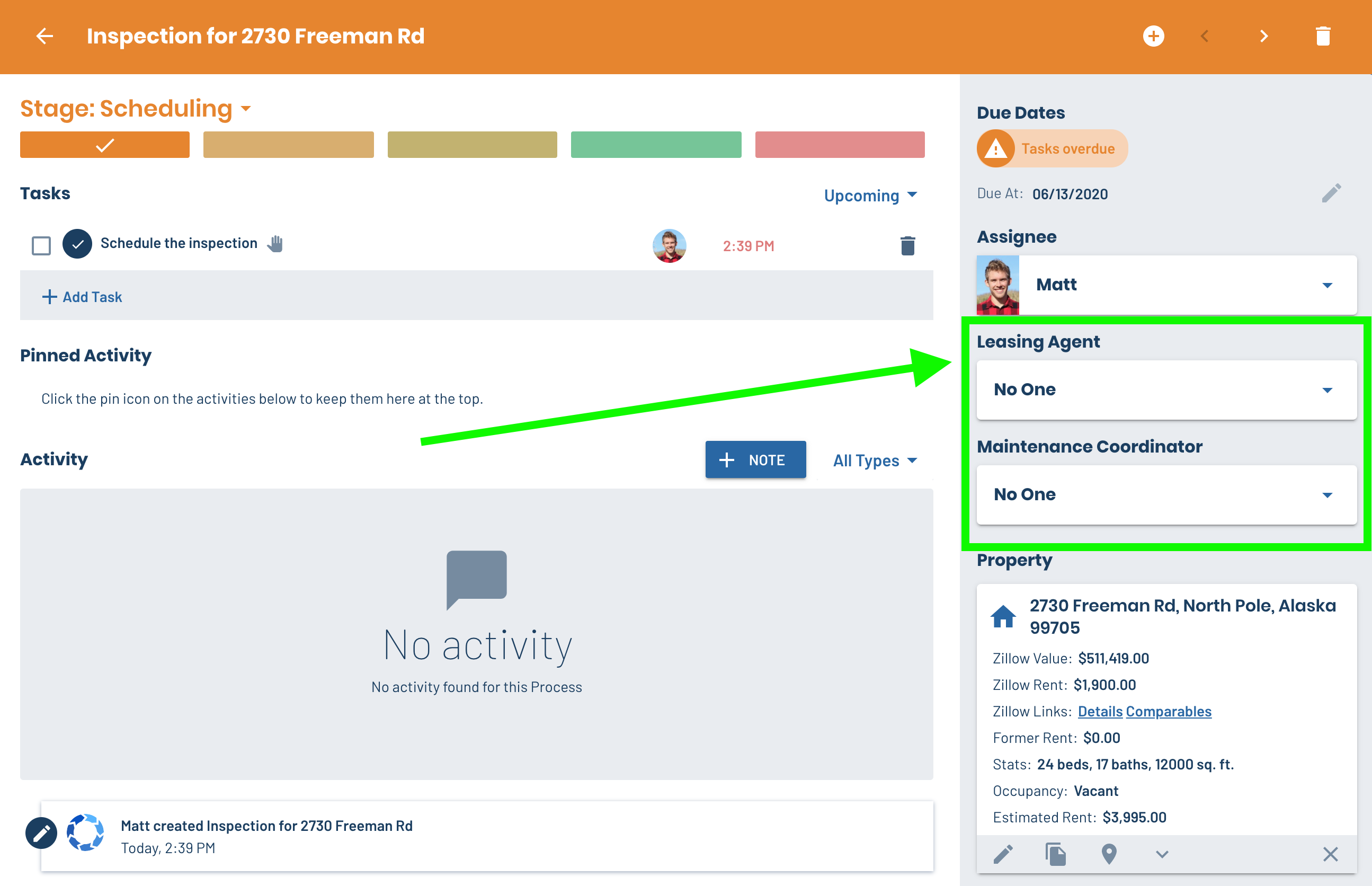
Many of your operational processes have multiple people on the team working on them at once. You might have a maintenance coordinator, a leasing agent and the property manager all collaborating on a process and they all need to know what tasks they are responsible for. LeadSimple makes this easy with Assignee Roles. Similar to Contact Roles, you can add custom assignee roles for each process type and then assign tasks to those roles. When you create a new process, you get to select which member of your team should fill that role on this process, which is great if you have multiple in a given role (multiple leasing agents or maintenance coordinators, for example).
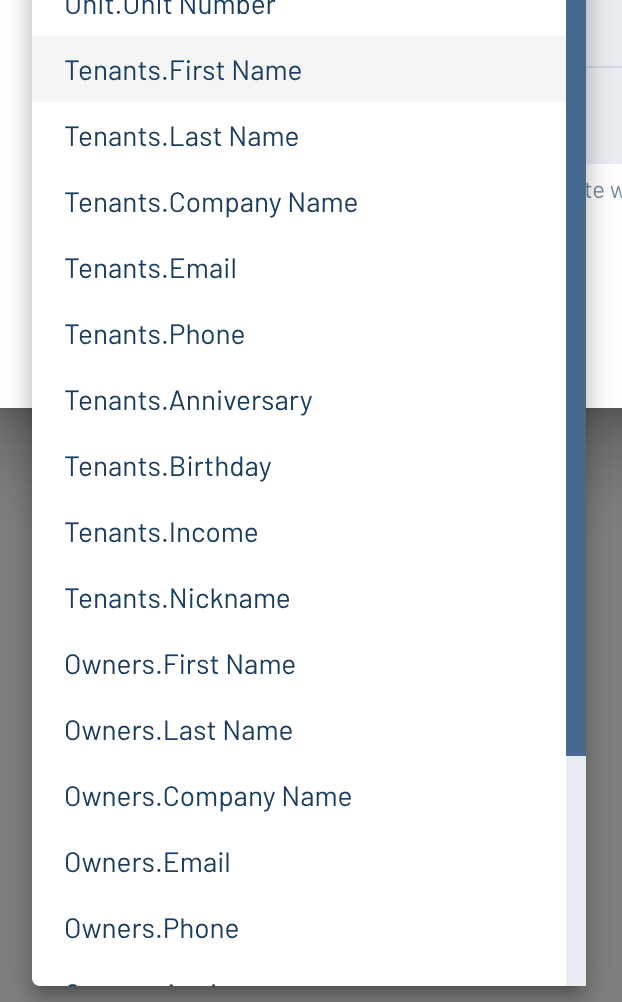
Merge tag support for multiple contacts on a Process
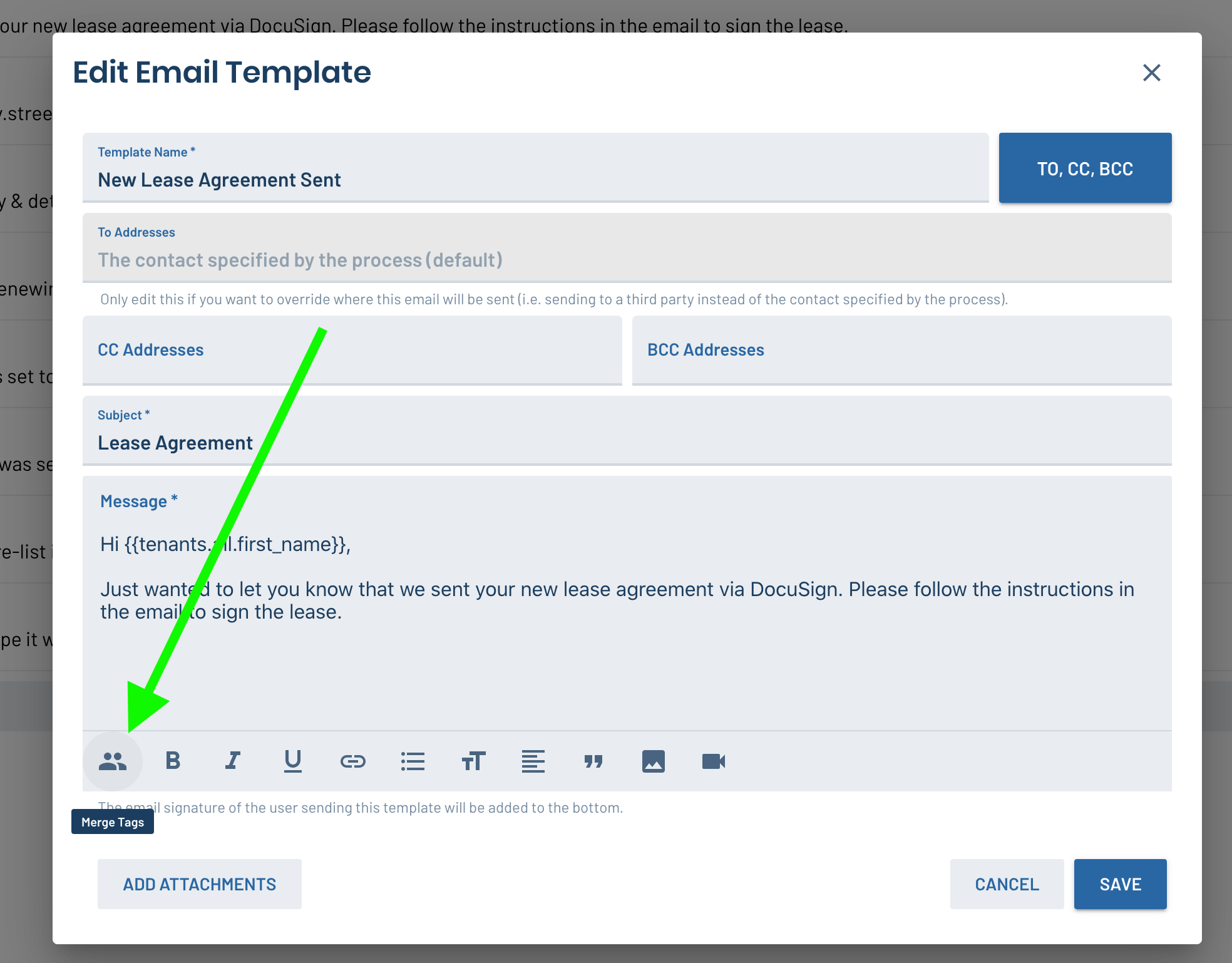
Processes often include different contact roles. A lease renewal, for example, includes the tenants and the owner. Chances are, you'll need to communicate with each of those contacts separately at different points in the process, and it's great to automate that wherever it makes sense. Our new merge tags support situations where multiple owners or tenants are listed on the process and you need to automatically send an email to all of one of them. The merge tags can pull in personalized information from any of your contact roles on the process to make the email come across as genuine, not canned.
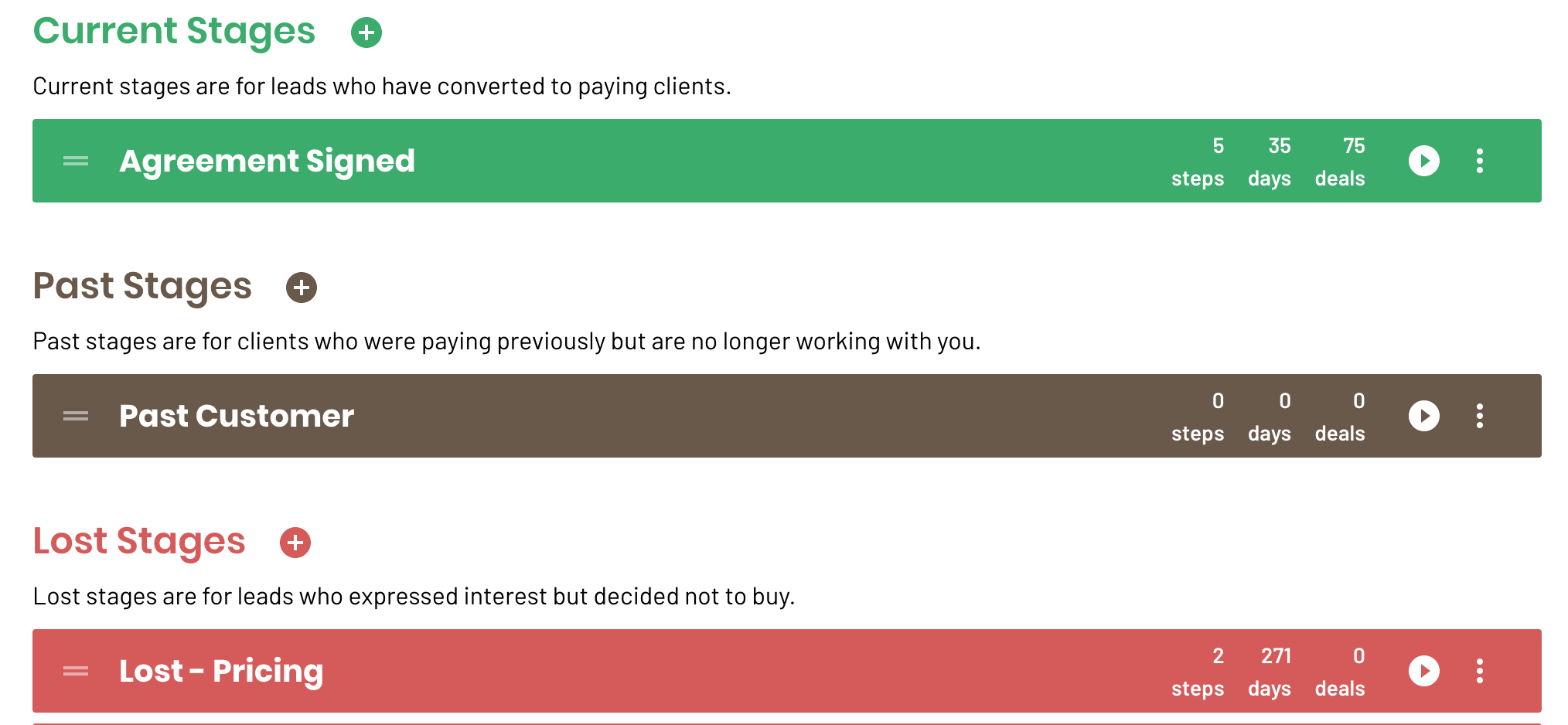
A stage status for "Past" clients
We have added a stage status for keeping track of past clients. This is particularly useful for customers who are using LeadSimple's process automation module, but it can be really helpful to track and send targeted marketing emails/texts to customers who decided to stop working with you.
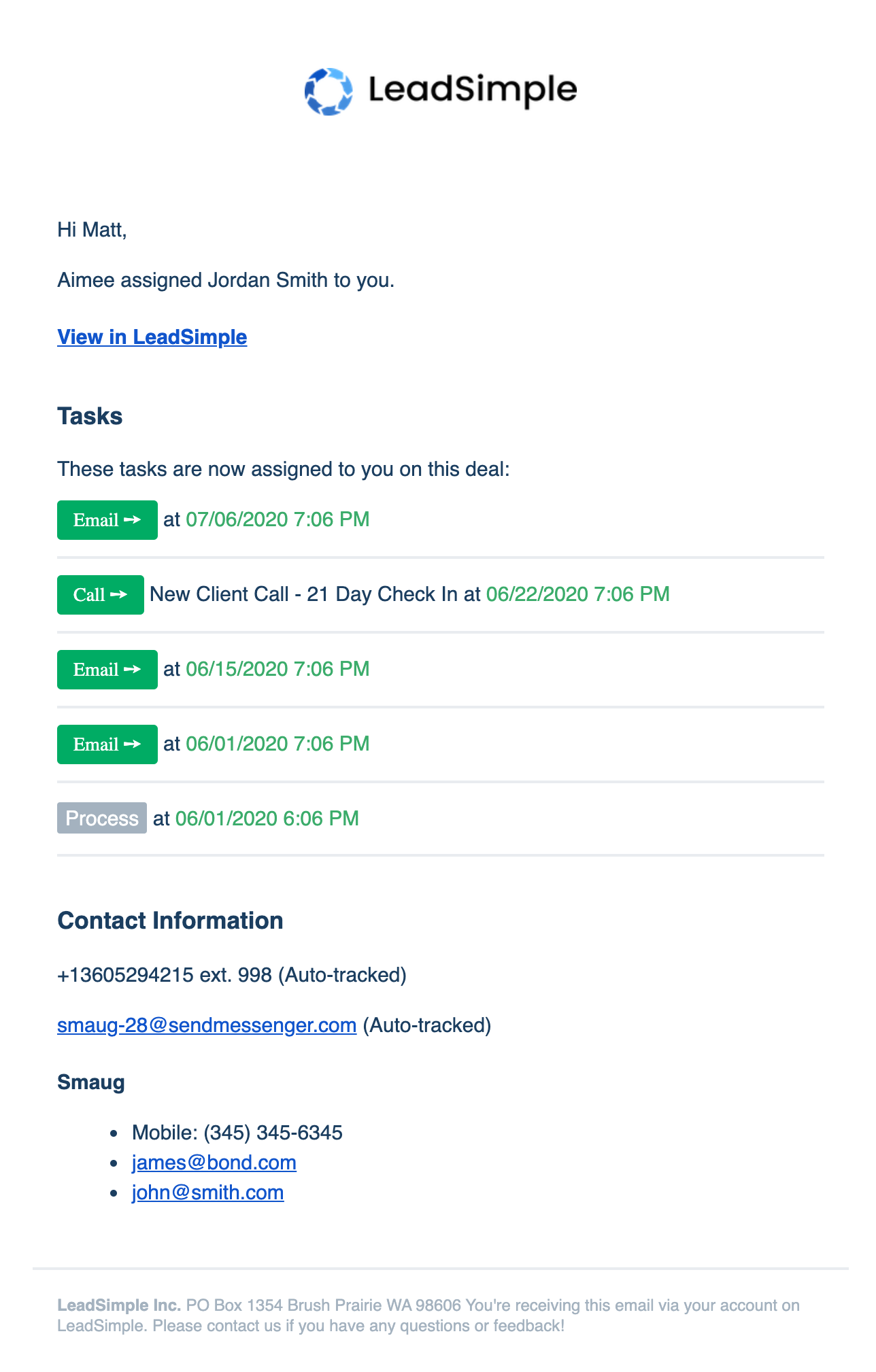
Upcoming tasks are displayed in lead assignment notifications
When you get an email saying LeadSimple assigned a lead to you, you'll also see the upcoming tasks for that lead. This will help with that initial follow up and make sure the lead doesn't slip through the cracks.
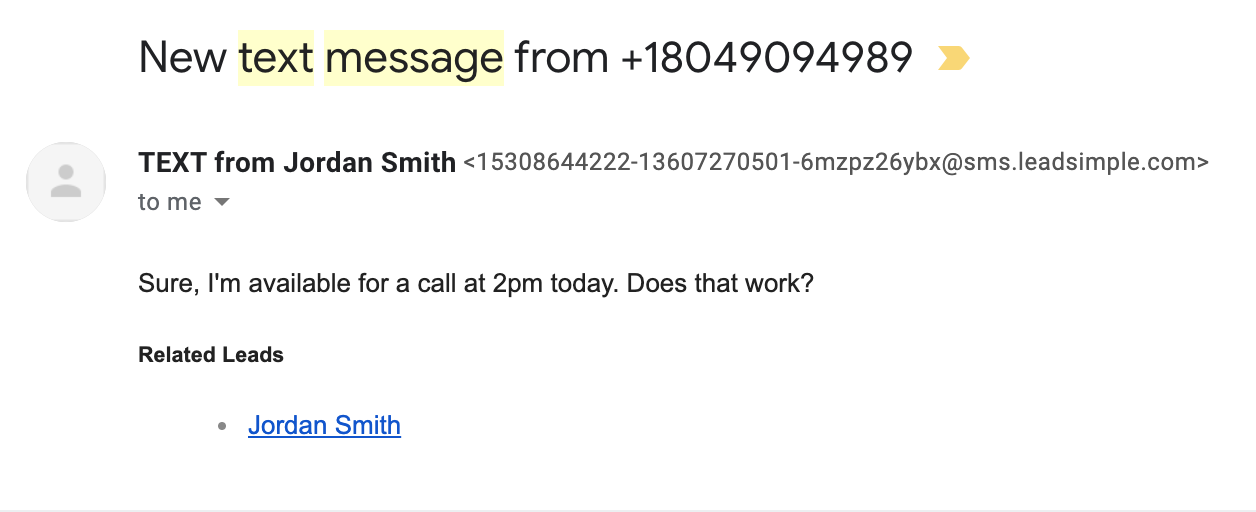
Easily access leads from a text message notification email
This feature was another long outstanding request. Now, when you get a notification saying you have a new text message on your LeadSimple phone number, we display the link to the lead so you can access it more easily.
In Conclusion...
These are the main changes you'll notice, but we've been hard at work improving the performance of LeadSimple, the database structure, search queries and making small UI tweaks to make your experience with the product better than ever. If you have feedback about features you would like to see in LeadSimple, just shoot us an email (support@leadsimple.com). We review every request we get!